









Over the years, the ModulesGarden Marketplace has grown to cover a wide range of everyday WHMCS needs, from server provisioning and billing to support, security, and client communication. Still, there are always smaller gaps waiting for the right solution.
We certainly did not slow down this summer. Our hands were full as we worked on and released four completely new modules. Each one started with a different practical need: making invoices easier to pay, protecting sensitive information in support tickets, introducing a simple identity verification method, or automating WireGuard VPN services.
All four brand-new modules are now available in stable version 1.0.0, so let’s take a closer look at what they might bring to your WHMCS.
Let clients pay without looking for their password
Paying an invoice should not require several extra steps. Yet a client who opens an invoice email may first need to sign in to the client area, find the right invoice, and sometimes even reset a forgotten password before making the payment.
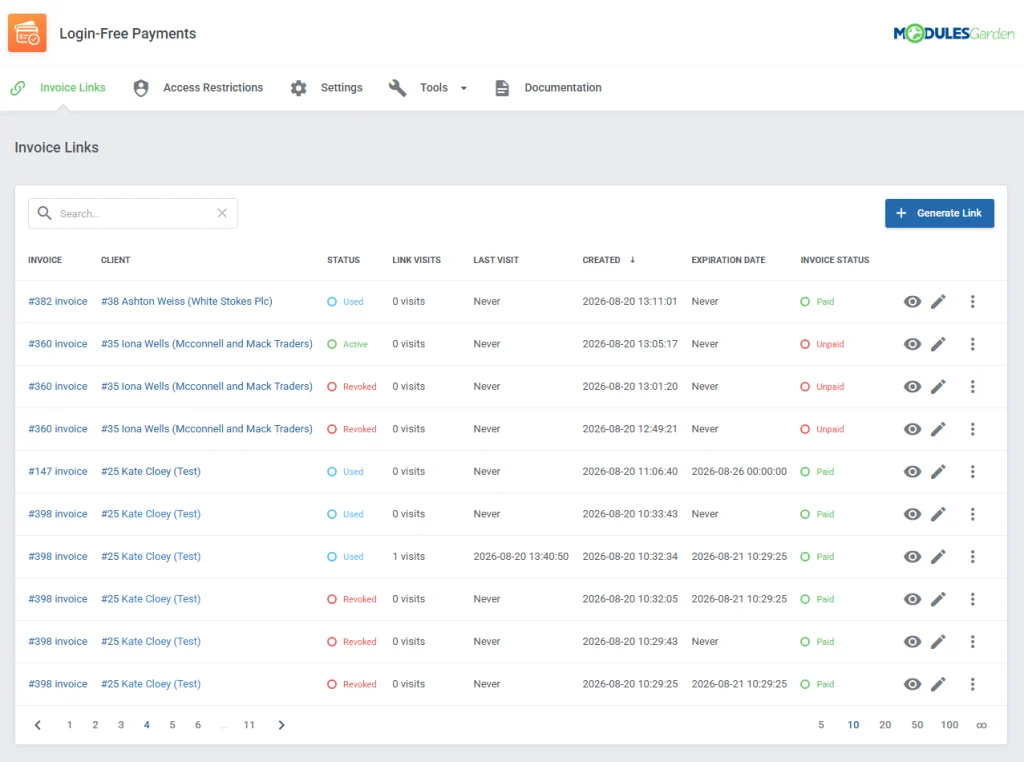
Login-Free Payments For WHMCS provides a more direct route. It generates secure links that allow clients to open and pay specific invoices without logging in to WHMCS. These links can be added to invoice emails as buttons or QR codes and protected with passwords, expiration dates, or one-time use. The benefit is straightforward: fewer obstacles between receiving an invoice and completing the payment, without giving up control over access.
Keep sensitive details out of ticket conversations
Support tickets regularly involve information that should not be left inside an ordinary message. Passwords, access credentials, API keys, and similar details may be necessary for resolving a case, but copying them directly into a ticket is hardly the best way to exchange them.
Secure Support Messages For WHMCS introduces a separate and safer channel for this type of content. Clients and staff can attach confidential information to support tickets while keeping it encrypted and stored separately from the regular conversation. Access can be restricted by administrator role, while stored data may be removed automatically after a selected retention period or when the related ticket is closed.
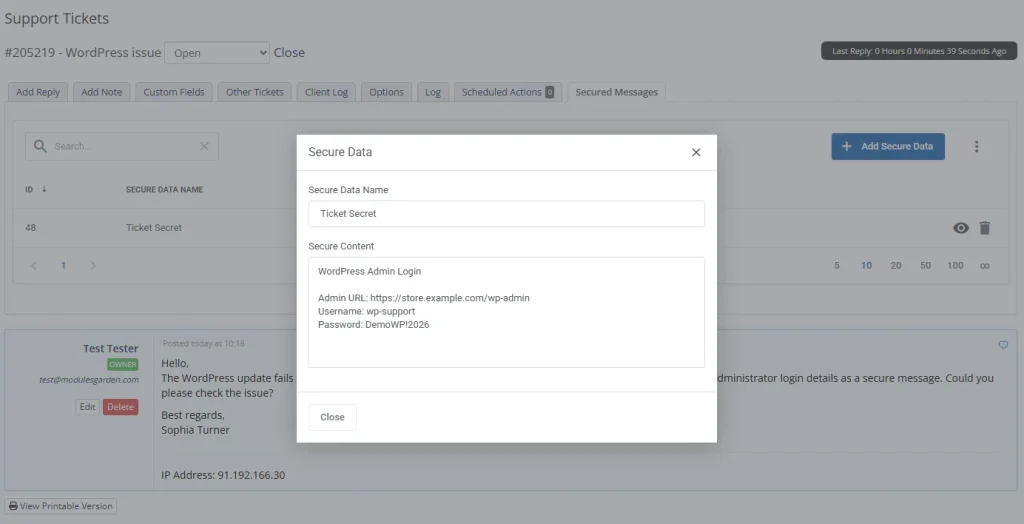
For support teams, this means sensitive data is still available where it is needed, but no longer mixed with the complete ticket history. For clients, it provides a much clearer alternative to placing passwords or credentials in plain text.
Add a clear verification step to customer support
When a client contacts support by phone, live chat, or another channel outside the client area, confirming their identity can quickly become awkward. Asking multiple account-related questions takes time, and the process may still leave room for uncertainty.
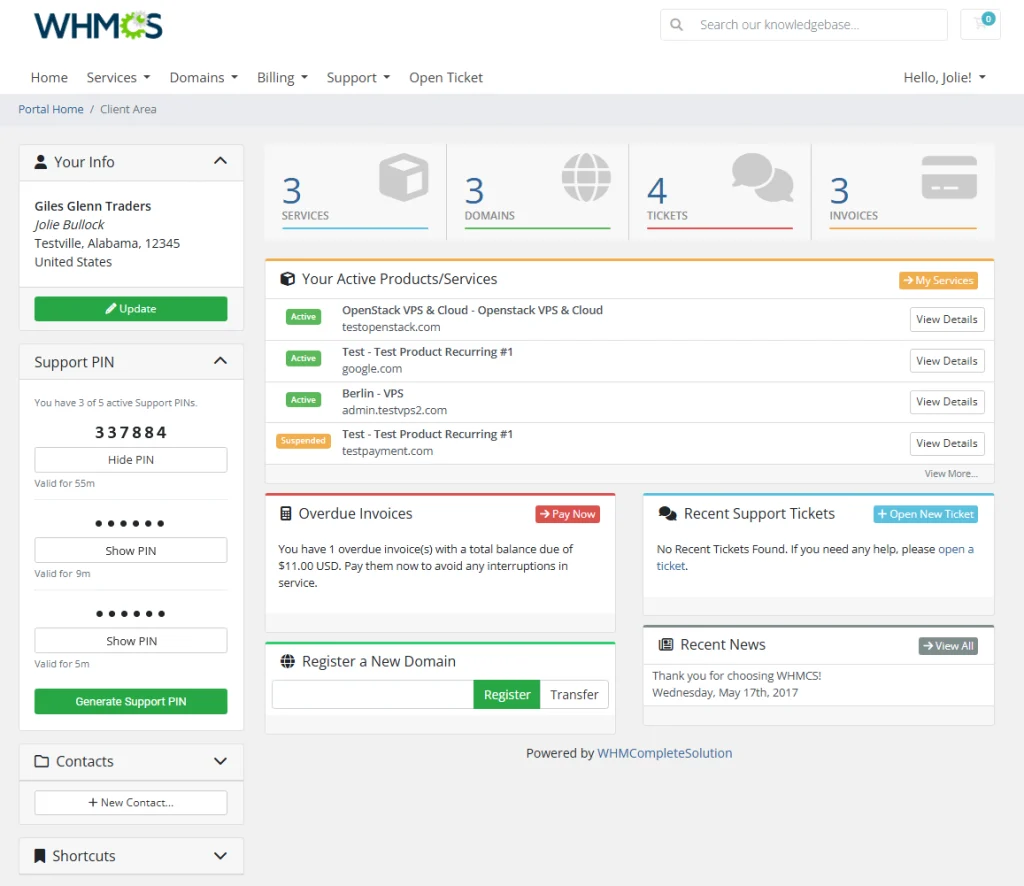
Support PIN For WHMCS replaces this with a simple verification step. The client generates a temporary PIN in the WHMCS client area and shares it with a staff member during the interaction. The support agent can then verify the PIN from the admin dashboard or directly from the client profile.
It is a small addition to the support workflow, but a useful one. Staff can confirm who they are assisting without relying on improvised verification questions, while clients receive an easy way to prove their identity without sharing account passwords.
Turn MikroTik routers into automated VPN services
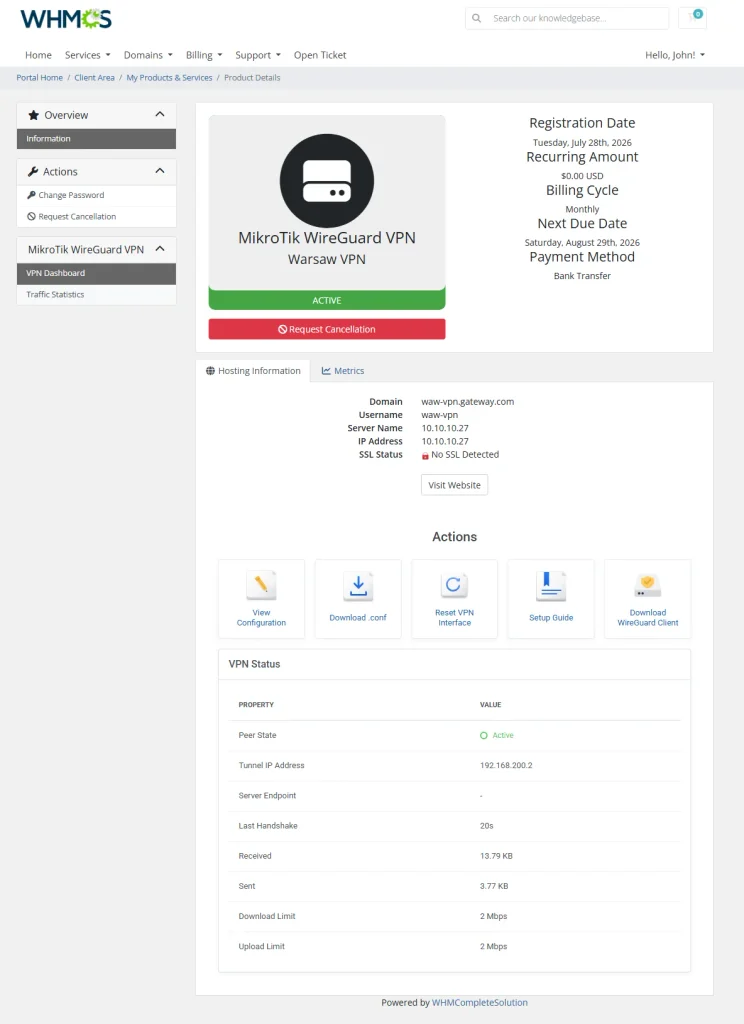
The fourth release moves into a different area of the Marketplace. MikroTik WireGuard VPN For WHMCS connects WHMCS with MikroTik routers to automate the delivery and management of WireGuard VPN accounts.
Clients receive their connection details directly in the WHMCS client area, where they can scan a configuration QR code, download a ready-to-use file, and review traffic statistics. For providers already using MikroTik infrastructure, this turns VPN access into a service that can be delivered and managed through a familiar WHMCS workflow.
Four modules, four different everyday problems
These releases do not belong to a single product category, but they share the same objective: covering practical needs that previously had no dedicated solution.
- Login-Free Payments For WHMCS shortens the path from an invoice email to completed payment.
- Secure Support Messages For WHMCS gives confidential data a more appropriate place within support tickets.
- Support PIN For WHMCS adds a consistent identity verification method to client interactions.
- MikroTik WireGuard VPN For WHMCS brings automated VPN provisioning and management into WHMCS.
Each module is focused on one specific job instead of trying to solve everything at once. This makes it easier to add exactly the functionality your business is missing without changing the rest of your workflow.
There is more on the way
These four releases are not the end of this series. We are already working on further additions to the ModulesGarden Marketplace, and a few more gaps are about to disappear.
We will share the full details when the next modules are ready. For now, take a closer look at our four latest releases, and stay tuned for what comes next!



Comments