











Gallery

Overview
Support PIN For WHMCS introduces a quick and reliable way to verify a client’s identity during support interactions. Clients can generate a temporary PIN directly in the client area and share it with your support team, providing an additional layer of protection before staff access their account or assist with sensitive requests.
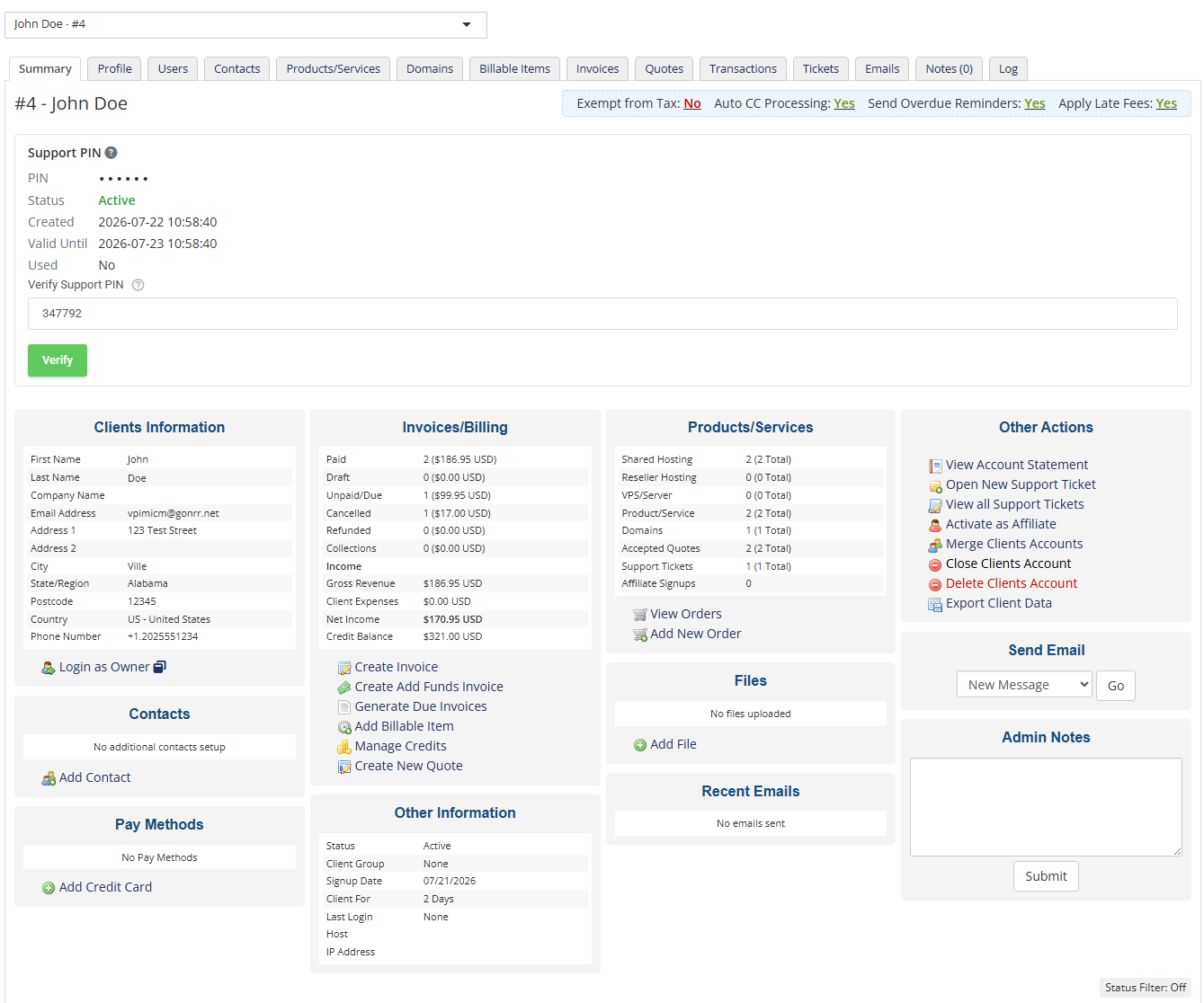
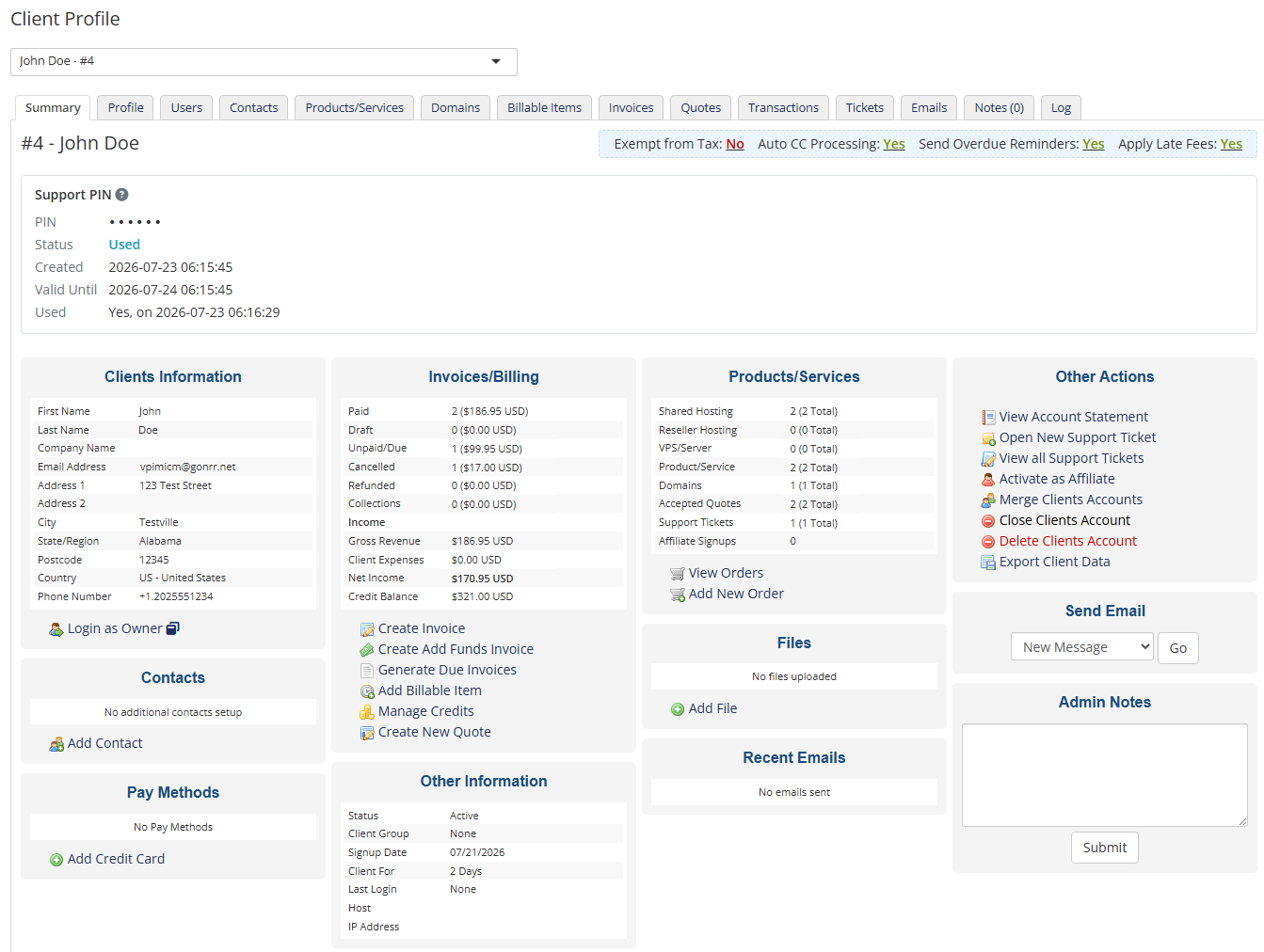
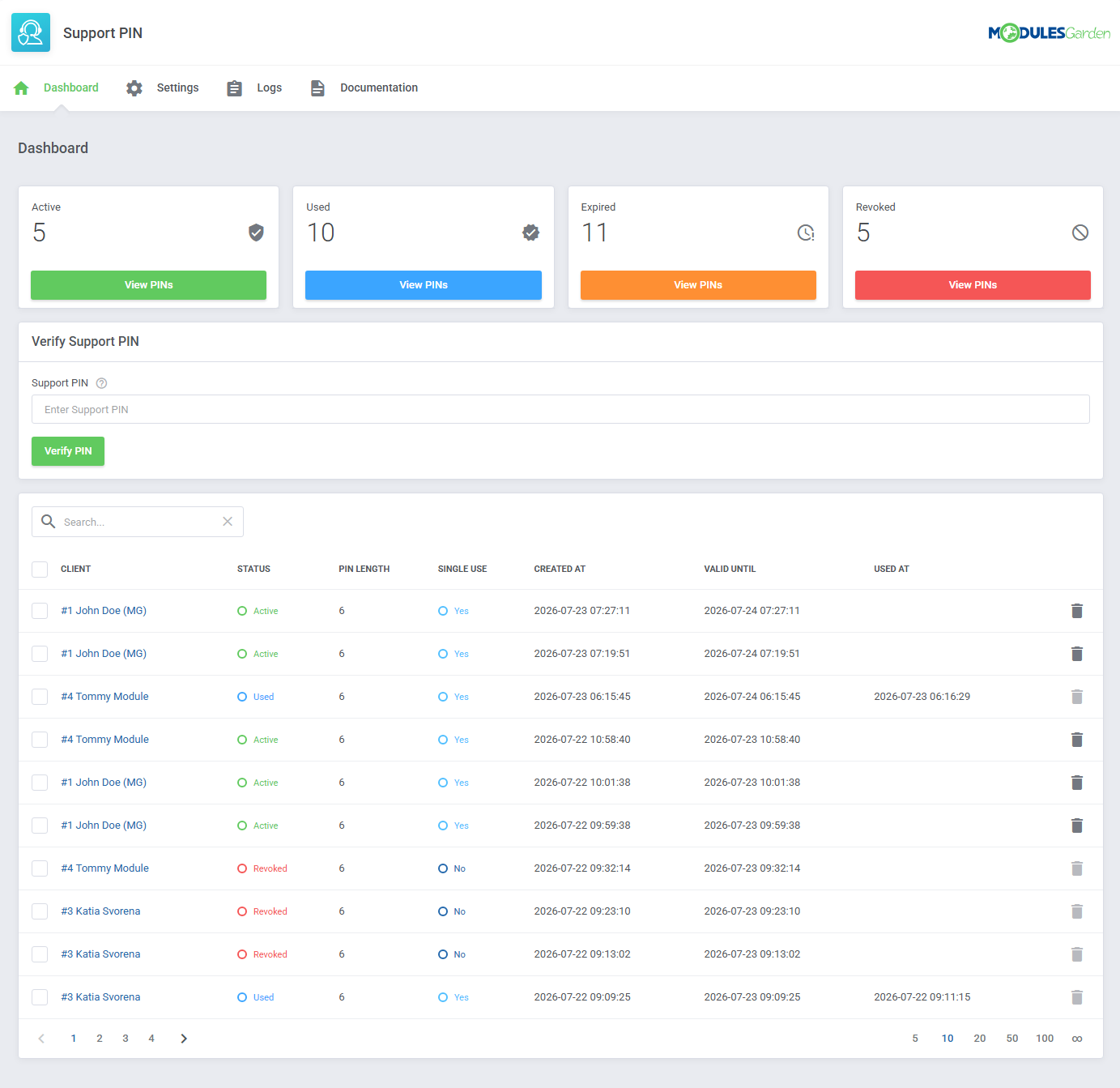
Support staff can verify PINs directly from the WHMCS dashboard or the client profile. The module also provides a centralized overview of all generated PINs, clearly indicating whether each one is active, used, expired, or revoked. Flexible settings allow you to define the PIN length and validity period, enable single-use PINs or allow multiple verifications, and determine how many PINs can remain active at once. You can also require PIN verification before staff members are granted access to client account data.
With a simple process for clients and convenient verification tools for staff, Support PIN For WHMCS helps strengthen account security without complicating everyday support. Order the module today and add a clear identity verification step to your customer service workflow.
Features
-
Core Features
- Enable Clients To Generate Secure Support PINs For Identity Verification
- Allow Support Staff To Verify Client Identities Before Providing Assistance
- Protect Client Account Data By Requiring Support PIN Verification Before Staff Access
- Integrate Support PIN Verification With WHMCS Dashboard And Client Profiles
-
Addon Module
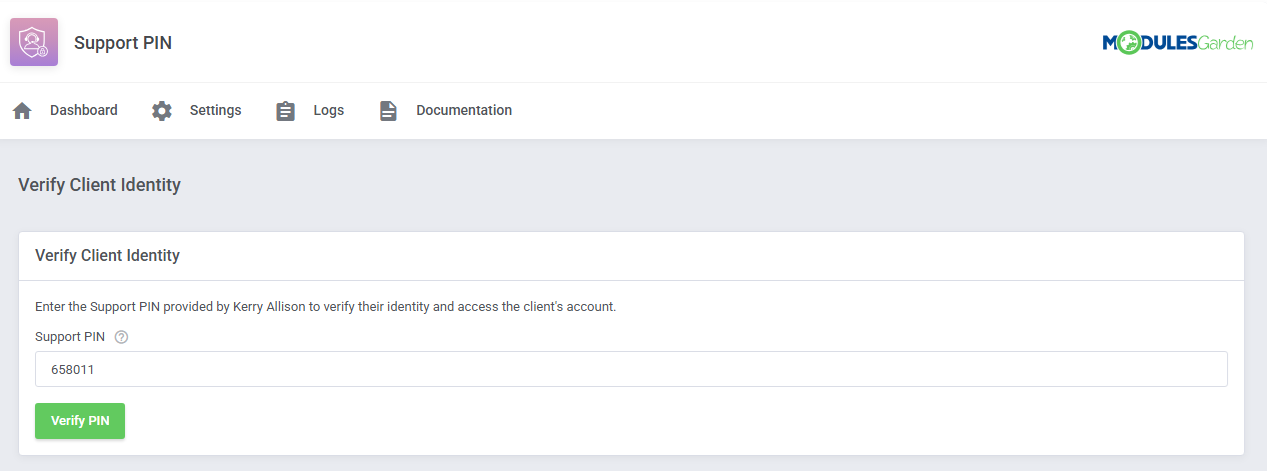
- Verify Support PINs And Access Associated Client Accounts
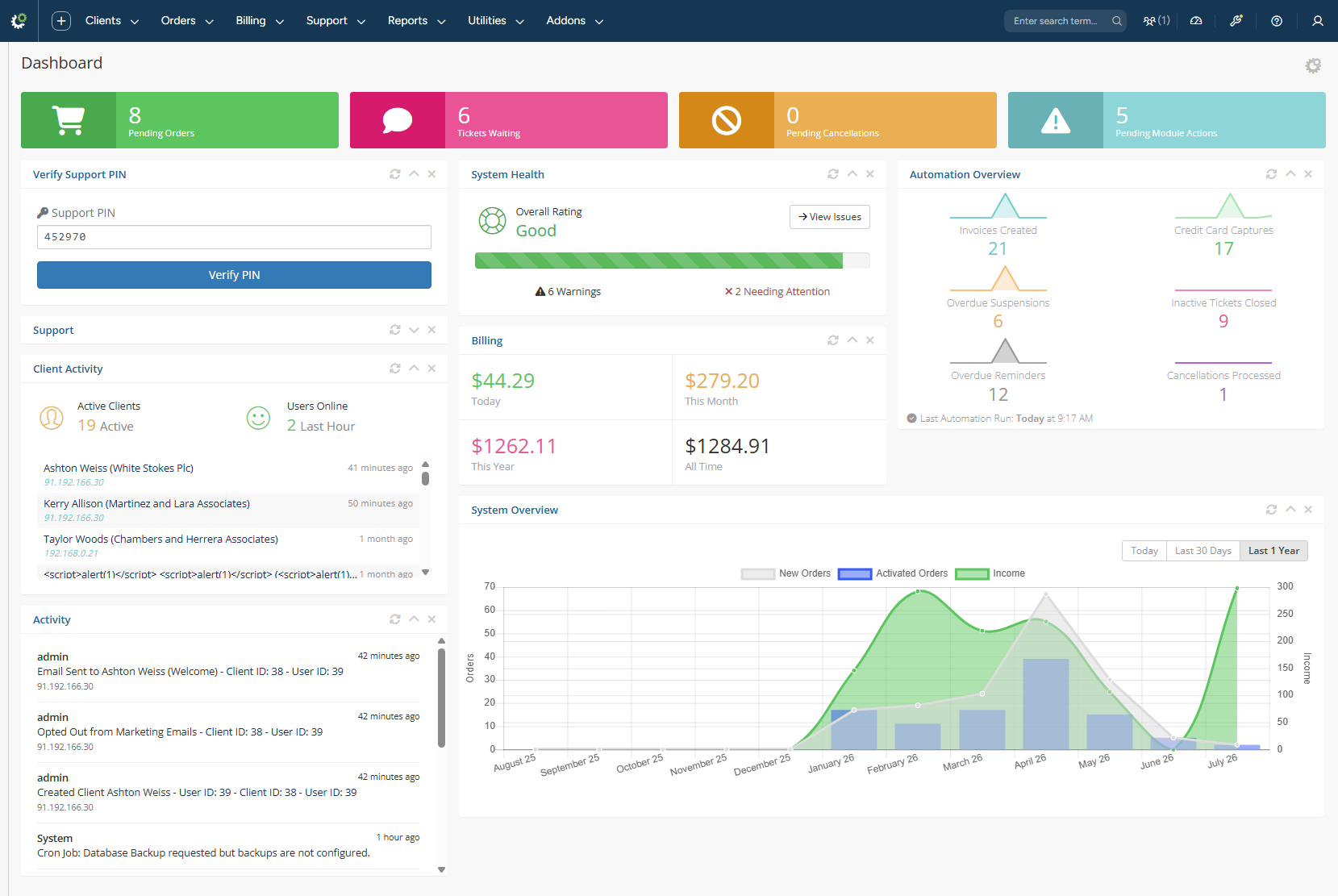
- Verify Support PINs Directly From WHMCS Admin Dashboard
- View And Verify Active Support PINs On Client Summary Pages
- View Dashboard With Support PIN Statistics:
- Active PINs
- Used PINs
- Expired PINs
- Revoked PINs
- View And Manage Generated Support PINs:
- View Assigned Client
- Check PIN Status And Length
- Check Whether PIN Is Single Use
- View Creation, Expiration And Usage Dates
- Revoke Active PINs
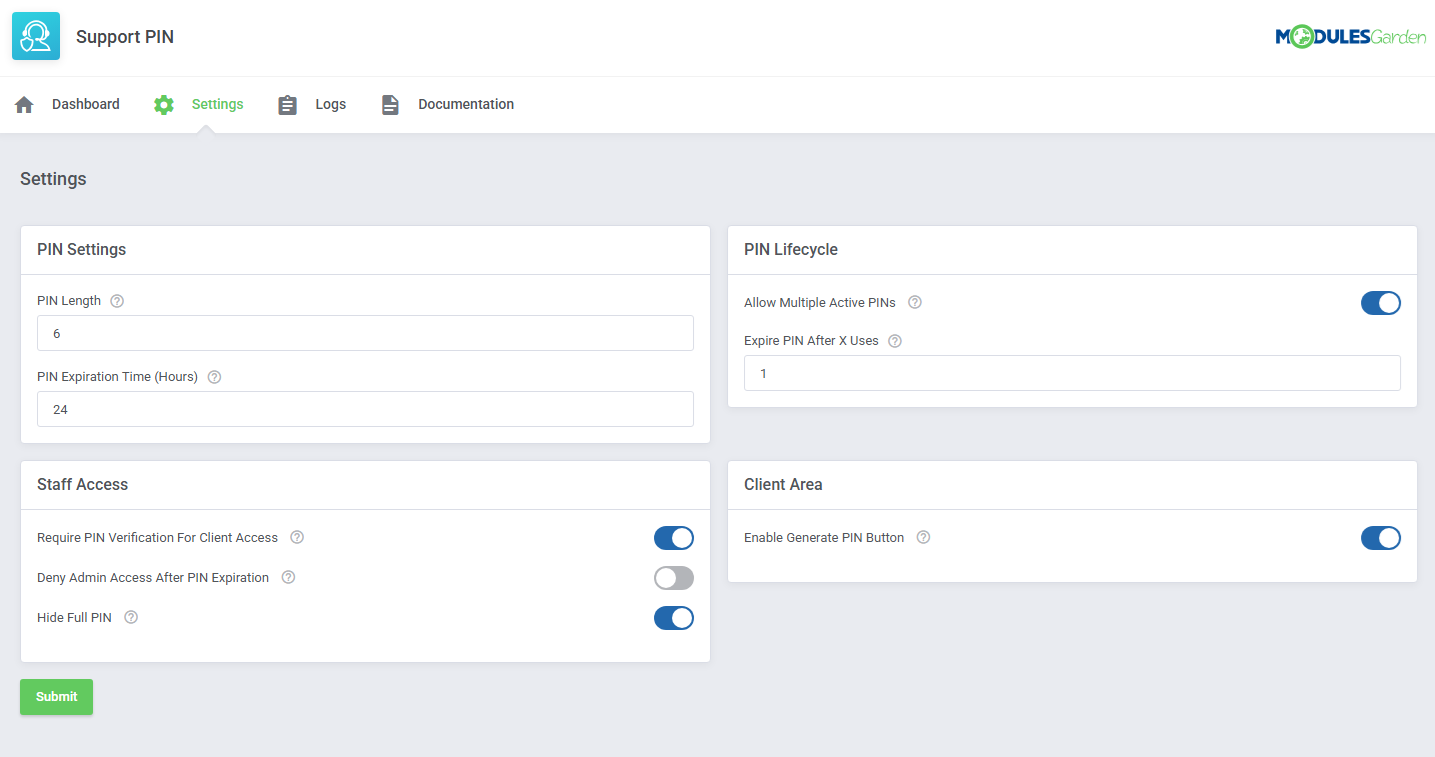
- Configure Support PIN Parameters:
- Define PIN Length
- Set PIN Validity Period
- Configure Support PIN Lifecycle:
- Allow Multiple Active PINs Per Client
- Expire PIN After Number Of Uses
- Control Staff Access To Client Accounts:
- Require Support PIN Verification Before Accessing Client Data
- End Staff Access When Verified PIN Expires
- Hide PIN Verification Option From Staff Views
- Configure Support PIN Availability In Client Area:
- Enable Support PIN Generation
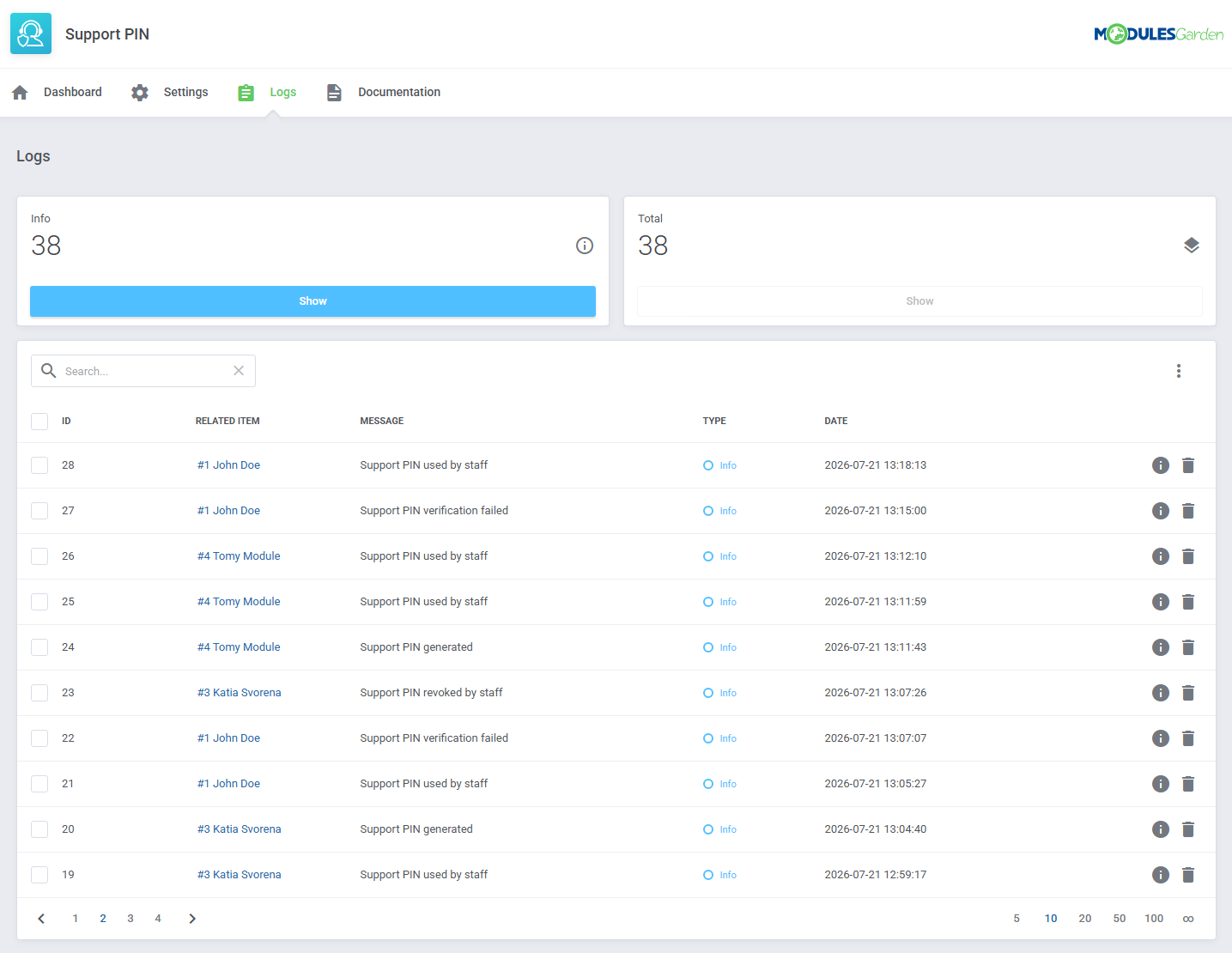
- View And Manage Logs
-
Client Area
- Generate Temporary Support PINs
- View Active Support PIN In Sidebar
- Show And Hide Active Support PIN
- Copy Generated Support PIN
- View Remaining PIN Validity Period
-
General Info
- Multi-Language Support
- Supports PHP 8.3 Back To PHP 8.2
- Supports WHMCS Themes "Six", "Twenty-One", "Nexus" And "Lagom WHMCS Client Theme"
- Supports WHMCS V9.X
- Requires ionCube Loader V14 Or Later
- Easy Module Upgrade To Open Source Version
Changelog
v1.0.0
Released: Jul 23rd, 2026- Stable Release
There are no reviews yet!


