










Gallery
Overview
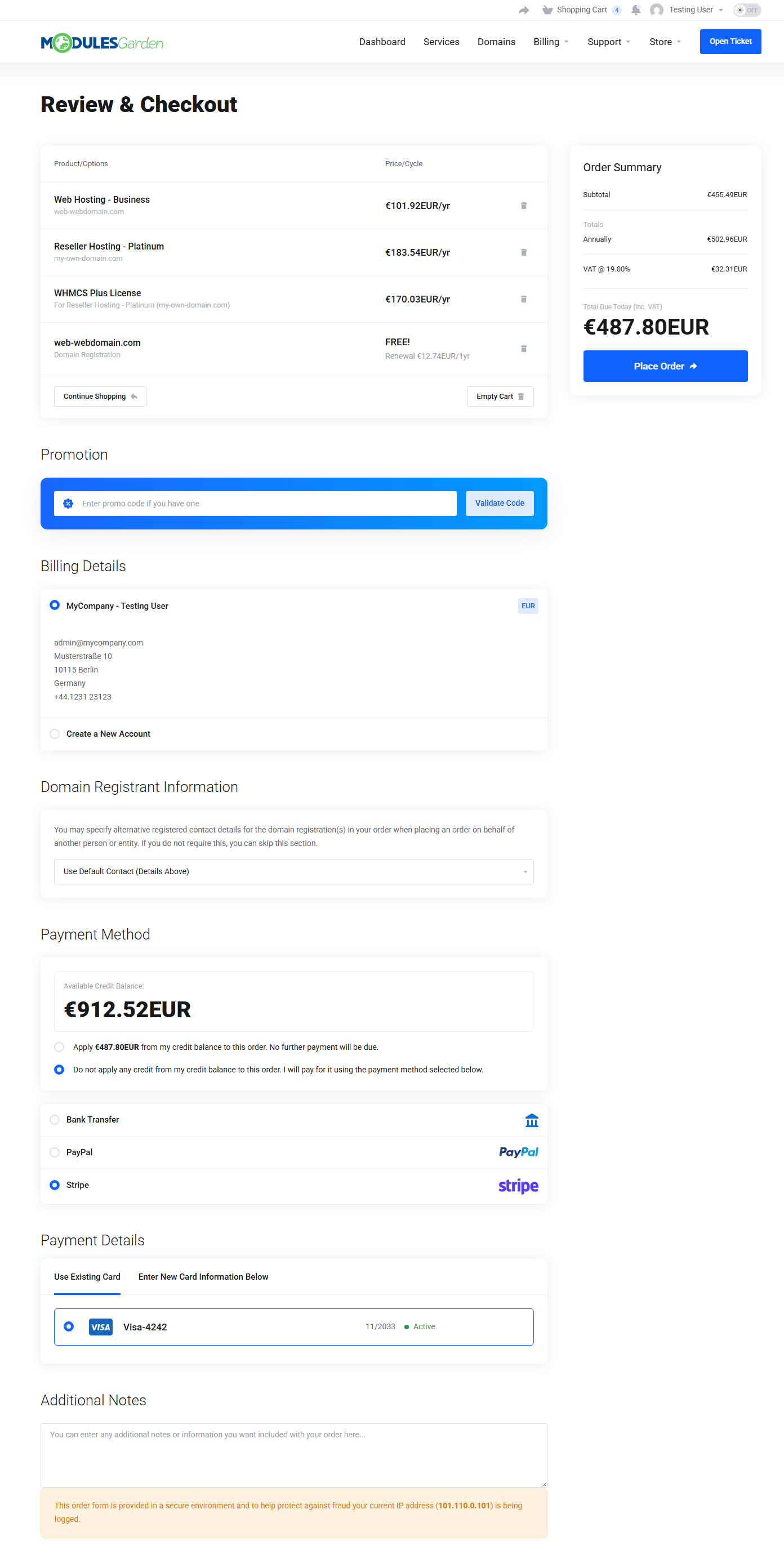
Lagom Smart Order Form For WHMCS delivers a refined, conversion-focused shopping experience built around intuitive flow and modern aesthetics. Responsive layouts and styles combined with practical customization options create an order form that keeps the whole process transparent and easy to follow across all devices.
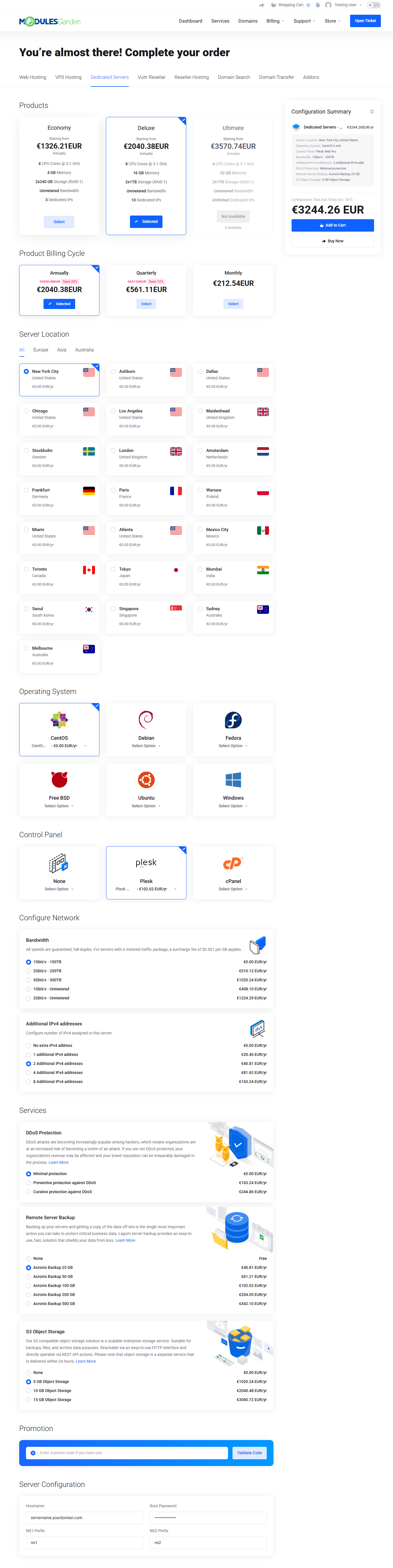
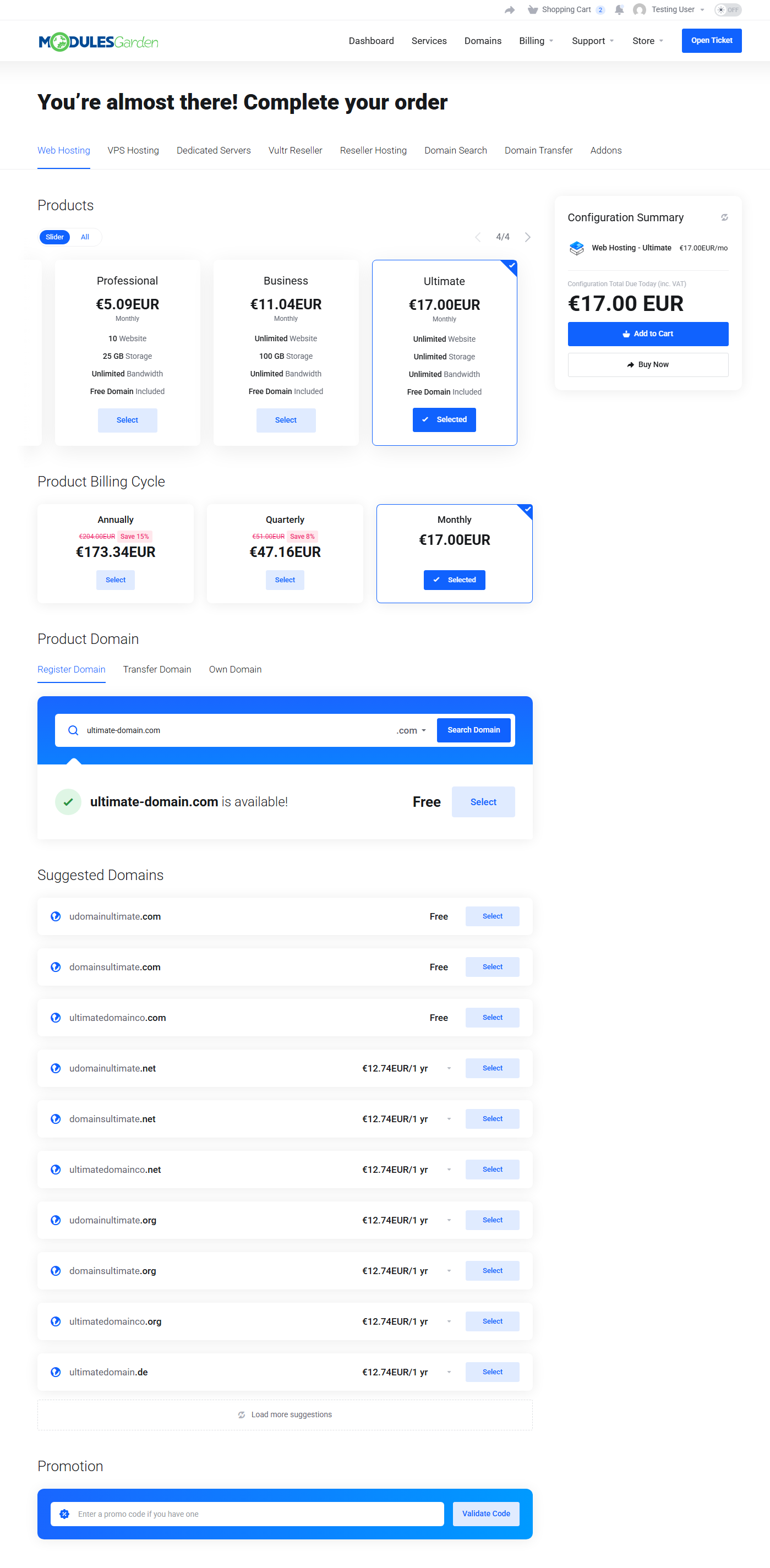
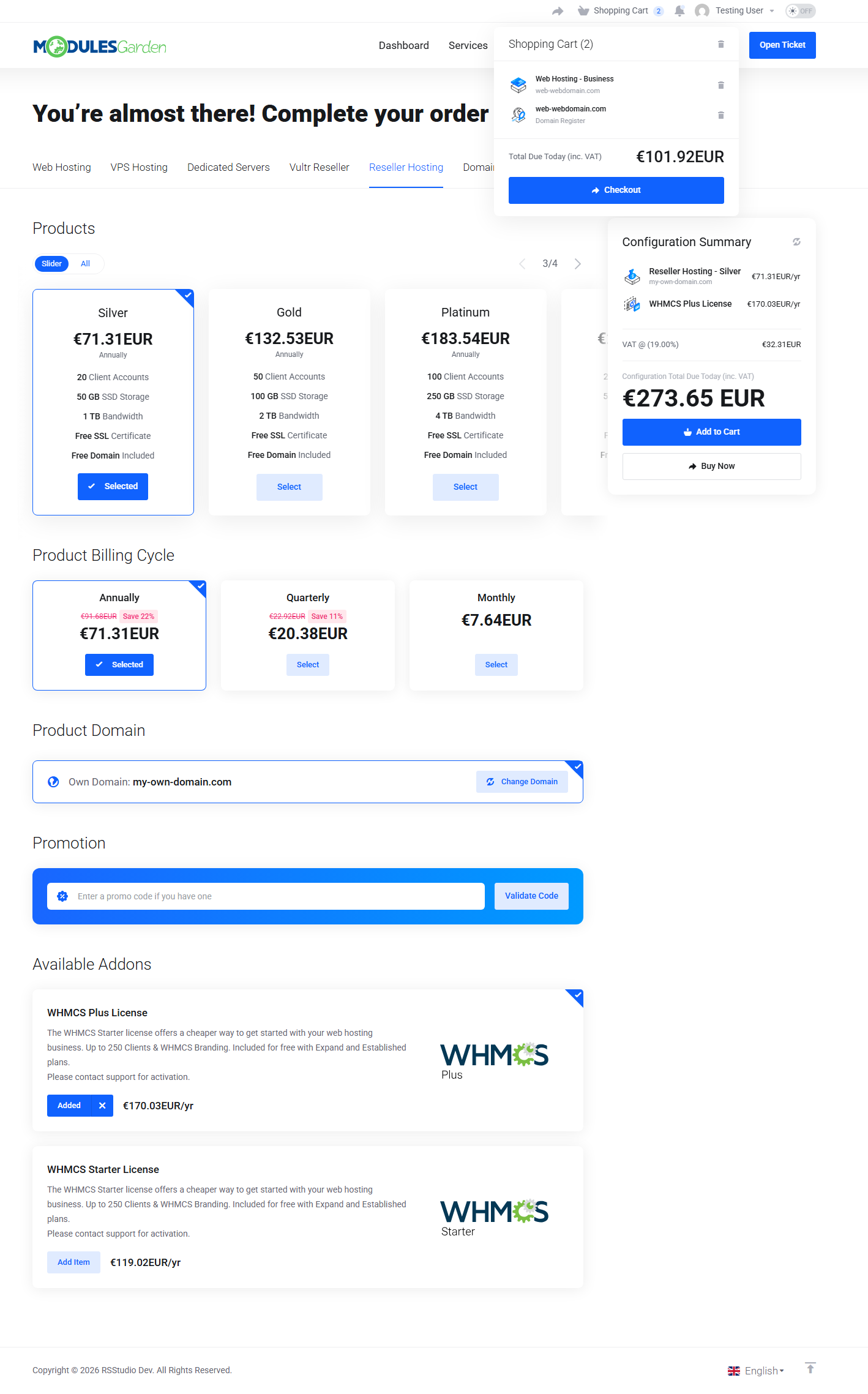
Customers can move from browsing product groups to completing a full order within a single, cart-based process. UI features like package sliders or domain spotlights help guide attention, while smart suggestions and instant cart previews minimize abandonment and encourage confident purchase decisions.
Customization plays a central role in shaping the experience. You can enrich product configurations, addons, and order fields with tailored visuals, allowing the order form to reflect both the structure of your offer and the identity of your brand. Pricing transparency is enhanced through clear comparisons between billing cycles, while currencies and languages adapt automatically to your customer's local preferences. The checkout logic can be easily extended through integrations with our other WHMCS modules. With these in place, the ordering flow can naturally support custom pricing handled with Discount Center For WHMCS, gateway-based fees or promotions applied through Payment Gateway Charges For WHMCS, and payment methods dynamically assigned by Payment Gateway Allocator For WHMCS.
Lagom Smart Order Form For WHMCS can be used as a standalone module, but fully unlocks its visual potential when combined with Lagom WHMCS Client Theme. With this integration, you gain access to additional styles and multiple color schemes that blend naturally with the rest of the client area.
When shopping feels smooth and well organized, it becomes part of what makes your offer hard to replace, and keeps your clients coming back. Order Lagom Smart Order Form For WHMCS today and bring that sense of ease back into everyday ordering!
Features
-
Client Area
- Unified Multi Product Ordering Flow
- Smart Cart-Based Order Process To Place Complete Orders
- Responsive Design With Mobile Support
- Optimized For Higher Order Conversion Rates
- Designed To Reduce Shopping Cart Abandonment
- Order Process In One Or Two Steps
- Quick Navigation Between Product Groups
- Package Slider To Display Multiple Products
- Domains And TLDs Showcased In Spotlights
- Suggested Domains List Displayed After Search
- Customized Order Fields With HTML Support
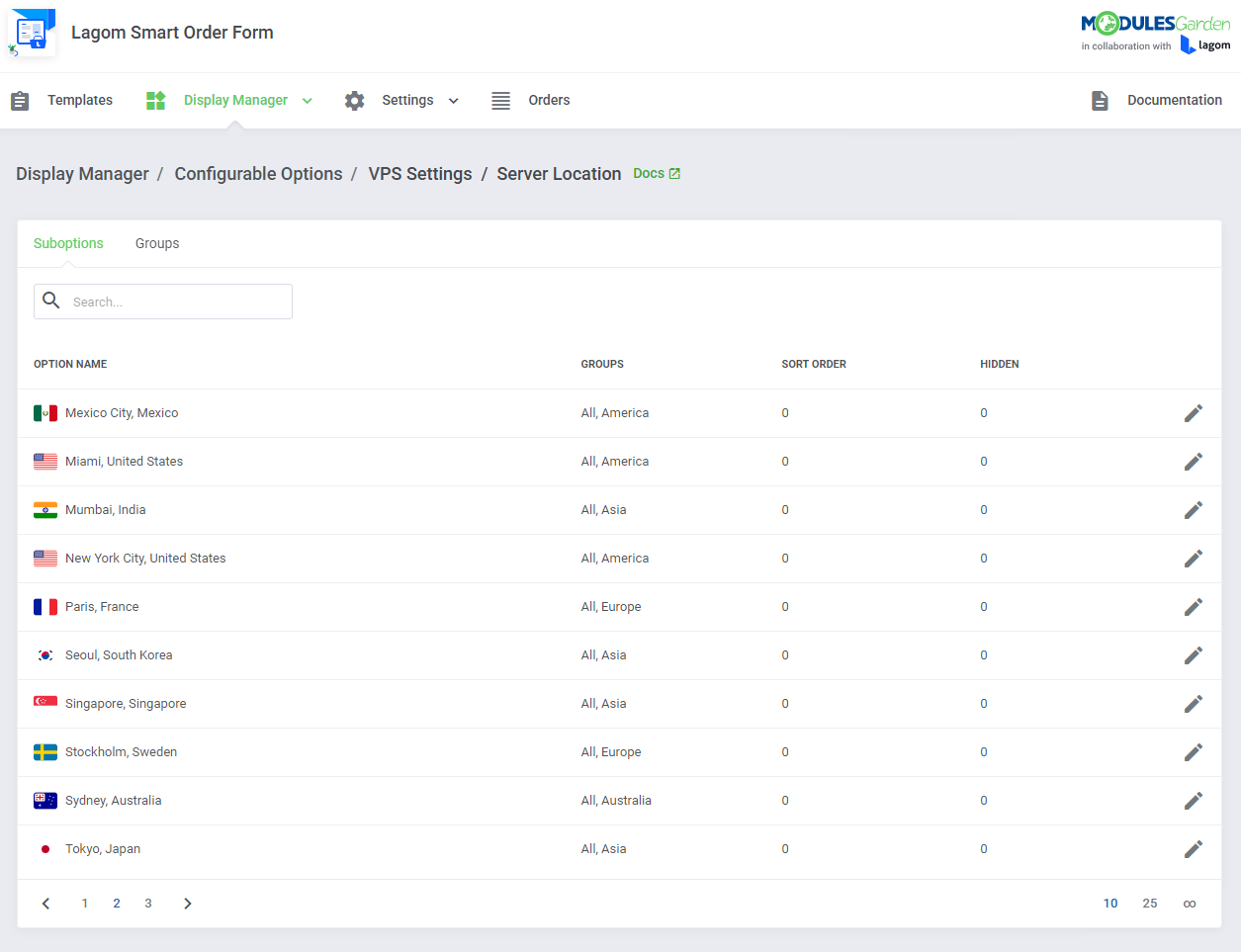
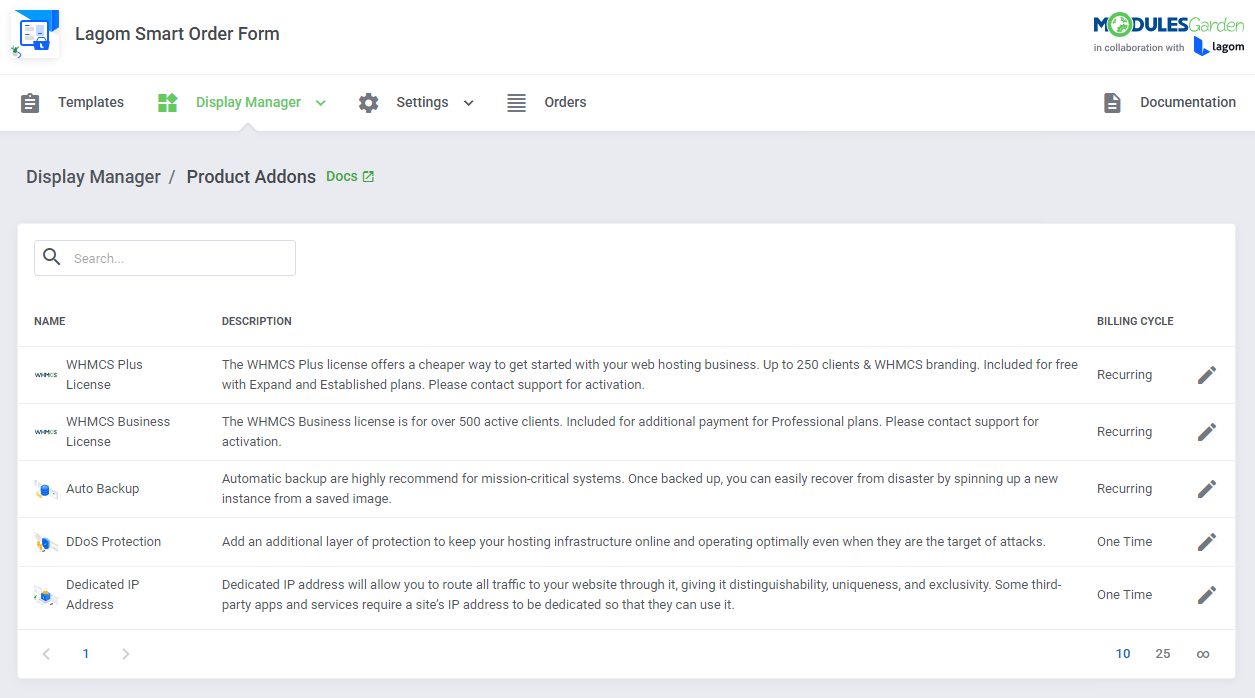
- Customized Images, Colors And Styles For Configurable Options And Product Addons
- Percentage Pricing Comparison Between Billing Cycles
- Automatic Currency And Language Selection Based On Geolocation
- Prices Discounts Applied Due To Discount Center For WHMCS Integration
- Fees And Discounts Applied Due To Payment Gateway Charges For WHMCS Integration
- Payment Gateway Assigned Dynamically Due To Payment Gateway Allocator For WHMCS Integration
- Support For Ordering Features:
- Intuitive Products And Product Group Selection
- Adding Products And Product Addons To Shopping Cart
- Registering And Transferring Domains
- Working With MarketConnect Products
- Working With WHMCS Metric Billing
- Applying Promo Codes
- Changing Billing Cycles
- Changing Currency
- Customizing Configurable Options
- Providing Client And Product Custom Fields
- Support For All Payment Gateways
- Login With Existing Account Or Creating New One
- Quick Shopping Cart Popup:
- Preview Cart With Added Items And Their Pricing
- Change Item Quantity
- Remove Single Items From Cart
- Clear Cart
- Proceed To Checkout
- Compatible With WHMCS Built-in "Twenty-One" Theme And "Lagom WHMCS Client Theme"
-
Admin Area
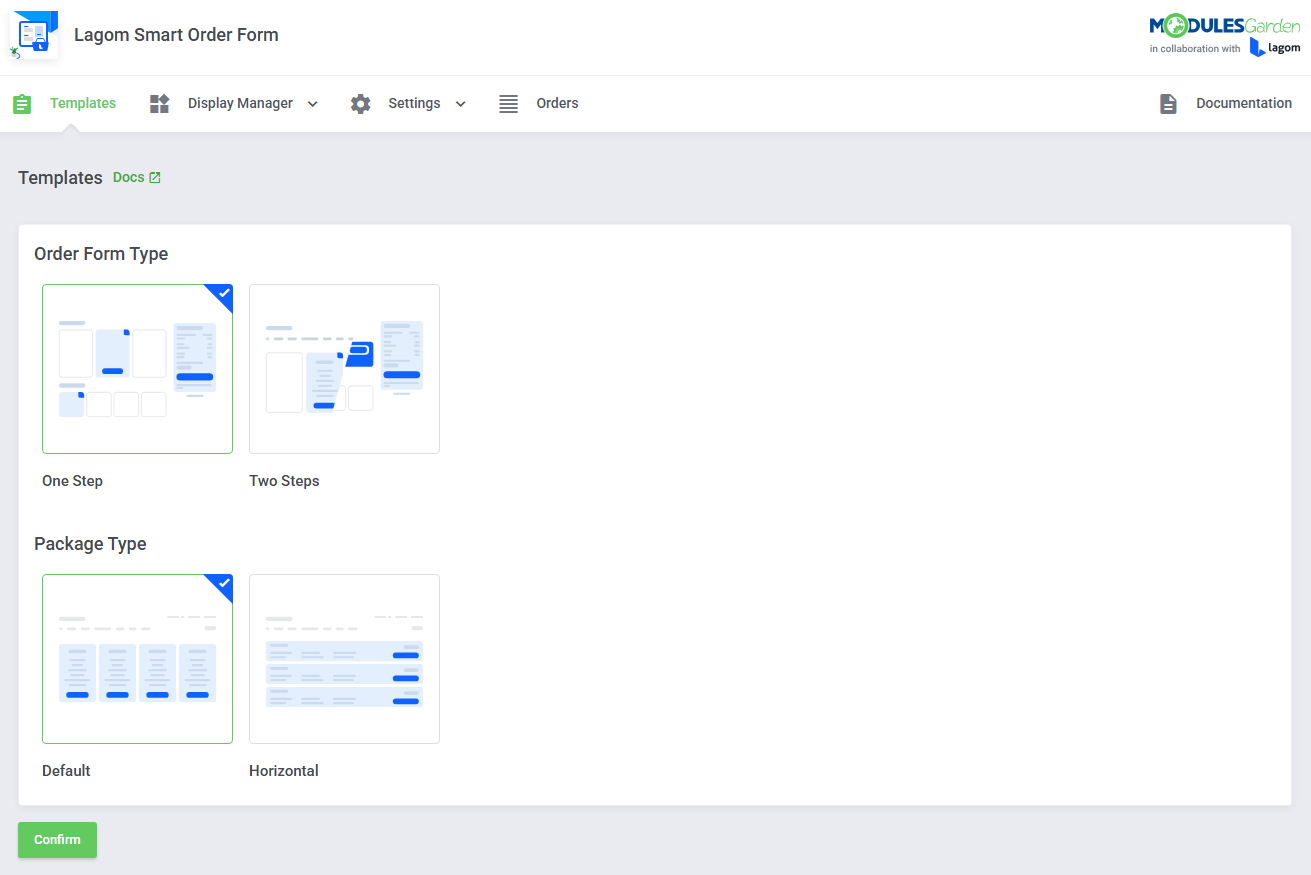
- Choose Available Templates:
- Order Form Type:
- One Step
- Two Steps
- Package Type:
- Default Style
- Horizontal
- Order Form Type:
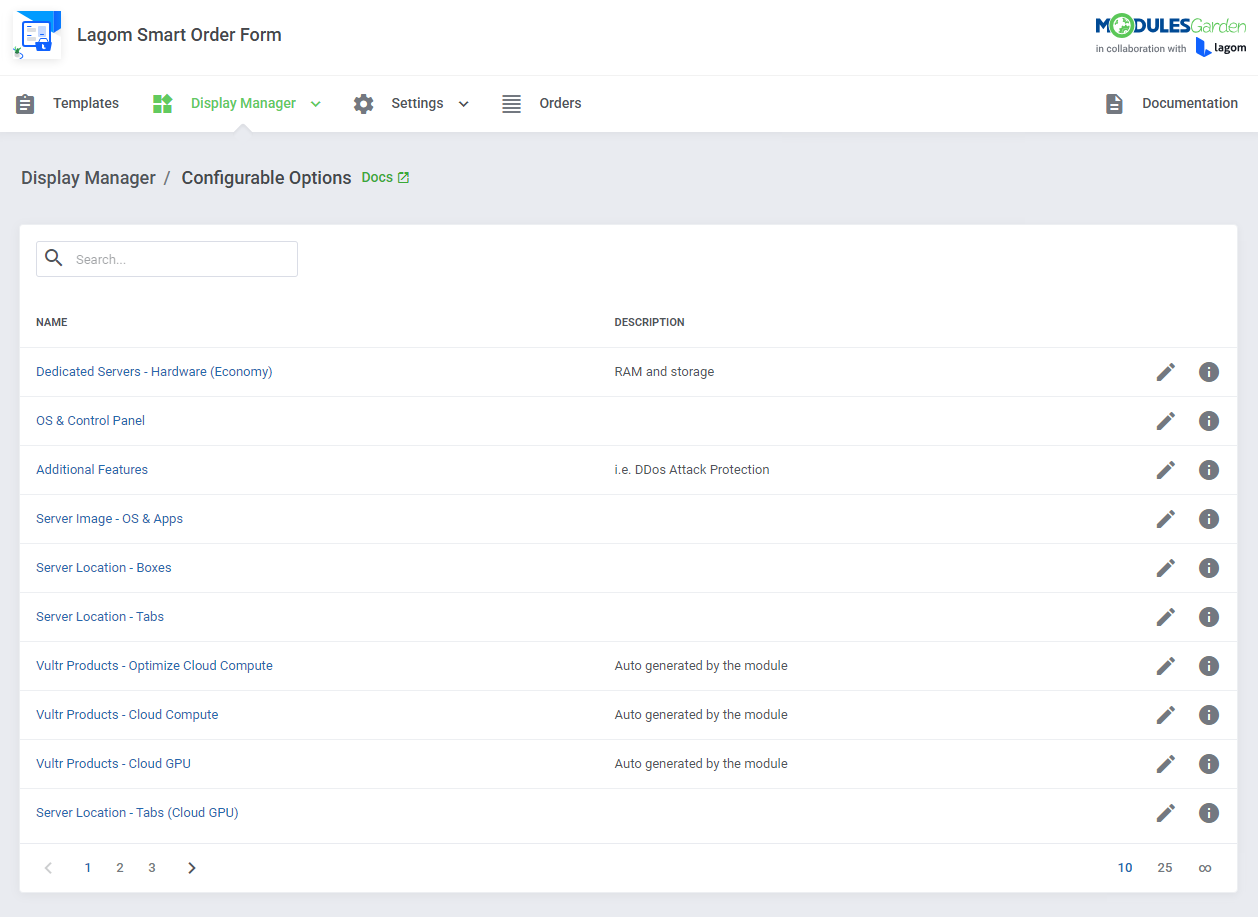
- Use Display Manager To Customize Your Order Form:
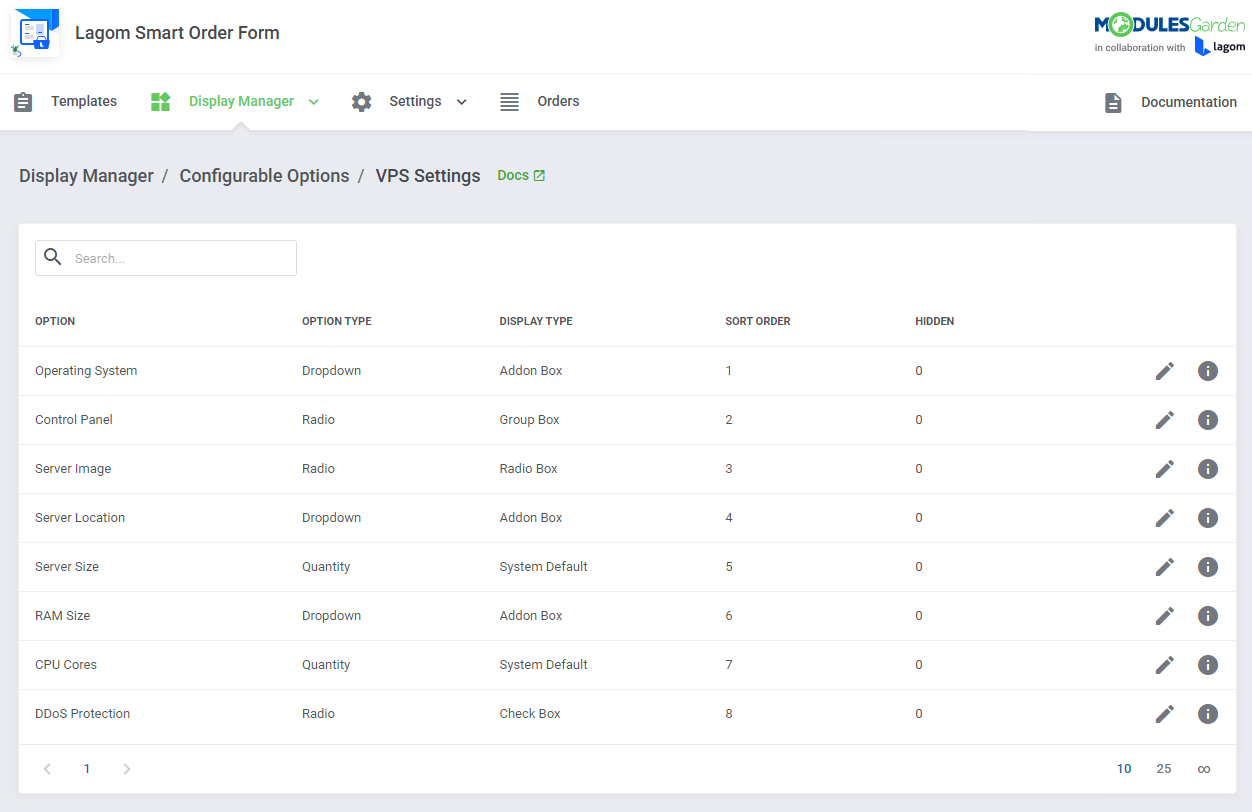
- Manage Configurable Options:
- Display In Single Section
- Add Titles And Descriptions
- Select Description Type
- Select Display Type
- Select Illustration Type
- Add Customized Image
- Define Color
- Select Suboptions Groups
- Hide Zero Prices
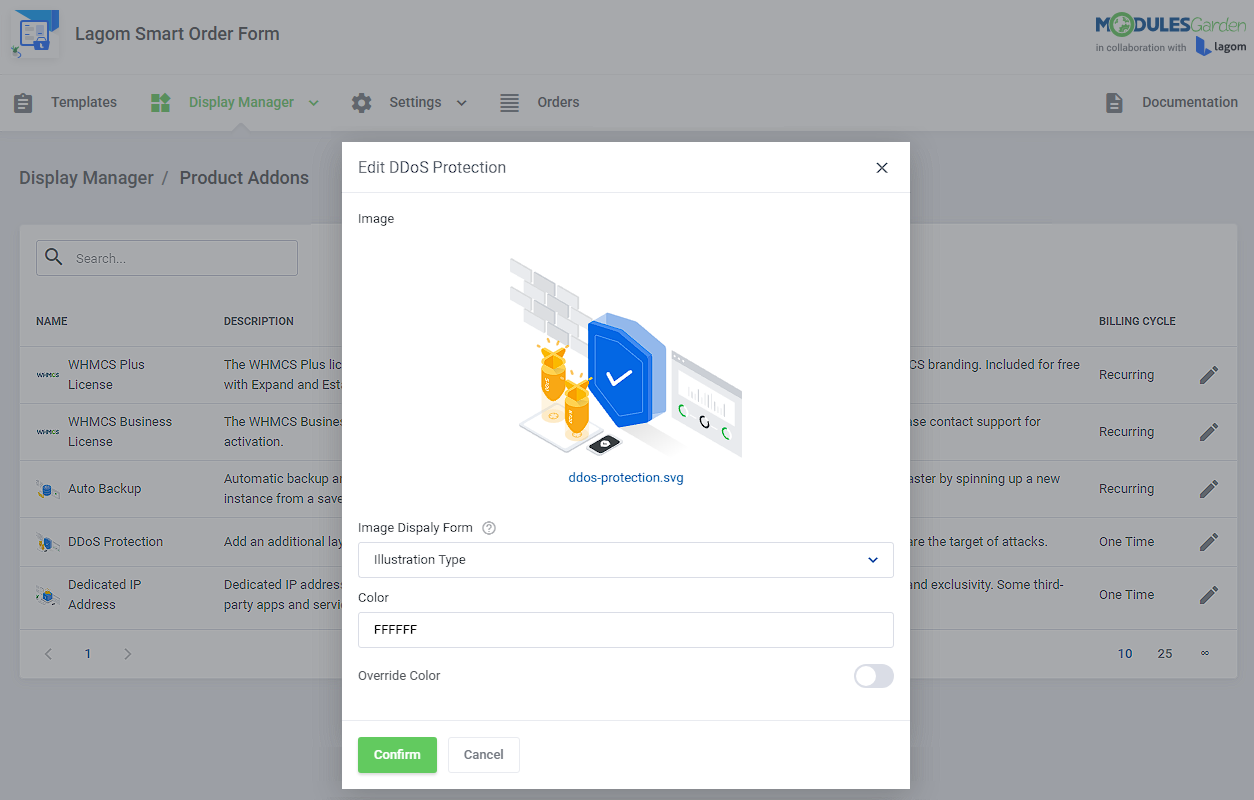
- Manage Product Addons:
- Add Customized Image
- Select Image Display Form
- Define Color
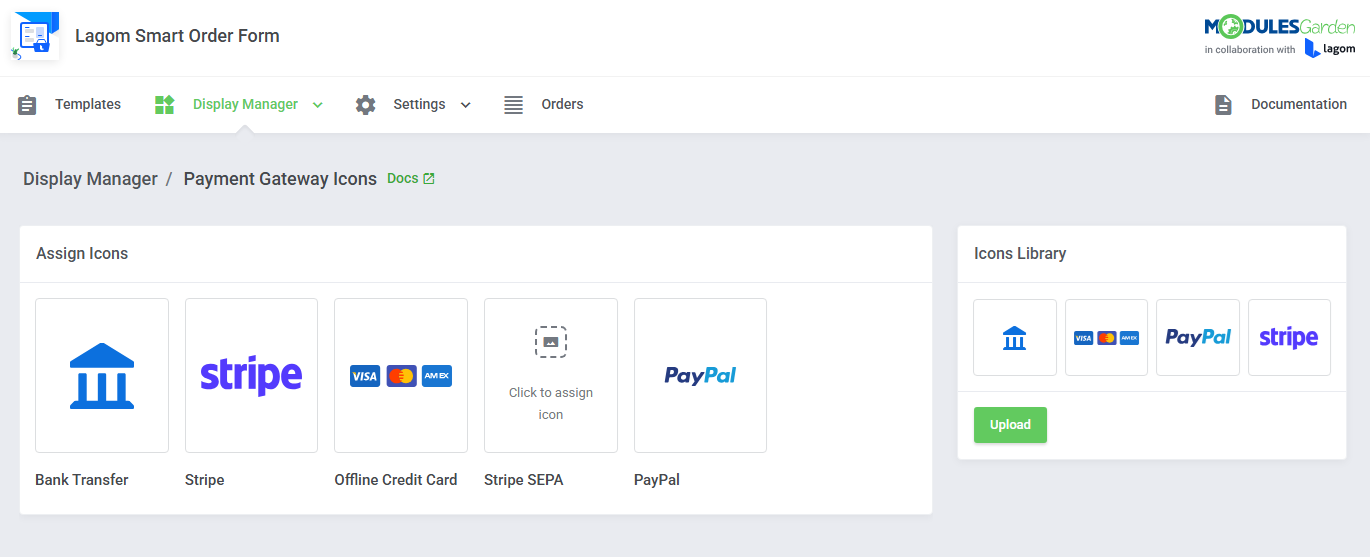
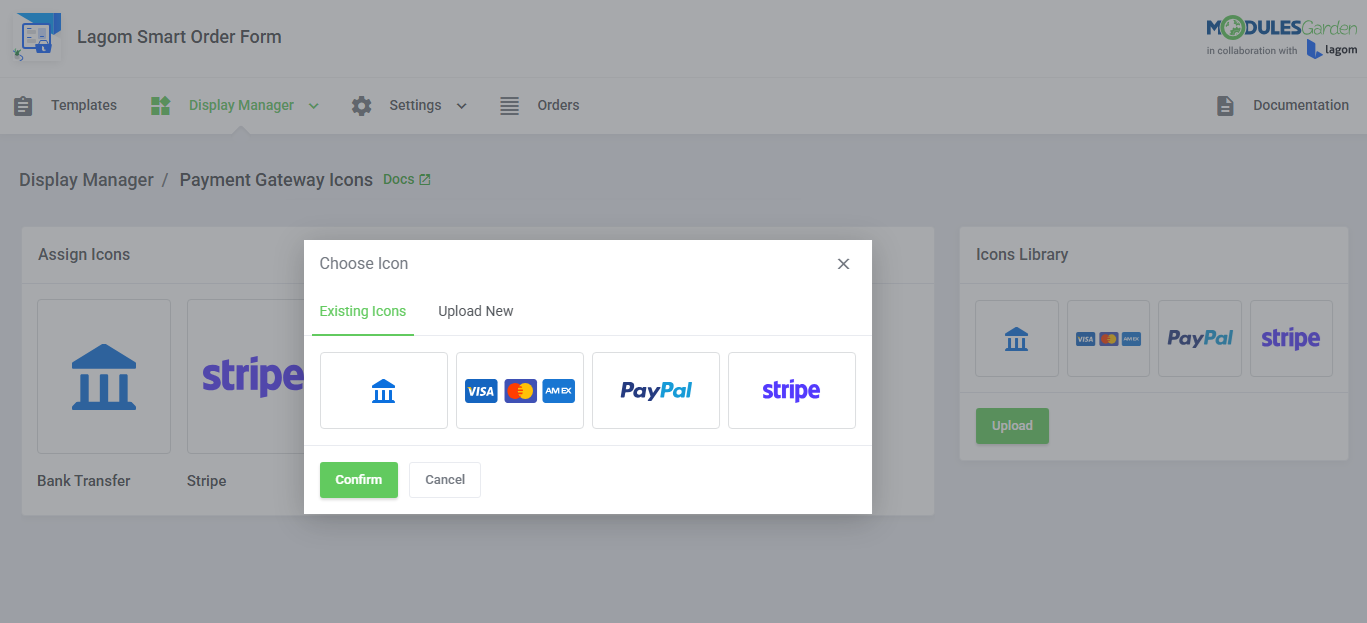
- Assign Payment Gateway Icons:
- Assign Custom Icons To Gateways
- Use Prepared Icons From Library
- Upload Custom Icons To Any Gateway
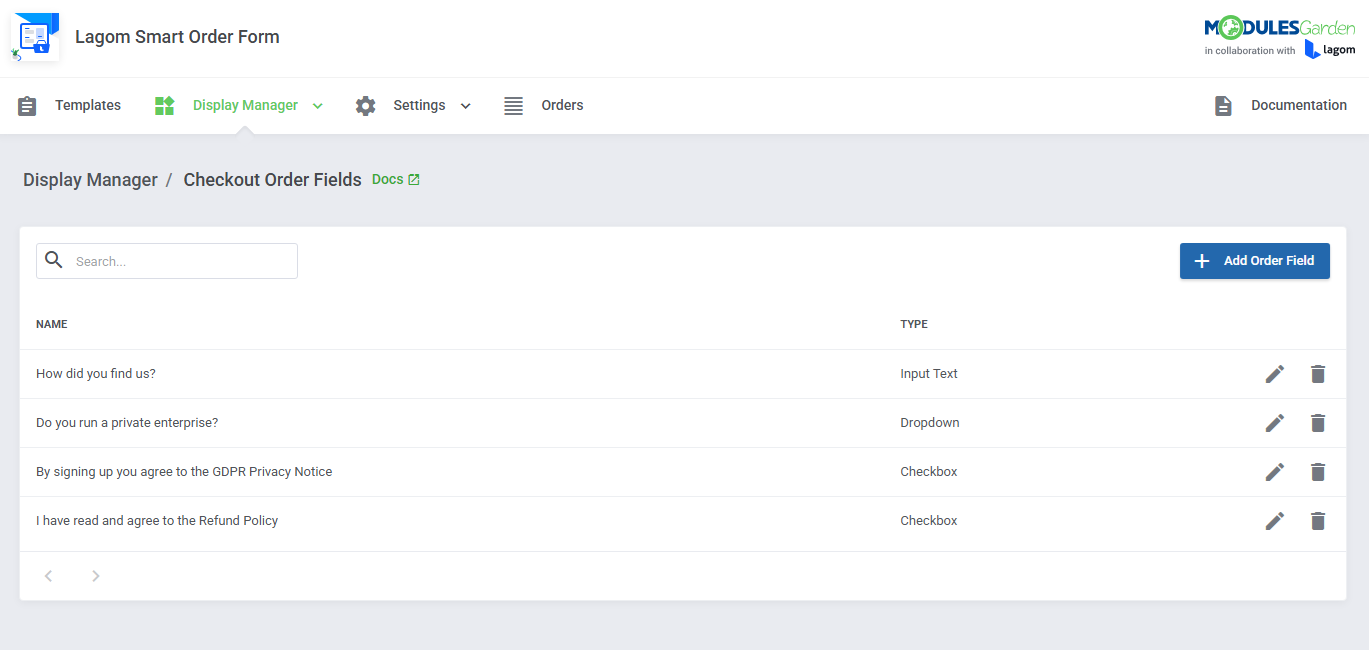
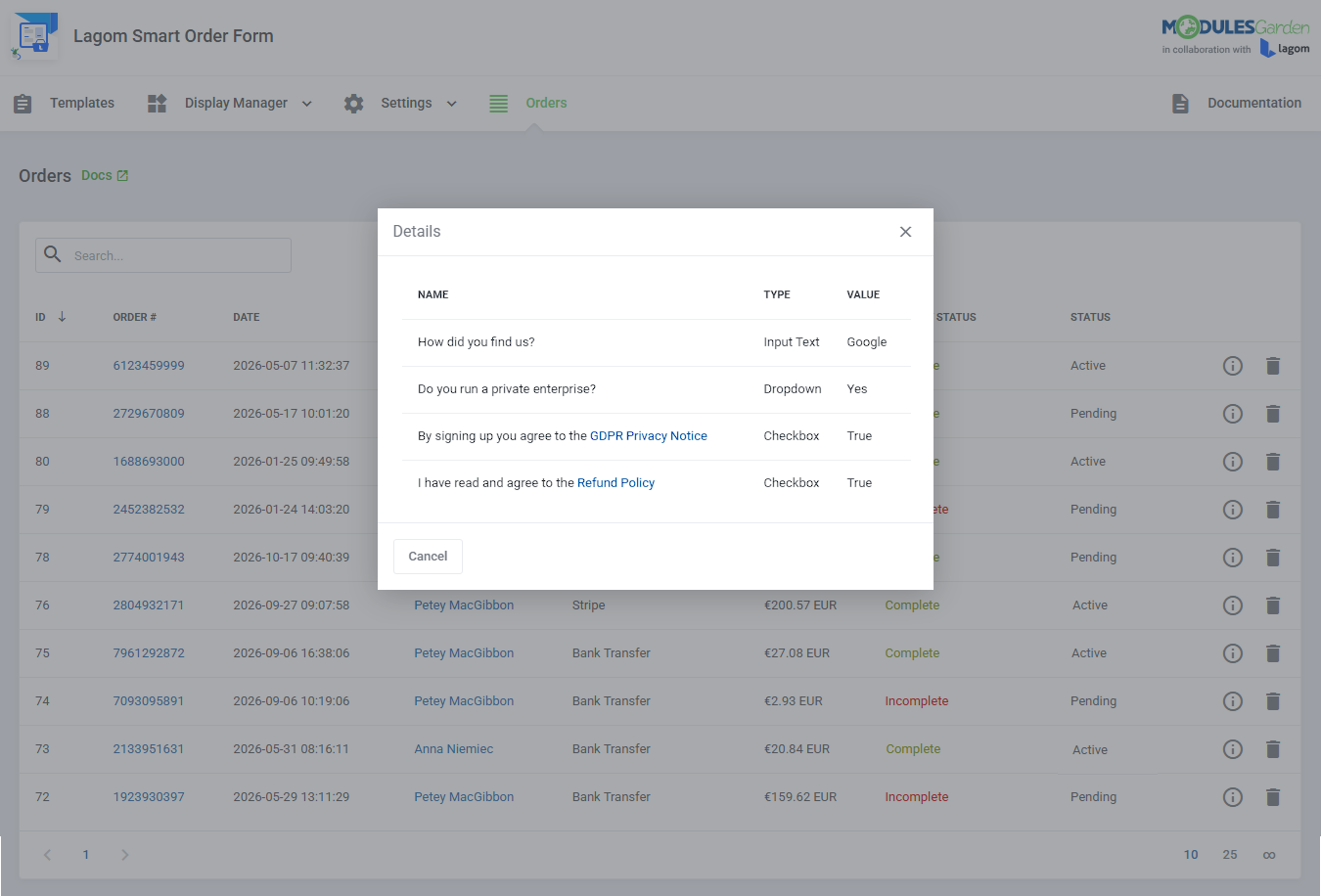
- Manage Checkout Order Fields:
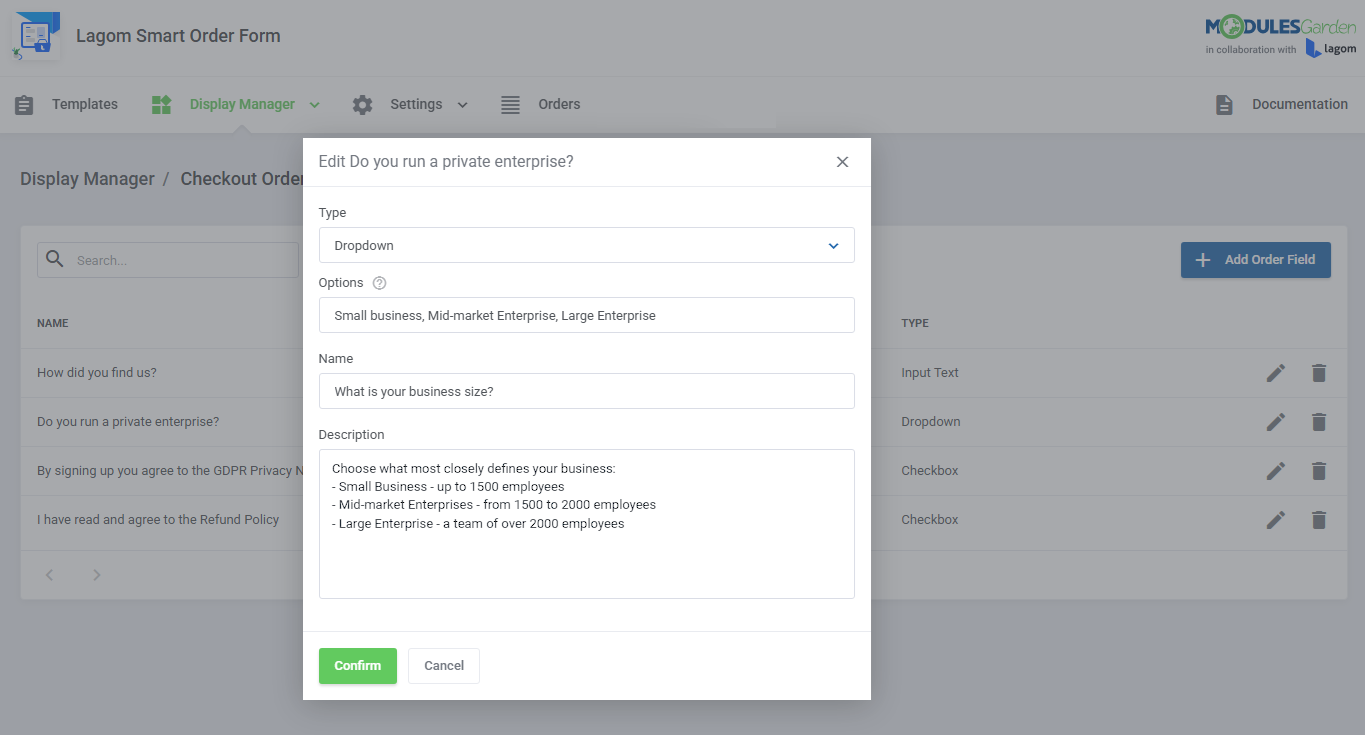
- Select Order Field Type:
- Checkbox
- Dropdown
- Input Text
- Provide Order Field Name And Description
- Select Order Field Requirement
- Select Order Field Type:
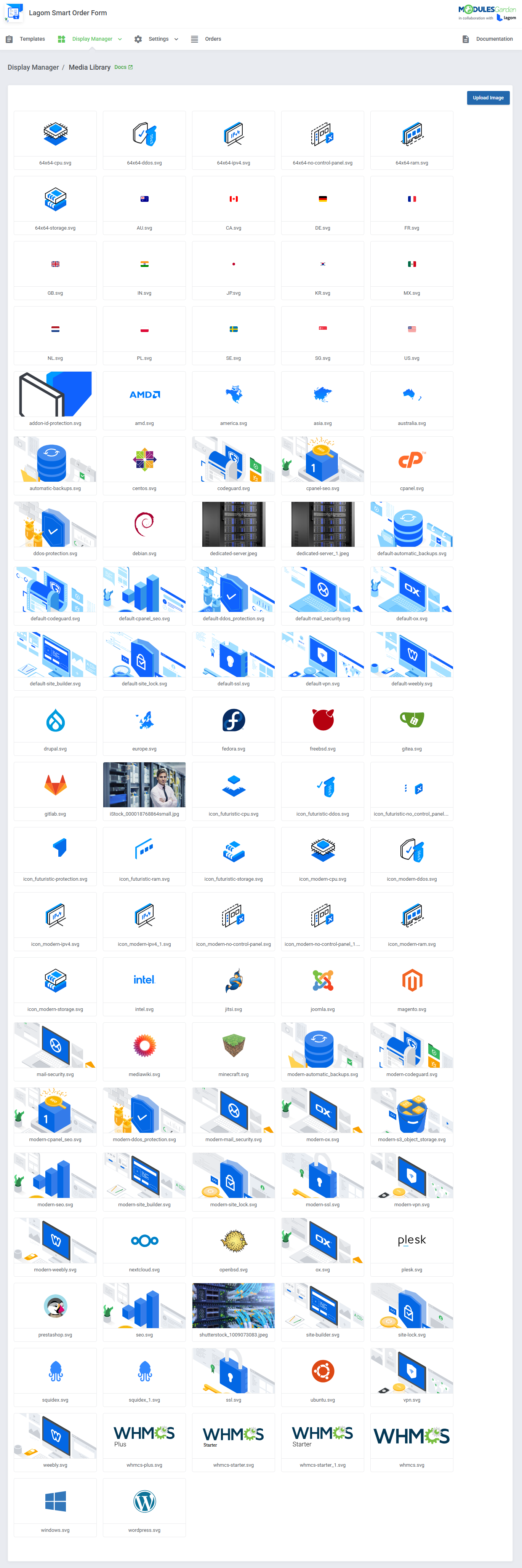
- Manage Media Library:
- Use Default And Upload Custom Images Used In Order Form
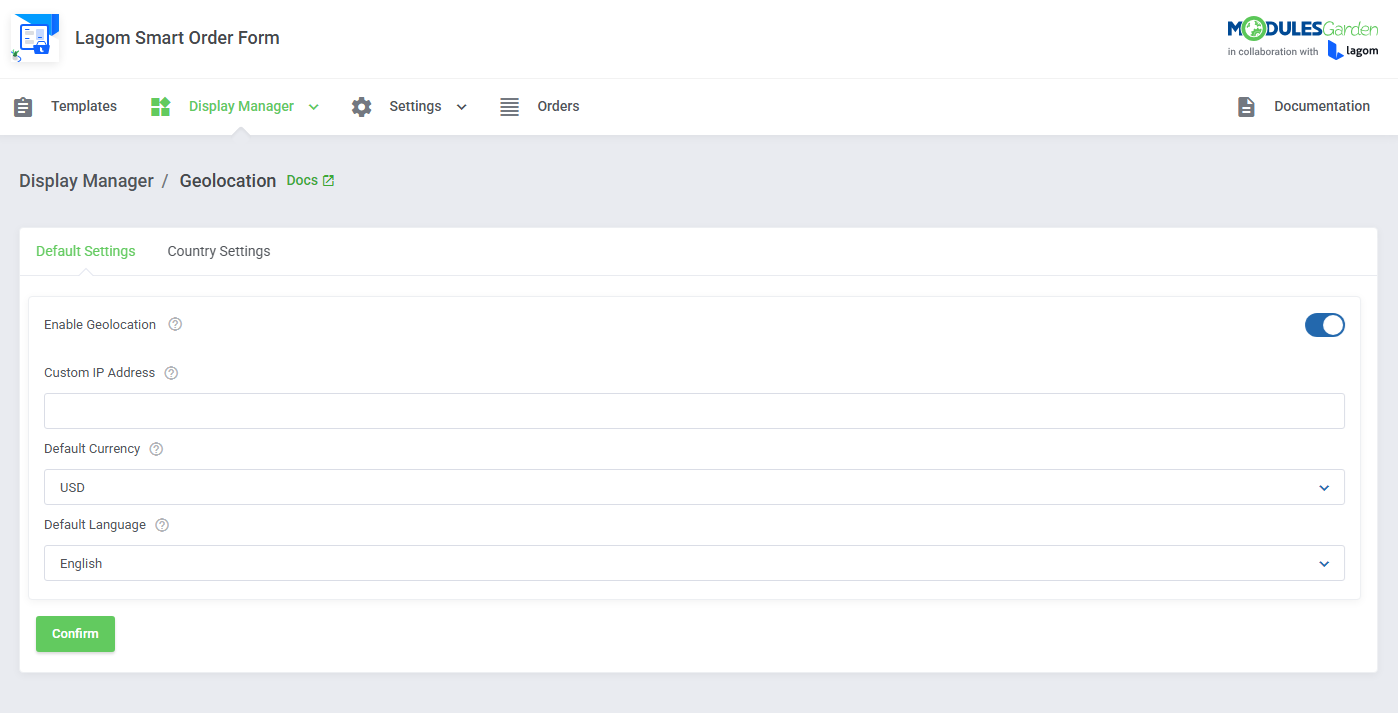
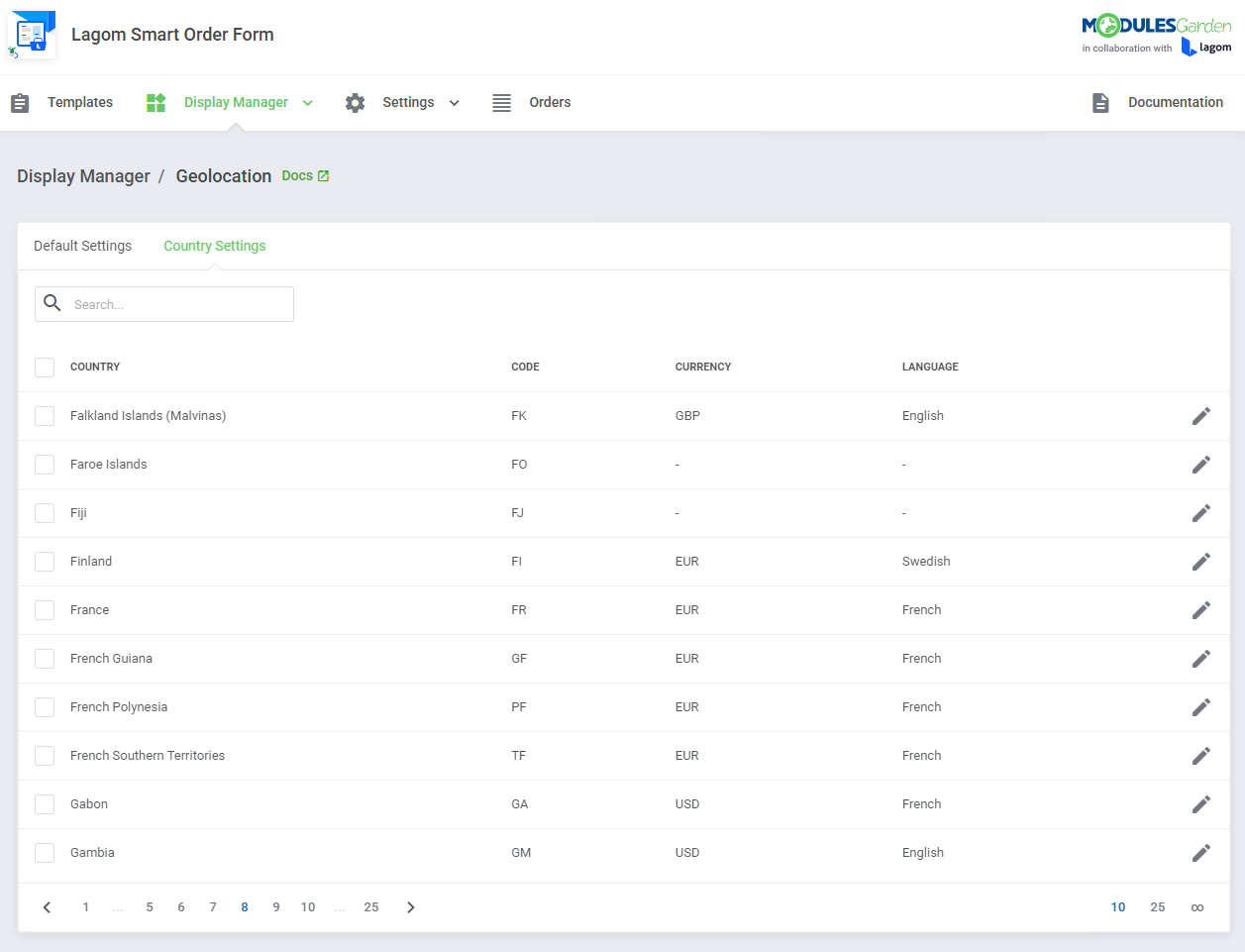
- Manage Geolocation Settings:
- Enable Auto Location Detection Based On Client's Country IP Address
- Bypass Client Location Detection Using Specified IP Address
- Set Default Currency And Language
- Set Custom Currencies And Languages Per Detected Countries
- Manage Configurable Options:
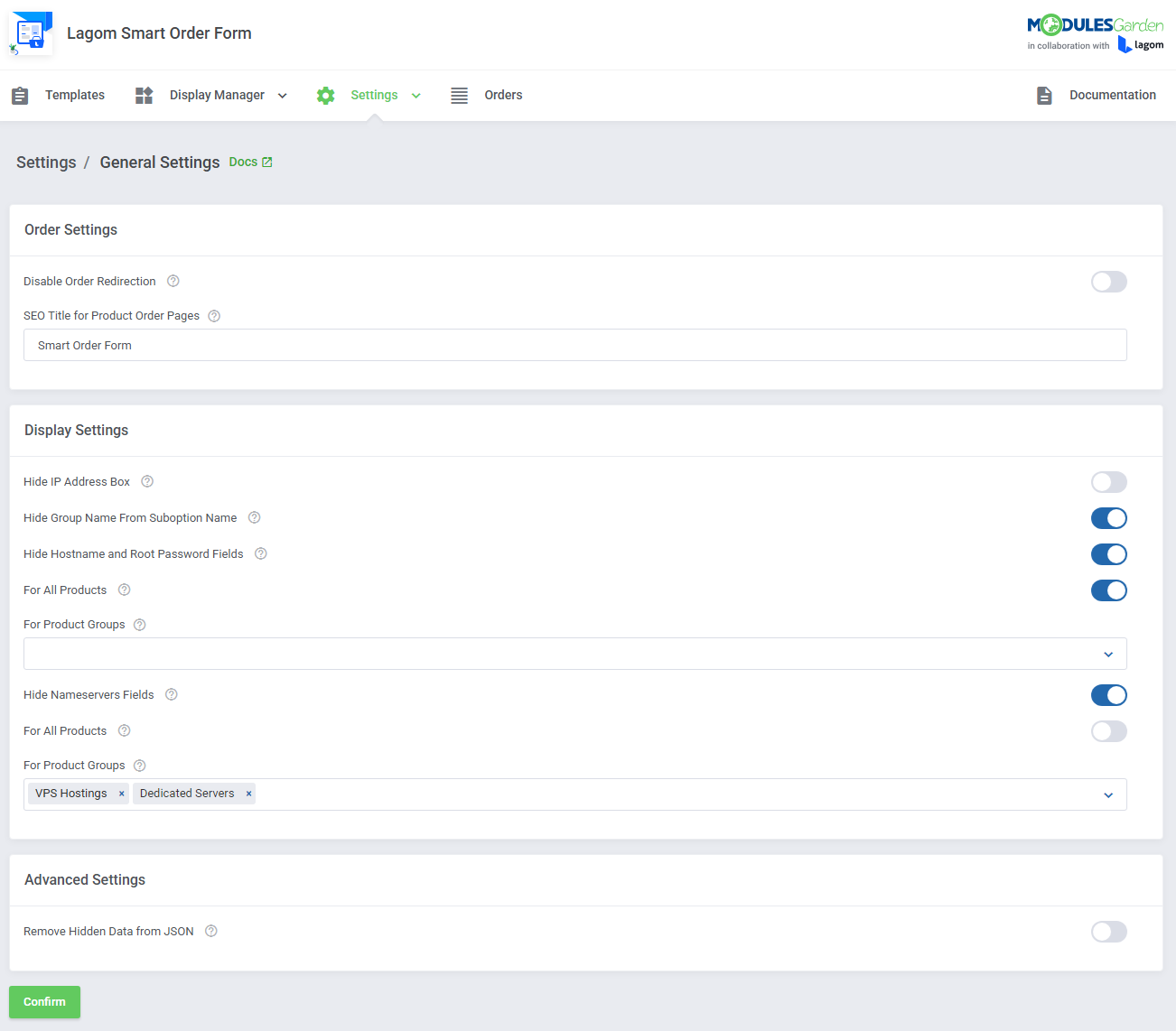
- Apply General Settings:
- Order Settings:
- Disable Order Form Redirection
- Set SEO Title For Product Order Pages
- Display Settings:
- Hide IP Address Box
- Hide Group Name From Suboption Name
- Hide Hostname And Root Password Fields:
- For All Products
- For Selected Product Groups
- Hide Nameservers Fields:
- For All Products
- For Selected Product Groups
- Advanced Settings:
- Remove Hidden Data From JSON
- Order Settings:
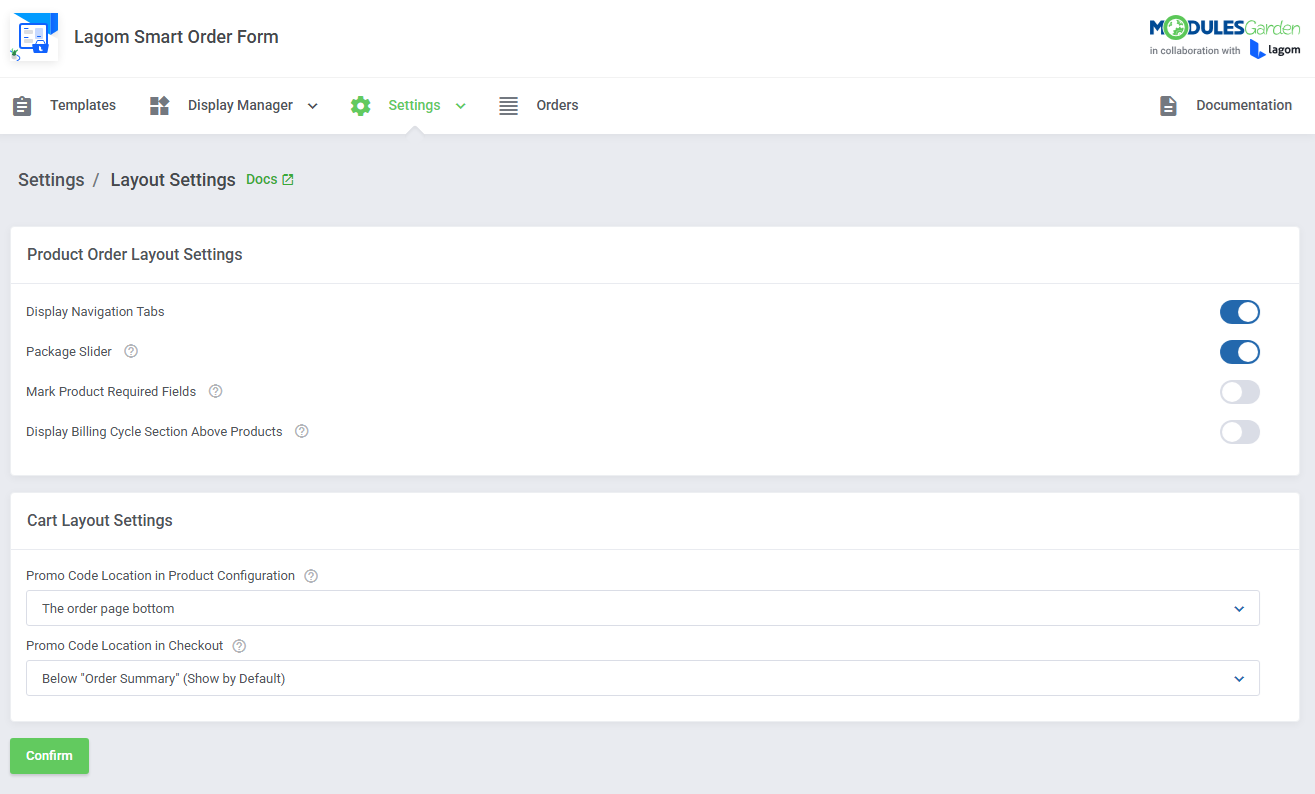
- Apply Layout Settings:
- Product Order Layout Settings:
- Display Navigation Tabs
- Display Package Slider
- Mark Required Fields
- Change Billing Cycle Section Location
- Cart Layout Settings:
- Select Promotion Code Field Location In Product Configuration
- Below "Configuration Summary" (Show On Click)
- Below "Configuration Summary" (Show By Default)
- Above "Product Billing" Section
- Order Page Bottom
- Select Promotion Code Field Location In Checkout
- Below "View Cart" Table
- Below "Order Summary" (Show On Click)
- Below "Order Summary" (Show By Default)
- Select Promotion Code Field Location In Product Configuration
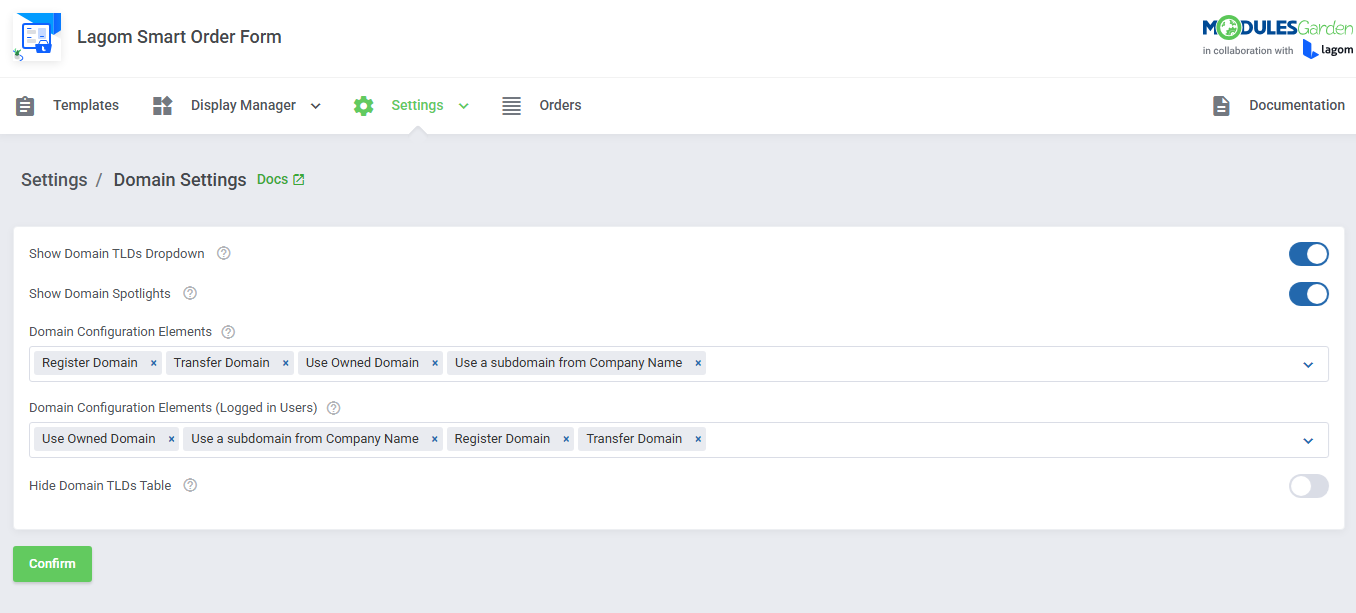
- Apply Domain Settings:
- Show Domain TLDs Dropdown
- Show Domain Spotlights
- Select Domain Configuration Elements
- Select Domain Configuration Elements (Logged In Users)
- Hide Domain TLDs Table
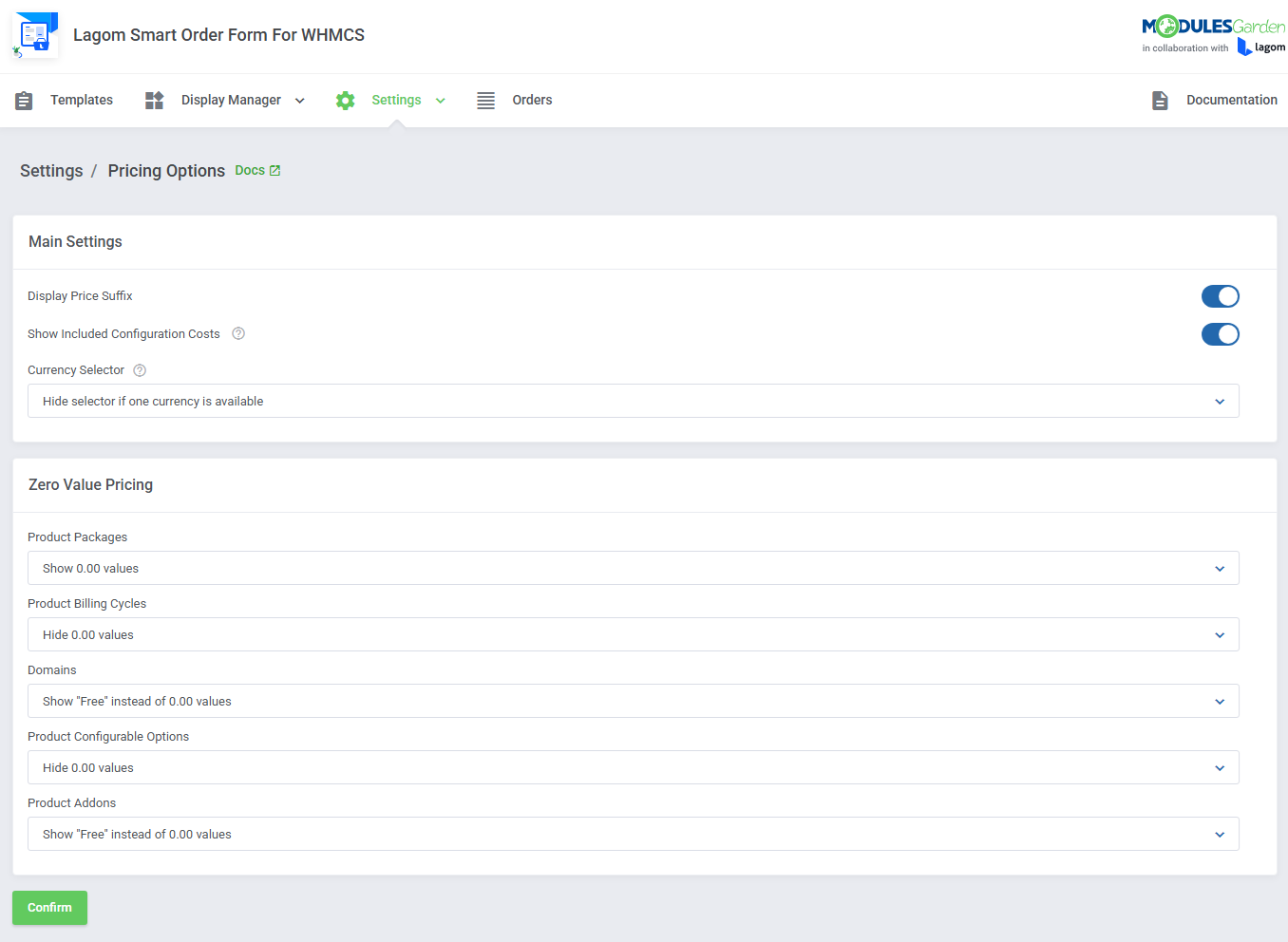
- Apply Pricing Options:
- Main Settings:
- Display Price Suffix
- Show Included Configuration Costs
- Choose Currency Selector:
- Always Displayed
- Hide If One Currency Is Available
- Hide Permanently
- Zero Value Pricing Settings:
- Display "0.00" Numeric Value
- Display "Free" Phrase
- Hide Values Completely (For Configurable Options And Product Addons)
- Main Settings:
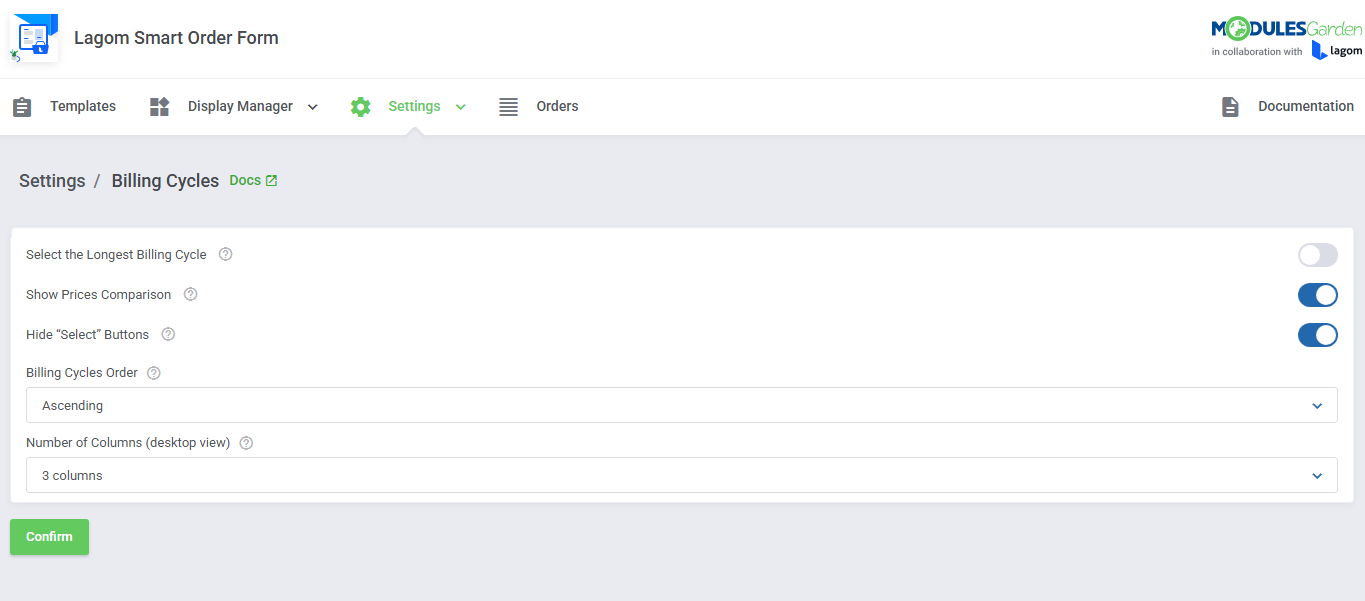
- Apply Billing Cycles Settings:
- Automatically Select The Longest Billing Cycle
- Show Prices Comparison
- Hide "Select" Buttons
- Select Billing Cycles Order
- Select Number Of Columns For Desktop View
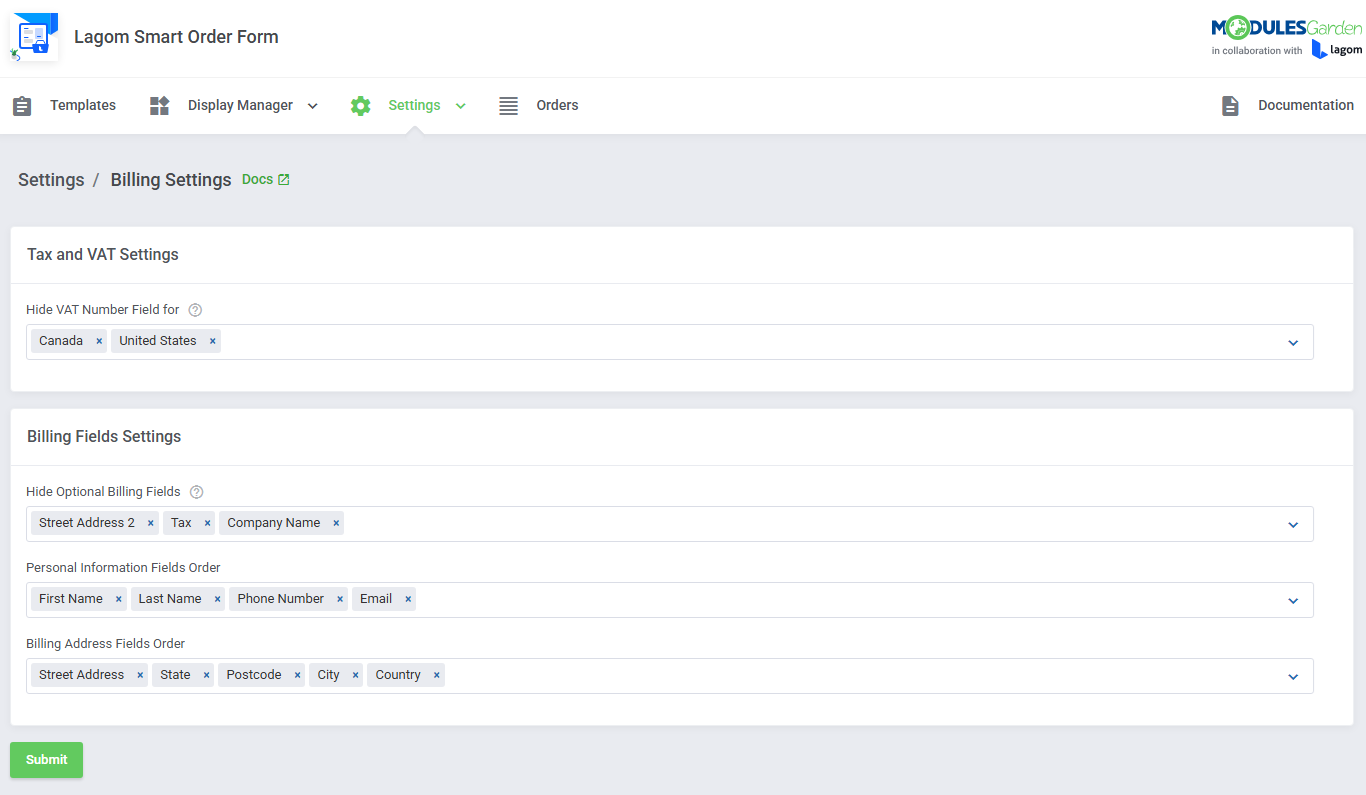
- Apply Billing Details Settings:
- Hide VAT Number Field For Selected Countries
- Hide Billing Details Optional Fields
- Define Personal Information Fields Order
- Define Billing Address Fields Order
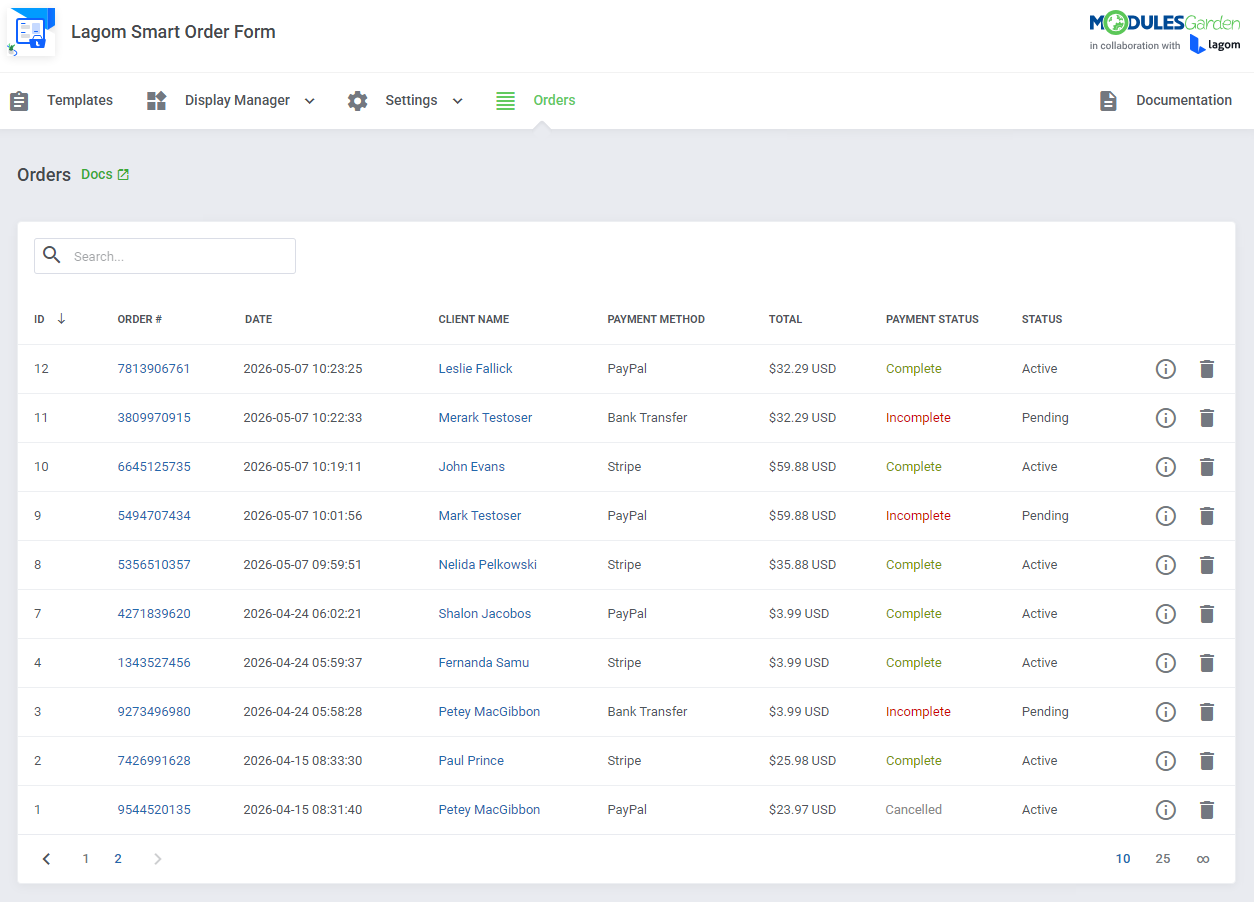
- View And Manage Orders List With Created Order Fields
- Additional Integration With "Lagom Client Theme":
- Seamless Layouts Blending
- Featured Additional Styles:
- Default
- Modern
- Depth
- Futuristic
- Five Color Schemes Per Style
- Product Order Layout Settings:
- Choose Available Templates:
-
General Info
- Fully Integrated With Lagom WHMCS Client Theme 2.4.1 And Later
- Integrated With Discount Center For WHMCS - Manage Discounts Applicable To Order Of Defined Combination Of Products
- Integrated With Payment Gateway Charges For WHMCS - Include Extra Fees And Discounts Based On Multiple Conditions
- Integrated With Payment Gateway Allocator For WHMCS - Apply Dynamic Payment Gateway Selection Based On Defined Rules
- Limited Integration With Abandoned Cart For WHMCS (Read More)
- Multi-Language Support
- Supports PHP 8.3 Back To PHP 8.1
- Supports WHMCS "Twenty-One" Theme
- Supports WHMCS V9.0.X Back To WHMCS V8.13
- InnoDB Engine Must Be Used By WHMCS Tables
- Requires ionCube Loader V14 Or Later
- Easy Module Upgrade To Open Source Version
Changelog
v1.3.2
Released: Jun 19th, 2026- Resolved
CartServicesApproverrelated issue affecting module behavior - case #2256 - Fixed missing configurable option descriptions for Addon Box option types - case #2257
- Corrected Quick Cart badge updates to ensure accurate cart item counts - case #2259
- Resolved JavaScript errors caused by language file loading in Quick Cart - case #2259
- Fixed command line application compatibility issues affecting cron job execution - case #2263
- Fixed error that might occur when opening the cart before the ordering process is initiated - case #2264
- Corrected Invisible hCaptcha warnings, validation errors, and language string handling - case #2266
- Resolved issue that could cause duplicate products to appear in the cart during checkout - case #2268
- Corrected mobile layout issues affecting the TLD dropdown and Quick Cart item display - case #2248
- Resolved PHP 8.3 warnings occurring during client area rendering - case #2250
v1.3.1
Released: May 20th, 2026- Resolved incorrect redirect to domain configuration after selecting products when using custom navigation menu - case #2255
- Fixed missing configurable option images for Package Box and Radio Box display types when groups are not used - case #2253
- Corrected handling of billing cycle selection from product URLs during product configuration - case #2252
- Resolved cart display issues caused by legacy "Bottom" order form layout setting after module update - case #2251
- Resolved PHP 8.3 compatibility warnings across the module - case #2250
- Fixed quantity discount calculation issues for products with enabled stock control and WHMCS promo codes - case #2247
v1.3.0
Released: May 14th, 2026- Official stable release with full production readiness
- Support for WHMCS V9.0.4
- Restored "Two Steps" order form type to support a divided ordering process
- Added order summary section to the Purchase Confirmed page with ordered items, total due, and payment details
- Added new slider display type for "Radio" and "Dropdown" configurable options
- Added new promo code display variants and placement options in Product Configuration and Checkout layout settings
- Added IDN validation, requiring language selection for internationalized domains
- Added direct documentation links to individual addon pages
- Legacy "Simplified Summary" option in Product Order Layout Settings, now applied by default
- Support for WHMCS V8.12 and previous
- Implemented multiple code, UI, and language fixes, along with various usability improvements
v1.3.0
Released: Dec 19th, 2025 BETA- Introduced smart and unified Multi Product ordering, allowing customers to purchase multiple products, addons, and domains within a single order
- Introduced "Quick Shopping Cart" popup with a live preview of cart items, pricing details, and quick cart modification options before checkout
- Added full Quantity support, enabling customers to specify and adjust product quantities during product selection, in the Quick Shopping Cart, and at checkout
- Added integration with the Payment Gateway Allocator For WHMCS module, supporting dynamic payment gateway assignment
- Added support for suggested domains, enabling customers to browse and add recommended options during domain configuration
- Introduced "Add to Cart" and "Buy Now" buttons to clearly separate adding items from proceeding directly to checkout
- Added support for product graphics for products, domains, and addons, including custom tile images managed via the "RS Themes" addon, which is required for this option
- Added option to hide the domain TLDs table on the order form to simplify domain selection
- Added option to display the billing cycle selector above or below the product list
- Added option to include configuration costs in the configuration summary and cart view
- Unified domain configuration flow for standalone domains and product-related domains
- Enhanced checkout page layout to support and align with the new Multi Product ordering flow
- Unified and clarified VAT presentation across configuration summary, Quick Shopping Cart, and checkout
- Renamed module name from "Lagom One Step Order Form For WHMCS" to "Lagom Smart Order Form For WHMCS"
- Reorganized addon configuration to establish a clear and more consistent order flow and support smooth long-term development
- Replaced legacy Single Product ordering model in favor of the unified Multi Product flow
- Enabled "View Cart" mode by default as part of the new ordering architecture
- Legacy order form types, layouts, and settings not compatible with the new Multi Product architecture
- Deprecated product configuration options related to Single Product flow
- Obsolete CAPTCHA, Billing Details, and Payment Methods sections no longer aligned with the new order flow
- Unused promo code placement options tied to removed layouts
- Deprecated "Hide Zero Prices" option from configurable options settings
- Applied internal code improvements to increase overall stability, performance, and consistency across the ordering process
v1.2.9
Released: Nov 19th, 2025- WHMCS V8.13 support
- Support for PHP 8.3 version
- Adjusted "Renew Domain" list to prioritize active domains eligible for renewal - case #1922
- Requires ionCube Loader V14 or later
- Support for WHMCS V8.9 and previous
- Fixed incorrect redirect when accessing MarketConnect product URLs directly - case #1923
- Restored proper display of required product custom fields during ordering - case #1925
- Corrected selection of the longest billing cycle when using the "Two Steps" layout to ensure a single cycle is marked - case #1927
- Fixed issue where products with the same slug could display incorrect billing cycle prices - case #1929
- Restored proper invoice title handling so custom page titles no longer replace the default heading - case #1932
- Eliminated rare issue causing a blank page when accessing the cart or checkout under specific configurations - case #1993
- Corrected validation to ensure products using their own domain pass checkout properly when "View Cart" is enabled - case #1961
- Eliminated problem with excessive API request loading times - case #1991
- Fixed issue where the "Select the Longest Billing Cycle" setting failed, causing an incorrect billing cycle on the order summary - case #2011
- Other minor code corrections improving the module performance
Reviews
-
Alex (HostHero) 1 year agoThe one page order form completely transformed our checkout experience. It looks great, loads fast, and makes the whole process smoother for customers. Definitely a big upgrade over the default order forms.
-
LUIZ AMERICO DOS SANTOS (ATRIUM HOST) 1 year agoIt all started with Lagom. I shouldn't even say this here, but Lagom was one of our strategies to stay competitive. Lagom One Step Order Form is just a missing add-on. The integration with Lagom could be better and it could have some out-of-the-box functions, such as allowing you to sort each element on the page, in the domain section, allowing you to enter the name of a company to concatenate with a domain, creating the name of a subdomain and eliminating the need for the customer to have a domain. But overall, the module is very good and takes the checkout to a professional level.
The Module offers several configuration options that give flexibility and professionalism to the Checkout process. It is much more intuitive, easier and faster for the customer. And for us, it gives us greater control over the customization of our sales process. Lagom One Step Order Form really couldn't be missing and I hope it improves even more with out-of-the-box functions from WHMCS.
As for customer service and support, the service is excellent. We have nothing to complain about. ModuleGarden has attentive and competent professionals who always resolve issues. We have been customers for many years and are very satisfied. The modules are updated regularly and you can see this in the changelogs. -
Charles W 2 years agoAwesome module for the Lagom theme - it provides customers with a seamless checkout experience to help increase conversions. Strongly recommend!
-
Aakash Kokane (Host.co.in) 2 years agoThe product and the service was absolutely fantastic. We will surely opt for it in near future. A+ rating for the product and service. Many thanks.
-
Danilo Borges 2 years agoThe Lagom module is spectacular and fantastic, it is essential for our company, the support from modules garden is the best!
-
Antoine Chaar (YottaSrc) 2 years agoOne of the best modules, and waiting new update 1.3.0
-
Bart Lom (Ofelix INC) 2 years agoThe foremost strength of the Lagom One Step Order Form is its simplification of the ordering process. By consolidating multiple steps into one, it makes navigation effortless for users of all experience levels, ensuring that even new customers can easily find and order the services they need. The module has done an excellent job in terms of design and allows for a high degree of flexibility, enabling businesses to tailor the order form to meet their specific needs and branding requirements.
-
Sahar E 2 years agoFantastic one-step checkout module. It Simplifies the process, making checking out a breeze. Super efficient and user-friendly.
-
Mustafa B. (Paratus Teknoloji A.S.) 3 years agoLagom theme, combined with this Order Form is a true perfection. Simple, modern and elegant. To us, it is now just a simple order form but a crucial part of our billing & automation system. It is well-adjustable that you can tailor it any way you want, yet keep the superior user-intuitiveness and smooth experience intact for your clients. We definitely recommend it.
-
Rico Firdaus (Dewahoster) 3 years agoThe Lagom One Step Order Form modules has been a game-changer for our company's ordering process. By condensing the entire process onto a single, visually appealing page, it has made ordering incredibly easy for our customers. Its seamless integration with the Lagom theme adds a touch of professionalism, while the customizable options allow us to tailor the form to our needs. The intuitive layout and responsive design ensure a user-friendly experience across all devices.
Overall, the Lagom One Step Order Form has streamlined our operations, reduced errors, and positively impacted customer satisfaction. We highly recommend it to any business looking to optimize their ordering system and enhance the overall shopping experience for their customers. -
Robert Wolinsky (Skywol Technology Solutions) 3 years agoFirst and foremost, the Lagom One Step Order Form is incredibly user-friendly and intuitive. The form is designed to be simple and straightforward, making it easy for customers to place their orders quickly and efficiently. This has helped me save a lot of time and has also improved the customer experience, resulting in more satisfied clients.
The plugin is also highly customizable, which has allowed me to tailor it to my specific needs. I have been able to customize the form fields, design, and layout, making it look and feel exactly the way I want it to. This level of customization has been a huge asset to my business, and I can't imagine going back to the standard WHMCS order form.
In addition, the support from ModulesGarden has been outstanding. They have been incredibly responsive and helpful whenever I've had any questions or concerns, which has given me a lot of confidence in using this plugin.
Overall, I would highly recommend the Lagom One Step Order Form for WHMCS to anyone looking to streamline their order management process and improve their customer experience. It's an excellent plugin that has truly made a difference in my business, and I give it a well-deserved 5-star rating. -
Theo 3 years agoGreat addition to the suite of modules and I hope to see more colab with Lagom as both themes and one-page-checkout offer a seamless order process for customers and looking forward to all the new planned future updates. Support is very adept with and helpful when I require any changes. A Must have for 2023.
-
Richard Madison 3 years agoLagom One Step Order is a fantastic addition to our MG products. We use more than eight WHMCS/cPanel modules from MG, and they continue to save us time and money. This module provides a much better checkout experience for our clients, and our cart abandonment has gone down. Great work guys - keep it up.
-
Lorenzo M 3 years agoThis module is wonderful. A colleague also purchase it and is very happy. Usability is great for customers. Browsing from a mobile works great. Thanks!
-
Jay Everall (Valcato Hosting) 4 years agoEasily the best looking and most user-friendly shopping cart template for WHMCS. We were having issues with abandoned orders from users that found the default WHMCS cart overwhelming and even during our free trial we already saw an improvement. Excellent support from ModulesGarden as usual too.
-
Juan Cruz Caire 4 years agoThe module is fantastic, the most useful function is to add icons to the means of payment and the most awaited is to add icons to the configurable options. it updates very quickly and the support is wonderful.
-
OWS OWS (OCTOPUS WEB SOLUTION INC) 4 years agoVery good product, worth recommending
-
Keith Null (VMISS) 4 years agoI was looking for a WHMCS One Step Order solution for a long time, none of them is doing the perfect job until this one came out. It meets all my needs and the support team added a feature that I requested in couple days. Thanks MG and Recommended!


