



Gallery
Overview
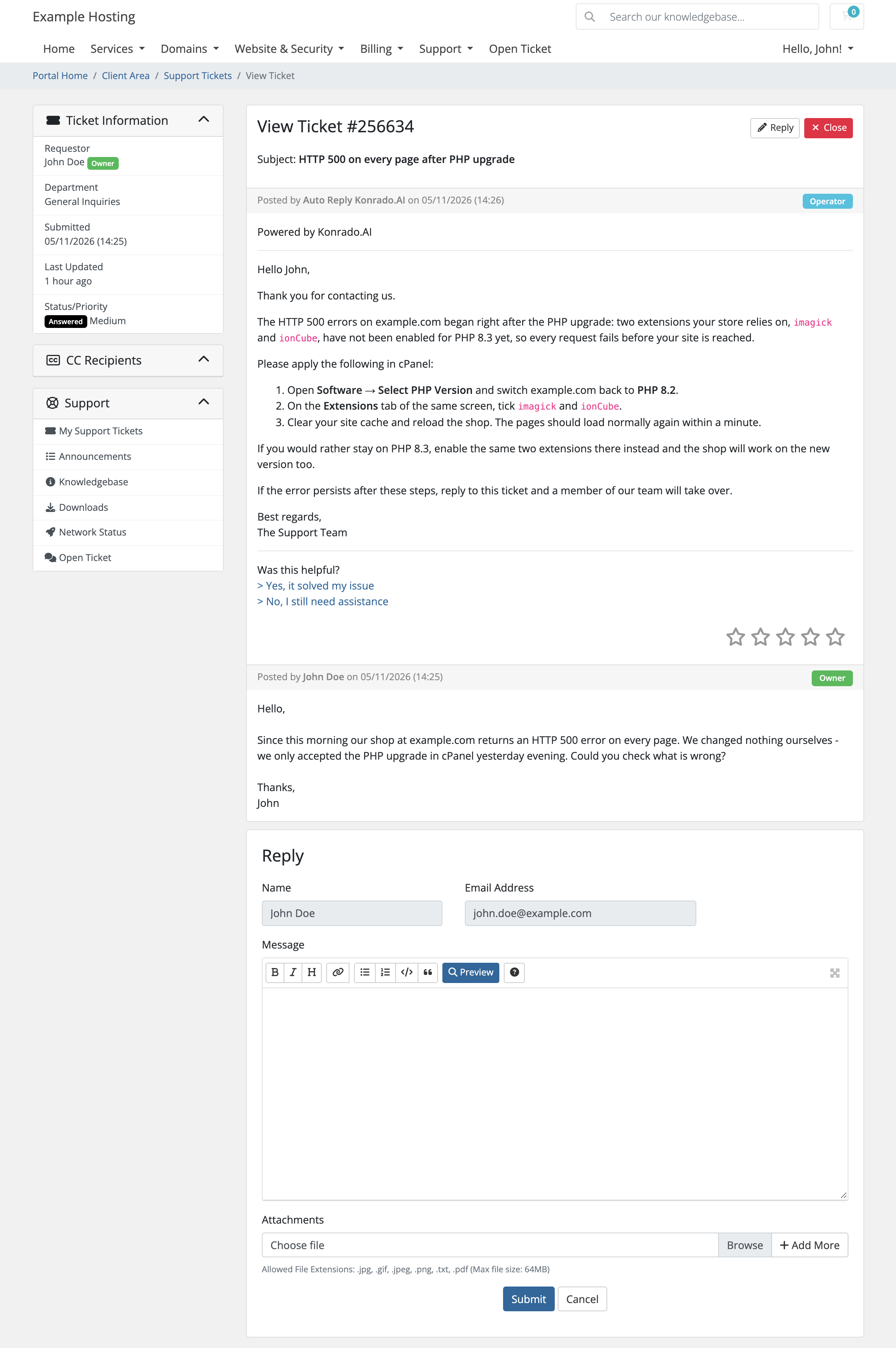
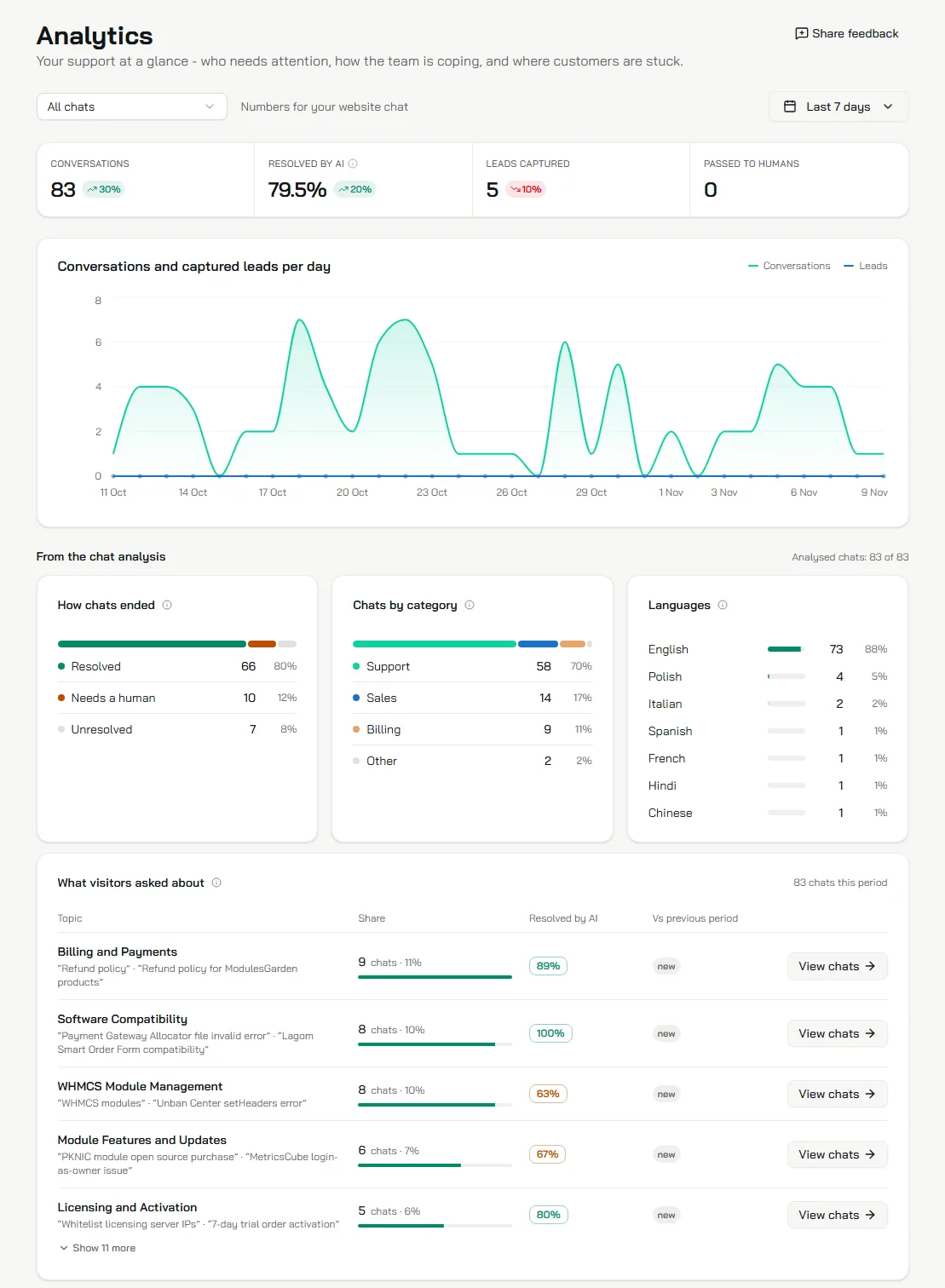
Konrado.AI For WHMCS is a free module that connects your WHMCS support system with Konrado.AI, an intelligent AI support agent designed to automate routine customer inquiries and assist your support team. With AI-powered ticket replies, intelligent response suggestions, and access to relevant customer information, Konrado.AI helps you deliver faster and more consistent support while reducing repetitive work.
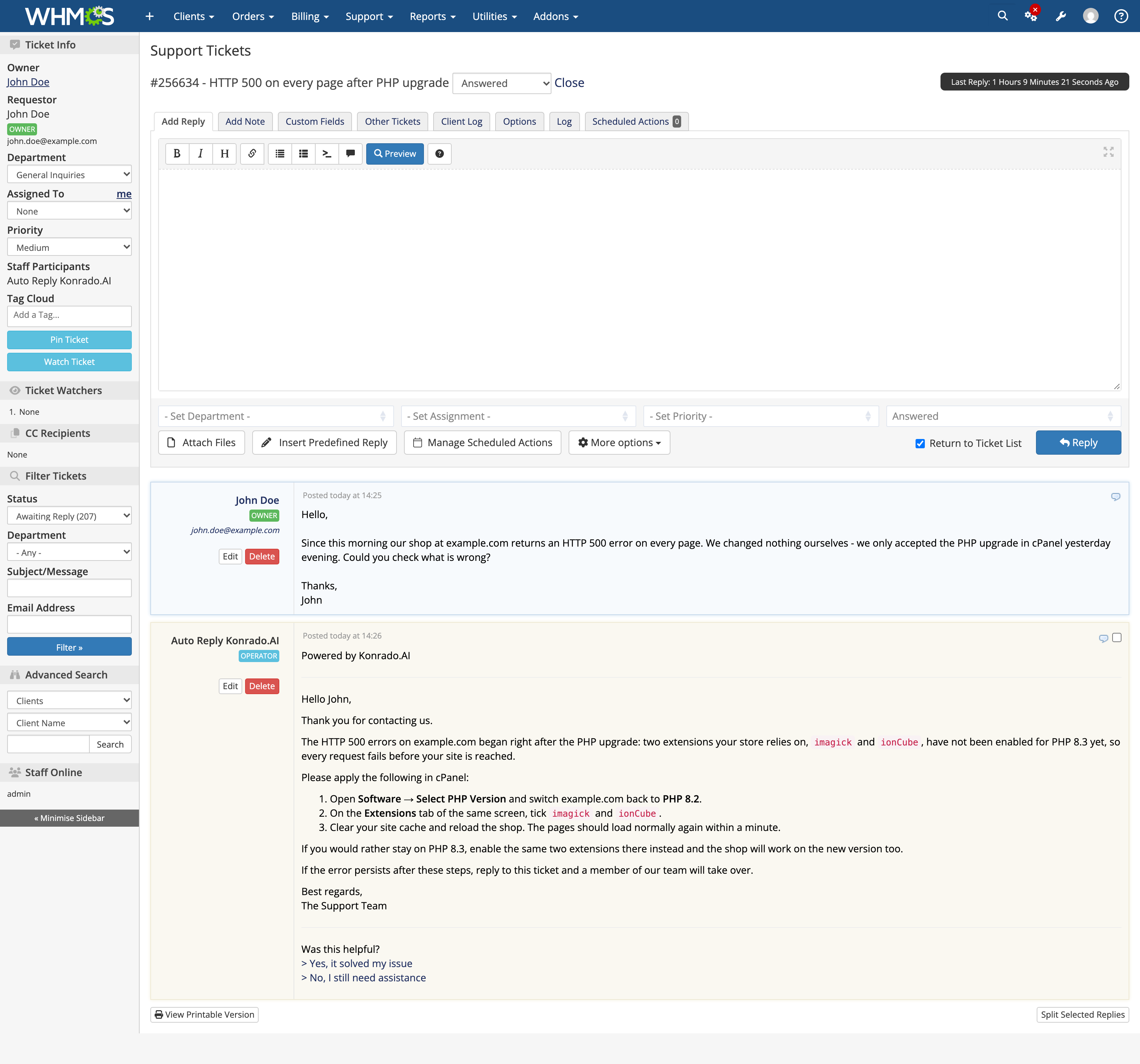
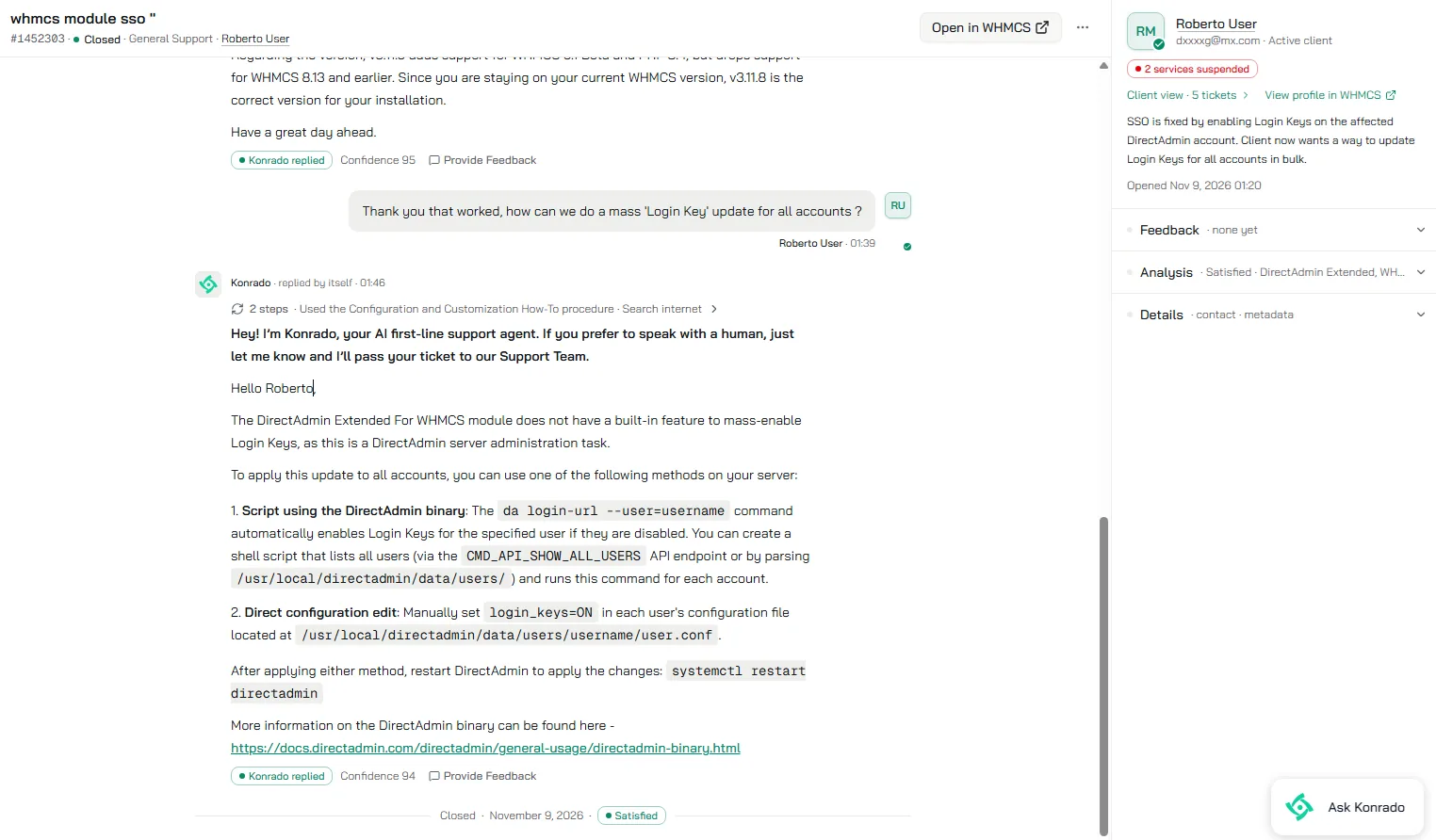
The module brings two powerful support capabilities into your WHMCS environment. AI Auto Replies allow Konrado.AI to respond directly to incoming support tickets, helping customers with common billing, service, and account-related questions. Meanwhile, AI Copilot prepares context-aware reply suggestions for your support agents to review and use when handling tickets manually. This flexible approach lets you automate routine conversations while keeping your team involved whenever human attention is needed.
Unlike generic AI chatbots, Konrado.AI For WHMCS works with actual customer information from your WHMCS installation. The AI agent can use account details, active services, domains, invoices, ticket history, and available knowledge resources to better understand each request and provide relevant answers. Administrators can control which support departments and tickets are accessible to AI, while the integration provides a straightforward connection process, status monitoring, and secure communication between WHMCS and Konrado.AI.
Whether you want to reduce your support team's workload, speed up ticket responses, or introduce intelligent automation into your help desk, Konrado.AI For WHMCS makes it easy to get started. The WHMCS module is completely free, and Konrado.AI offers a free plan with 50 credits per month, alongside paid plans for growing support needs. Connect your account and discover a smarter way to manage customer support.
Features
-
Main Functionality
- Integrate WHMCS Support System With Konrado.AI
- Automatically Respond To Support Tickets Using AI
- Generate AI Copilot Reply Suggestions For Support Agents
- Provide Context-Aware Answers Based On Customer And Service Information
- Handle Routine Billing, Account And Service-Related Questions
- Synchronize WHMCS Ticket Activity With Konrado.AI:
- New Tickets Created By Clients And Administrators
- Client And Staff Replies
- Internal Staff Notes
- Deleted Replies And Tickets
- Ticket Status, Subject And Department Changes
- Closed, Split And Merged Tickets
- Post AI-Generated Replies Directly To WHMCS Tickets:
- Attribute Replies To A Dedicated AI Support Agent
- Automatically Update Ticket Status
- Assign Tickets To Support Agents
- Collect Client Feedback On AI Replies:
- Mark Responses As Helpful Or Unhelpful
- Submit Optional Feedback Comments
- Customize Feedback Page Templates
- Retrieve Ticket Attachments On Demand
- Use Existing Knowledge Resources And Ticket History To Improve AI Responses
-
Admin Area
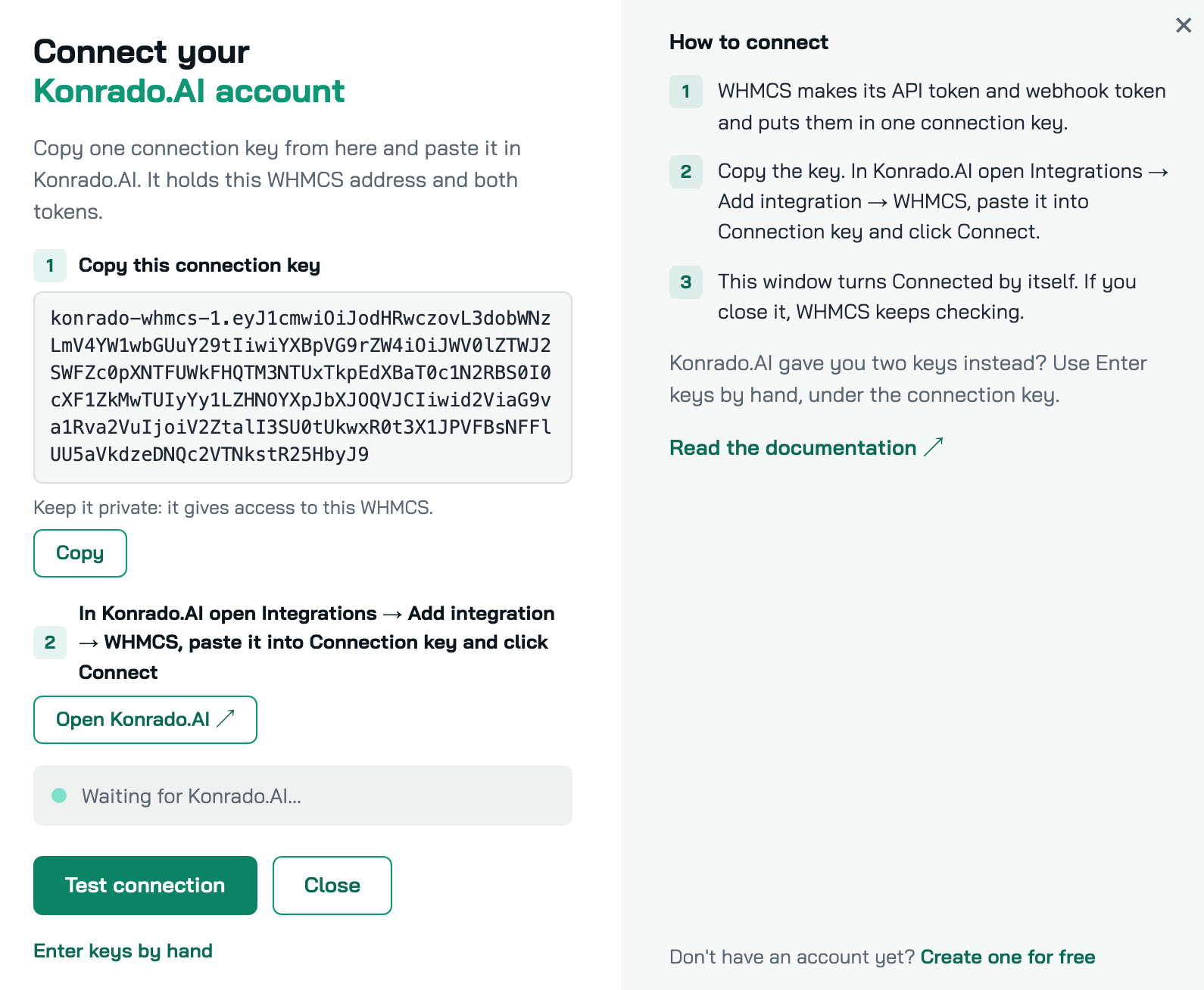
- Connect WHMCS To Konrado.AI:
- Create A Free Konrado.AI Account
- Connect Using A Single Connection Key
- Enter API And Webhook Keys Manually
- Test Connection In Both Directions
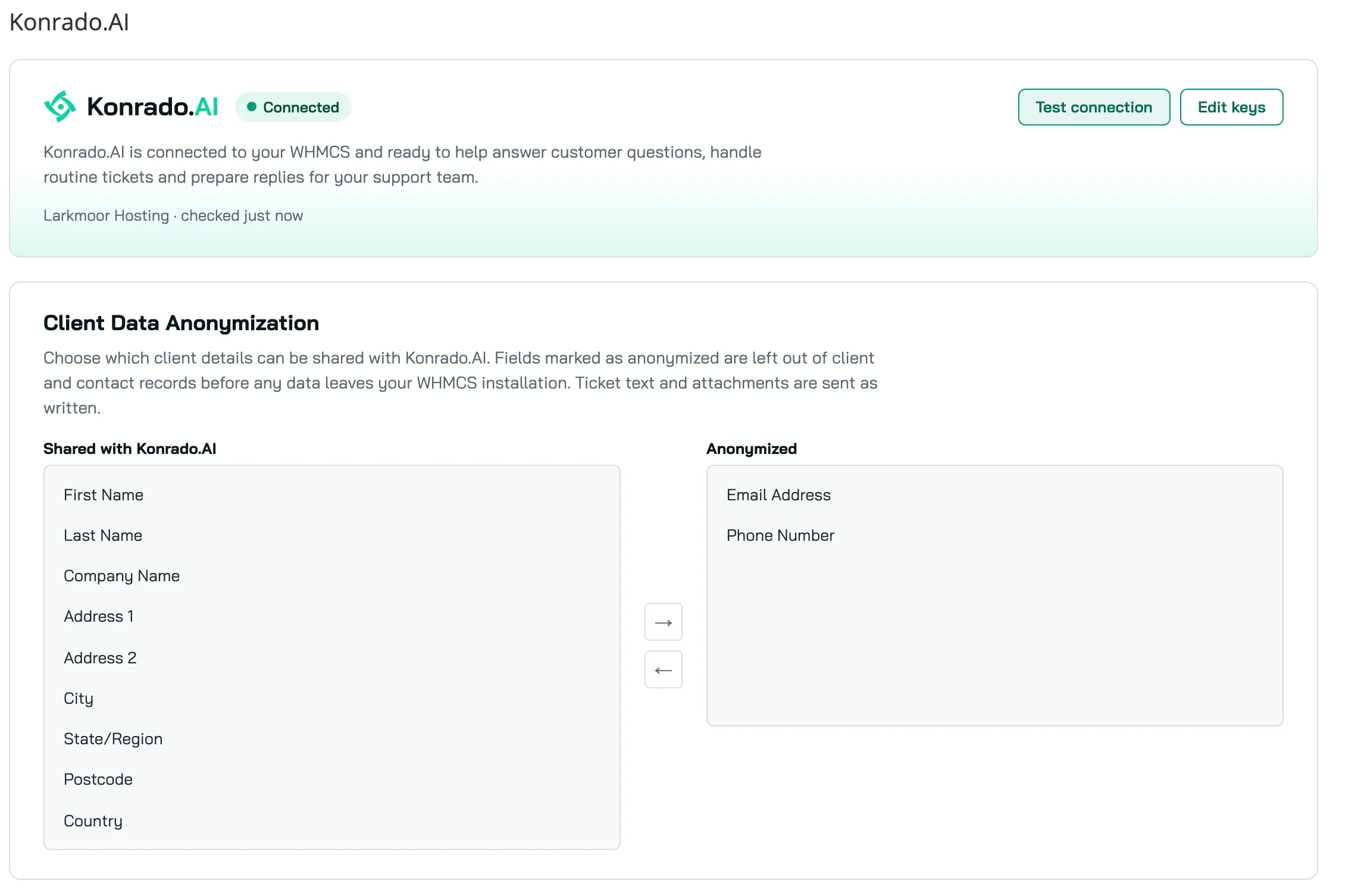
- Monitor Integration Status:
- View Connected Konrado.AI Organization
- View Last Connection Check
- Identify Connection Errors
- Automatically Check Connection Through WHMCS Cron
- Manage Integration Credentials
- Configure Client Data Anonymization
- Control Module Access Through WHMCS Administrator Roles
- View Integration Activity In WHMCS Activity Log
- Connect WHMCS To Konrado.AI:
-
Customer Context & Read-Only Data Access
- Access WHMCS Customer And Contact Information
- Retrieve Customer Services, Products And Addons
- Access Domain Information, TLD Pricing And Availability
- Retrieve Invoices, Orders And Transactions
- Access Customer Email History
- Retrieve Support Tickets, Messages And Internal Notes
- Access Support Departments And Ticket Statuses
- Retrieve Promotions And Payment Methods
- Access Announcements And Network Issues
- Retrieve Supported Service Control Panel Login Links
-
Security & Privacy
- Secure Integration Using API And Webhook Tokens
- Encrypt Stored Integration Credentials
- Anonymize Selected Client Data Before Transmission:
- First And Last Name
- Email Address And Company Name
- Address, City, State, Postcode And Country
- Phone Number
- Enable Optional Environment Metadata Sharing:
- PHP Version
- WHMCS Version
- Module Version
- ionCube Version
- Confidential Data Box Status
- Limit Attachment Retrieval To 7 MB Per File And 20 MB Per Request
- Keep WHMCS Ticket Submission Operational During Connection Failures
-
General Info
- Free Konrado.AI Plan With 50 Credits Per Month
- Additional Konrado.AI Paid Plans Available
- Supports WHMCS V8.0 And Later
- Supports PHP 7.4 And Later
- Requires PHP cURL Extension
- Requires Active WHMCS System Cron
- Requires Publicly Accessible WHMCS Module Endpoint
Changelog
v1.3.3
Released: Nov 10th, 2026- Initial stable release on ModulesGarden Marketplace
Information: The module is developed and maintained by the Konrado.AI team. This release includes the latest available integration features and improvements.
There are no reviews yet!


