

# How To Upgrade WHMCS Module
# Upgrade Instructions
Discover the simple steps to upgrade your modules, from placing your order to overwriting files in your WHMCS system. It is a smooth process!
Carefully review the following article, as it is rich in crucial details on upgrading ModulesGarden (opens new window) modules for WHMCS to an open source version, accompanied by lifetime access to the source code.
Follow the step-by-step instructions diligently to successfully execute the module upgrade, preventing any potential data loss or unforeseen complications.
Additionally, the article provides an up-to-date list of supplementary information that may turn out advantageous if you are still hesitating about whether such an upgrade to an open source version will be profitable to you or not.
We eagerly suggest that you thoroughly read the entire article before proceeding with your product upgrade.
# Ordering Process
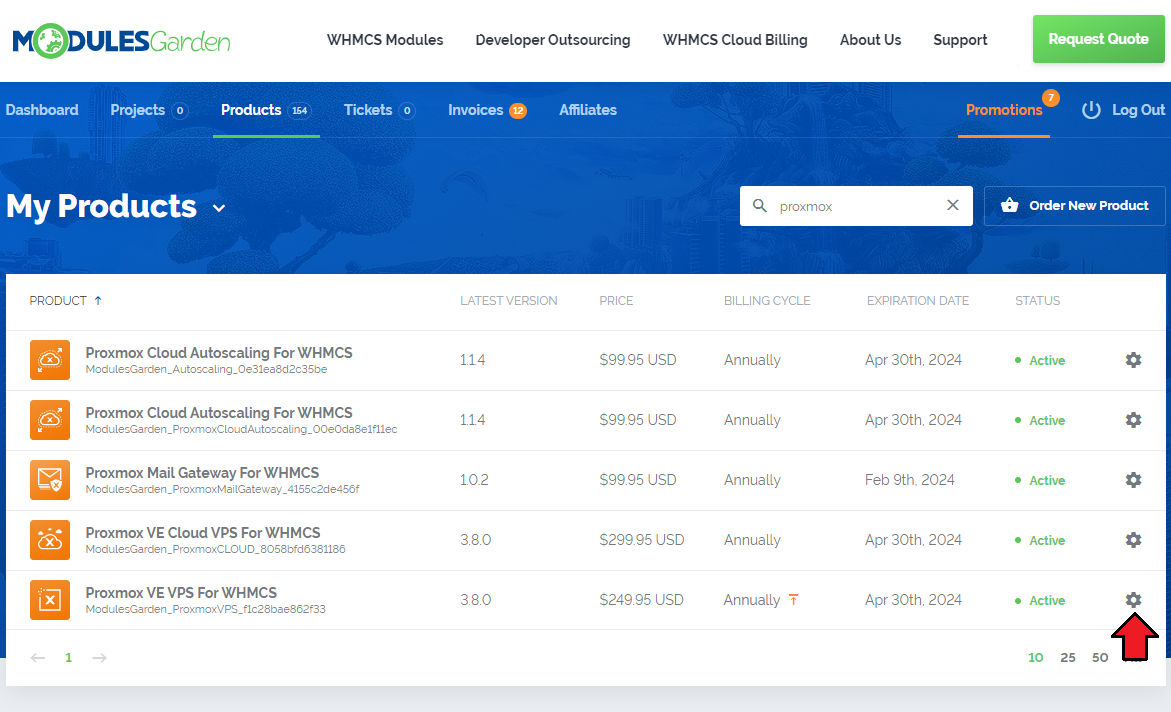
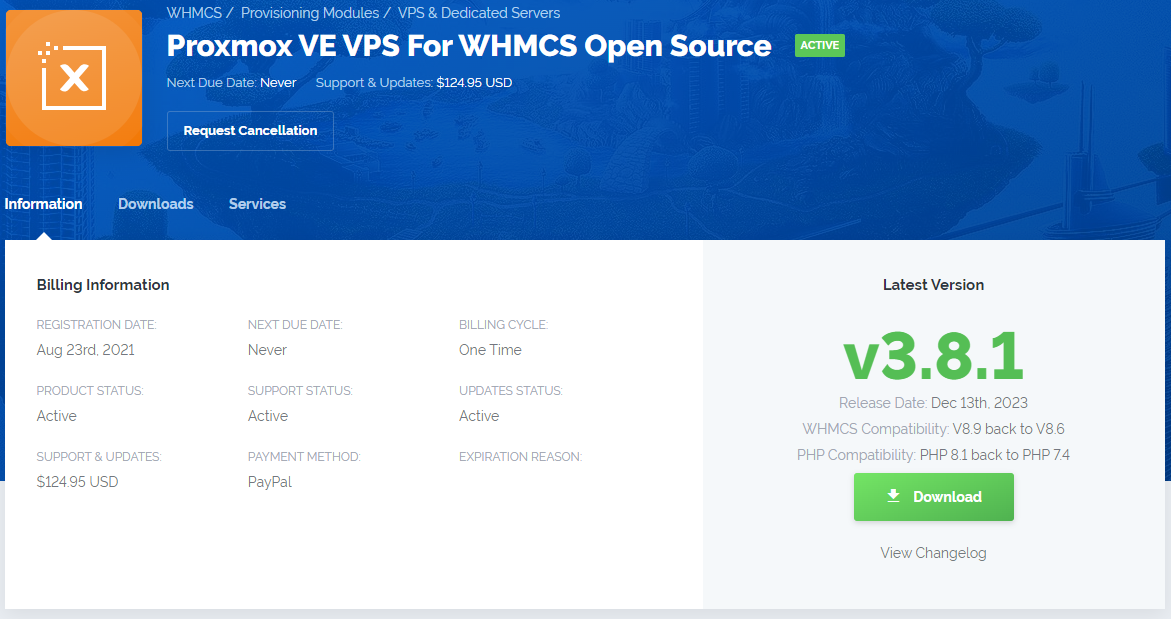
- Log into your client area, find the product you are about to upgrade to an open source version on the list and open its details.
On the product information page you will see the 'Upgrade to Lifetime' button.
Additionally the 'Get Source Code' button is available and can be used at any moment, whether you are reviewing available versions to download or seeing basic information on the product.
Press any to start the upgrade process.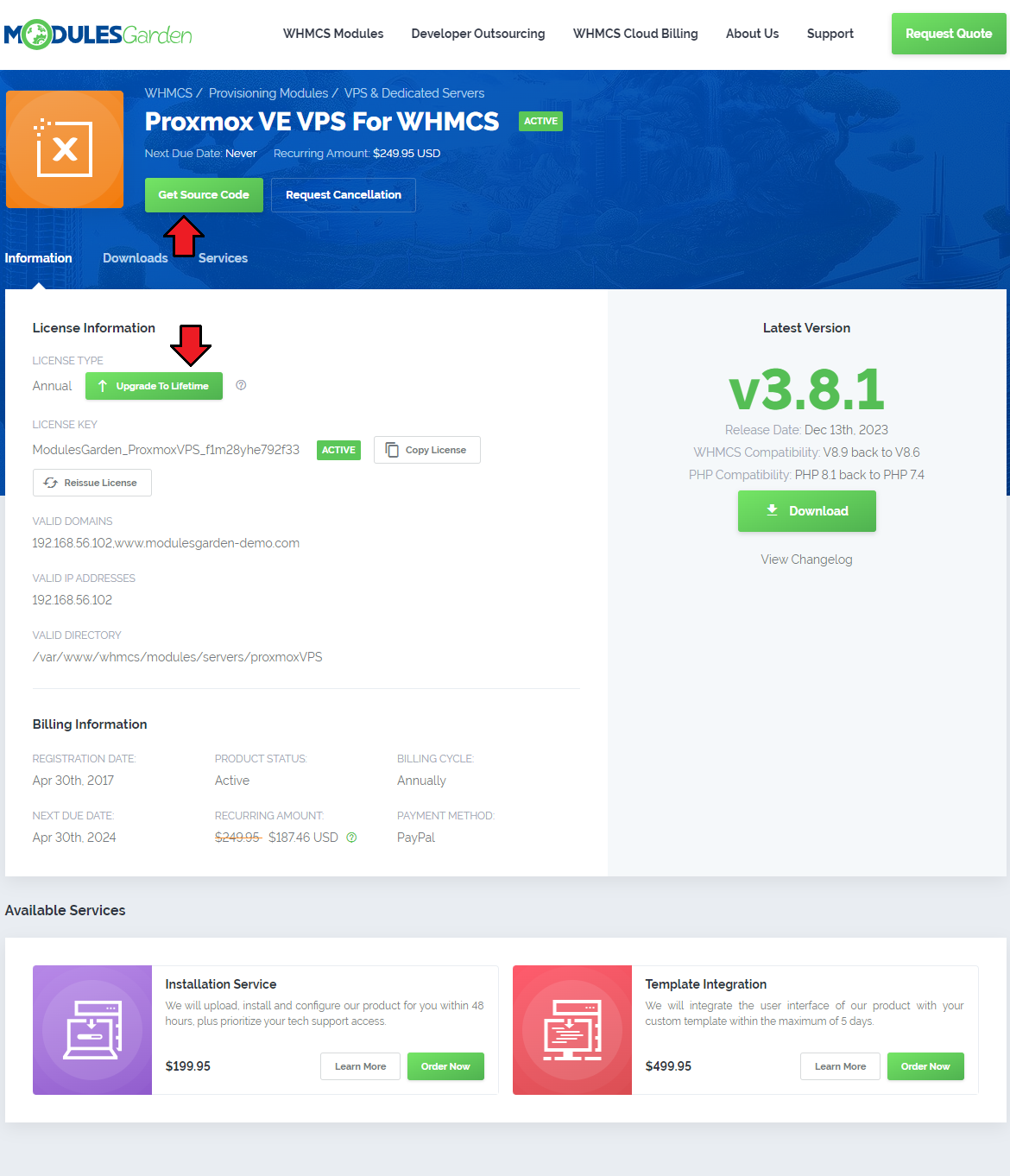
If your product meets the requirements for the upgrade, you will be redirected to the upgrade summary page.
Familiarize yourself with the "Benefits" and "Key Information" in case you do not know them yet, and most importantly, read the 'Terms of Service' and 'EULA', then confirm you have read them.
Press 'Continue' to complete the upgrade.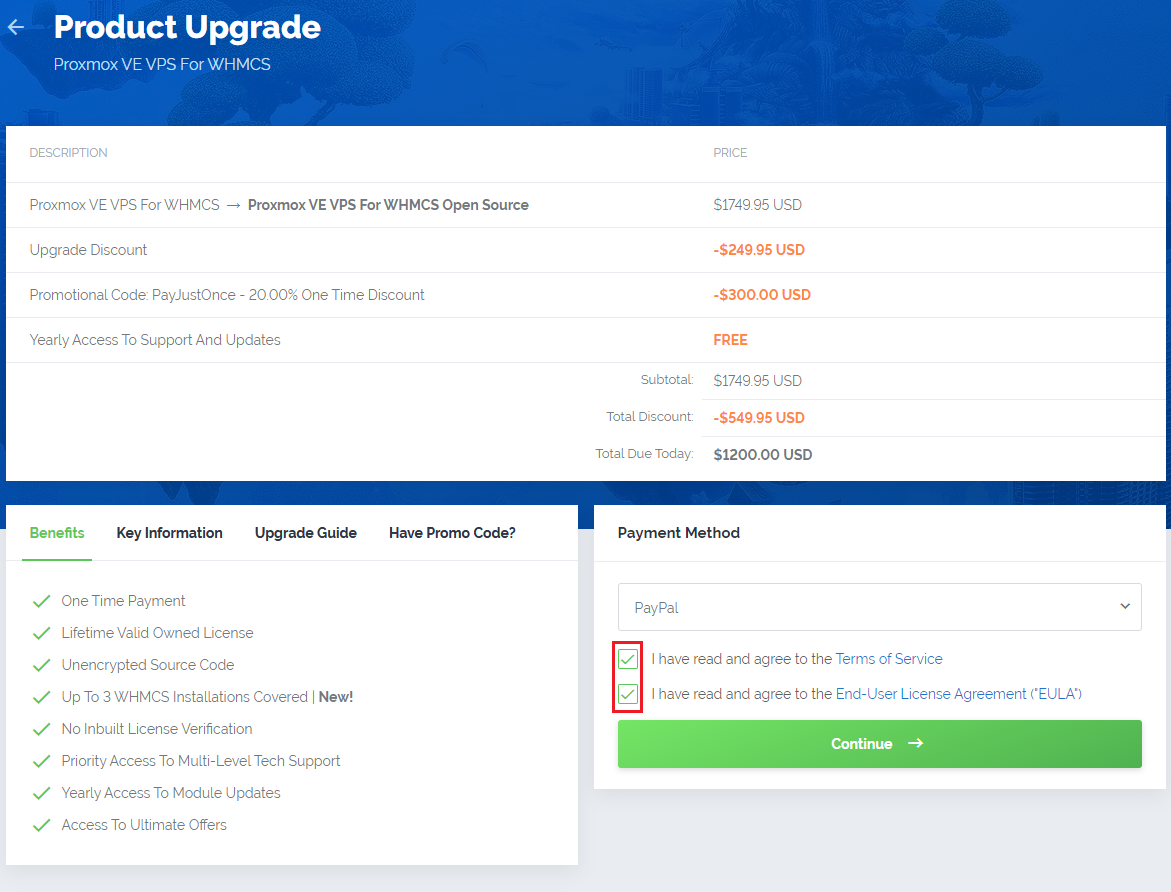
You will be moved to the invoice view. Here, you will find the price details directly on the related invoice.
Pay the invoice to complete the process.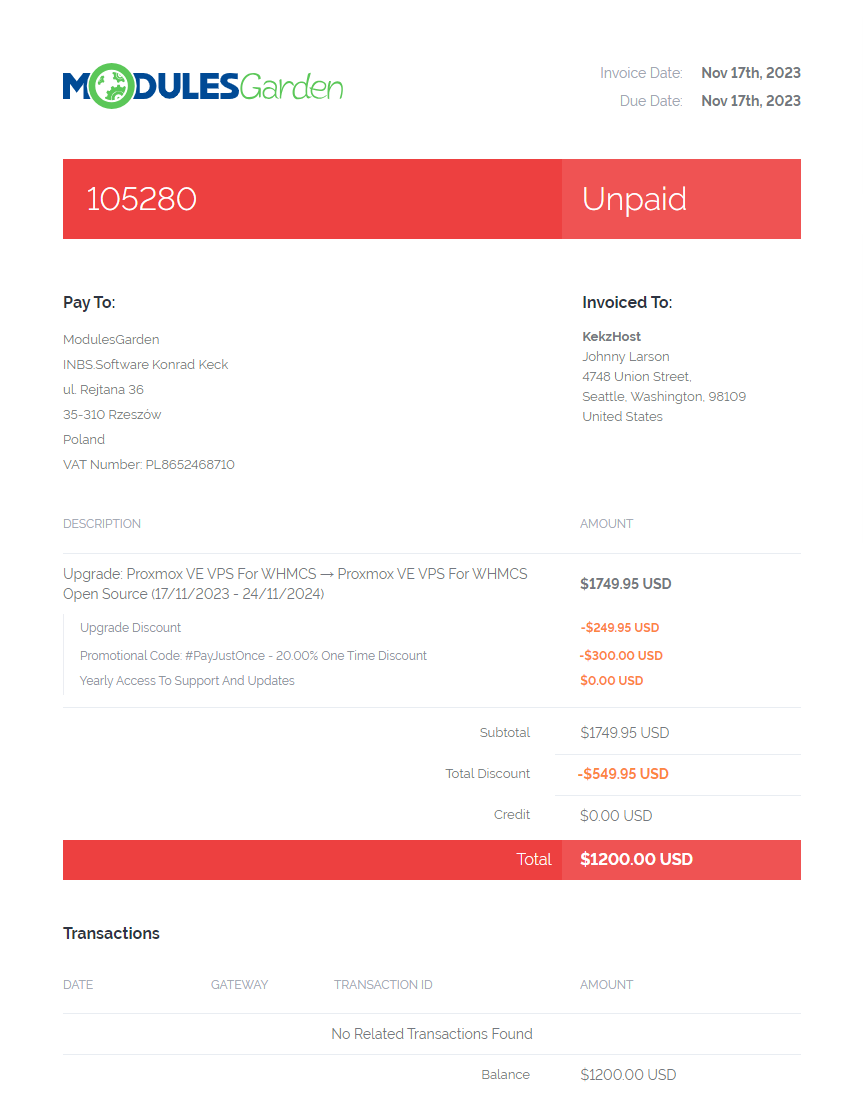
There is nothing more you need to do, there is no requirement to open any tickets to inform us about the process you have initiated.
Please wait patiently for an email message. Within 24 hours (working days) we will process your order if it has been paid.
You will be notified immediately when the open source product is ready for download from your account.
# Module Upgrade
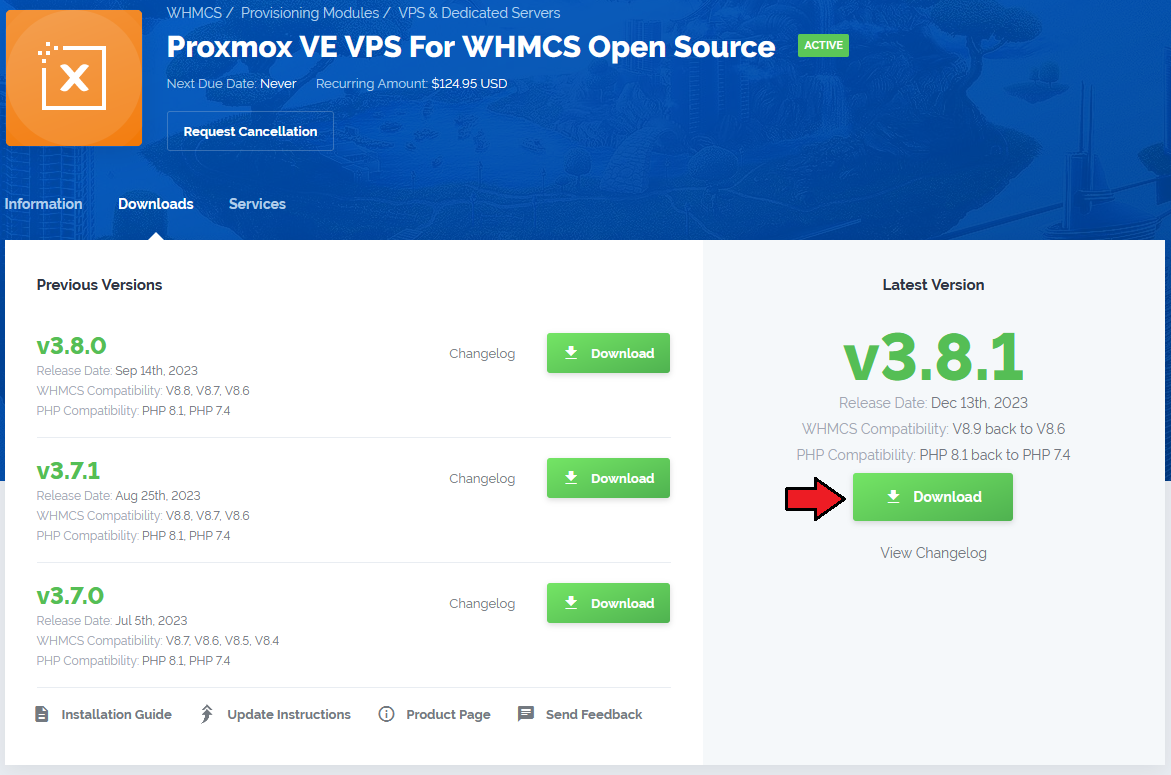
Download the open source files for your product by navigating to our client area. Access the desired product details page, and go to the 'Downloads' section.
From there, download the files of the module version you currently need (the latest version is recommended).
Upon downloading the open source module package, proceed by overwriting the existing module files.
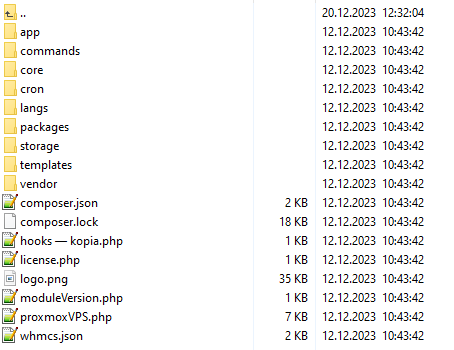
- Upload and extract the downloaded module files into the main WHMCS directory. Ensure that the extracted files in your WHMCS directory resemble the layout depicted in the screenshot below:
You can begin using your product instantly. There is no additional action required, simply enjoy the benefits of your product in its unencrypted version.
Important: The upgrade process remains the same for all product types, whether transitioning from an annual or an owned license.
# Additional Information
Important! If you change your mind and decide to stop the upgrade process, you can do so at any time.
Until you have paid the upgrade invoice, you retain the option to stick with your original license and renew access to this product for the upcoming year.Remember that products with either annual or owned license types may be upgraded, yet their current status must be "Active".
Products with an owned license and one-time billing cycle, such as Lagom One Step Order Form For WHMCS are also eligible for upgrade. The process is identical to upgrading an annual license.
If the "Get Open Source Code" and "Upgrade to Lifetime" buttons are not visible next to your product, it indicates that the product does not meet the upgrade requirements.
Please get in touch (opens new window) with us, and we will work together to find a satisfactory solution.
# Open Source Benefits
Still hesitating whether to invest in an open source product?
Explore the reasons below to understand why numerous clients have already chosen to secure lifetime access to the product:
- One-time payment
- Lifetime valid owned license
- Unencrypted source code - You are authorized to share the module's code or any snippets with individuals who are employees of your company. Please ensure that the sharing is restricted to internal use only.
- Up to 3 WHMCS installations covered - You have the right to use a purchased module concurrently on up to three WHMCS installations.
- No inbuilt license verification
- Priority access to multi-level tech support - You will benefit from priority assistance, and your tickets will be handled with express priority.
Please note that technical support for modifying the module is not included. Modifying the source code may impose limitations on support services. - Yearly access to module updates - Upon purchase, you gain annual access to updated versions of the module and priority technical support services.
This fee (individual for each product) is optional and entirely voluntary. Payment can be made at any time, automatically extending access for the next 365 days. - Access to ultimate offers and product discounts
In case of any problems or hesitation, simply contact (opens new window) our support team. Our specialists are always available and prepared to assist, addressing all your inquiries promptly.