
ModulesGarden Documentation
Back Home Home

ModulesGarden Widget For WHMCS

  • Navigation
    • Main Page
    • ModulesGarden Website
    • Help
  • WHMCS Modules
    • Abandoned Cart
    • Account Synchronization
    • AdminBolt Licenses
    • Advanced Billing
    • Alibaba Cloud Virtual Machines
    • Amazon EC2
    • Amazon Lightsail
    • Anti-Fraud And Email Verification
    • Client Area Designer
    • Client Area Popup
    • Client Profile Viewer
    • Cloud Billing
    • cPanel Extended
    • cPanel Manage2
    • CRM
    • DigitalOcean Droplets
    • DirectAdmin Extended
    • DirectAdmin Licenses
    • Discount Center
    • DNS Manager
    • Domain Allocator
    • Domain & Email Forwarding
    • Domain Orders Extended
    • Domains Reseller
    • EasyDCIM Colocation
    • EasyDCIM Dedicated Servers
    • Email Notifications Organizer
    • Emoji Picker
    • EURid Registrar
    • Expense Tracker
    • Freshdesk
    • Freshservice
    • Geolocation Hook
    • GoDaddy Domain Registrar
    • GoGetSSL
    • Google Analytics
    • Google Cloud Virtual Machines
    • Google Workspace
    • Hetzner Cloud Servers
    • Hosting Quota Notifications
    • Hosting Renewals
    • IBM Cloud Virtual Servers
    • IP Manager
    • Lagom Smart Order Form
    • Login-Free Payments
    • Marketing Triggers Automation
    • MetricsCube Business Analytics
    • MikroTik WireGuard VPN
    • Multibrand
    • NIC IT Registrar
    • Office 365
    • OpenStack Projects
    • OpenStack VPS & Cloud
    • OVHcloud VPS & Dedicated Servers
    • Password Manager
    • Payment Gateway Allocator
    • Payment Gateway Charges
    • Plesk Extended
    • Plesk Key Administrator
    • Portainer Docker Containers
    • Premium Support Tickets
    • Product Cross-Selling
    • Product Feedback Center
    • Product Free Trial Manager
    • Product Linker
    • Products Reseller
    • Proxmox Mail Gateway
    • Proxmox VE Cloud VPS (Legacy)
    • Proxmox VE VPS & Cloud
    • QuickBooks Desktop
    • QuickBooks Online
    • QuickBooks Online Survey
    • Quotes Automation
    • R1Soft Backups
    • Rackspace Email Extended
    • Recurring Contract Billing
    • Report Generator
    • Resellers Center
    • Server Allocator
    • Secure Support Messages
    • Server Monitoring
    • SMS Center
    • Social Media Login
    • SolusVM 2 VPS & Cloud
    • SolusVM Extended VPS
    • SolusVM Extended Cloud
    • SolusVM Extended Reseller
    • Stripe SEPA Payments
    • Support PIN
    • Support Tickets Allocator
    • Time & Task Manager
    • Unban Center
    • Virtuozzo Hybrid Infrastructure S3
    • Virtuozzo Hybrid Server
    • Vultr VPS
    • WithoutDNS
    • WordPress Manager
    • Zendesk
    • Zimbra & Carbonio Email
  • Legacy Versions
    • Advanced Billing 3.X
    • Domain Orders Extended 2.X
    • Domains Reseller 1.X
    • EasyDCIM Colocation V1.X
    • EasyDCIM Dedicated Servers V1.X
    • EasyDCIM Dedicated Servers V2.X
    • Hosting Quota Notifications 1.X
    • Hosting Renewals 2.X
    • IP Manager 2.5.X
    • Lagom One Step Order Form 1.2.X
    • Multibrand 1.X
    • Office 365 1.0.0
    • Payment Gateway Charges 1.X
    • Proxmox Cloud 2.X
    • Proxmox VPS 2.X
    • Quotes Automation 1.X
    • Recurring Contract Billing 1.5.X
    • Report Generator 3.X
    • Resellers Center 2.X
    • SMS Center 2.X
    • Unban Center 1.X
    • Zimbra Email For WHMCS
    • Zimbra Email 1.X
  • WHMCS Module Bundles
    • Accounting
    • Commerce
    • CRM
    • Customer Experience
    • Domain Reseller
    • Hosting Accounts Provisioning
    • IaaS VPS And Cloud Provisioning
    • On-Premises VPS And Cloud Provisioning
  • WHMCS Widgets
    • Freshdesk Customer Widget
    • ModulesGarden Widget
    • WHMCS Widget For Zendesk
  • Tools And Applications
    • Access Control Tool
    • App Templates Tool
    • Automations Tool
    • Logs
    • Proxmox Proxy Application
    • Task Queue Tool
    • Theme Management Tool
  • Translations
    • Translations Tool
    • Translations
    • Polish Language Translation
    • Polska Wersja JÄ™zykowa (PL)
  • General
    • 7-Day Free Access
    • How To Change WHMCS Module Language
    • How To Debug Module
    • How To Solve Problems With Module License
    • How To Change WHMCS Module Design
    • How To Update WHMCS Module
    • How To Upgrade WHMCS Module
    • How To Use Configurable Options
  • FAQ
    • Common Questions
    • WHMCS Module Bundles
  • Community
    • Forums
    • Blog
    • Facebook
    • X
    • LinkedIn
    • Instagram
    • Reddit
    About ModulesGarden Widget For WHMCS Installation and Configuration Management Tips Update Instructions Common Problems

# ModulesGarden Widget For WHMCS

  • About ModulesGarden Widget For WHMCS
  • Installation and Configuration
  • Management
  • Tips
  • Update Instructions
  • Common Problems

# (opens new window) About ModulesGarden Widget For WHMCS (opens new window)

ModulesGarden Widget For WHMCS is a free tool that allows easy monitoring of the latest news, updates and promotions in ModulesGarden.

Download it and activate not to miss any notification from ModulesGarden team ever again.

  • Admin Area Features

    • View Active Promo Codes And Recent News
    • Check If Your Modules Are Up To Date
    • Quickly Redirect To Changelog Of Each Outdated Module
    • Show/Hide ModulesGarden Latest Post On Twitter
    • Define Widget Priority And Length In Configuration File
  • General Info

    • No Installation Required - Upload, Activate And Use!
    • Supports PHP 8.3 Back To PHP 8.2
    • Supports WHMCS V9.X Back To WHMCS V8.10
    • Requires ionCube Loader V14 Or Later

# Installation and Configuration

This tutorial will show you how to successfully install and activate ModulesGarden Widget For WHMCS. (opens new window)

  1. Log in to our client area and download the widget
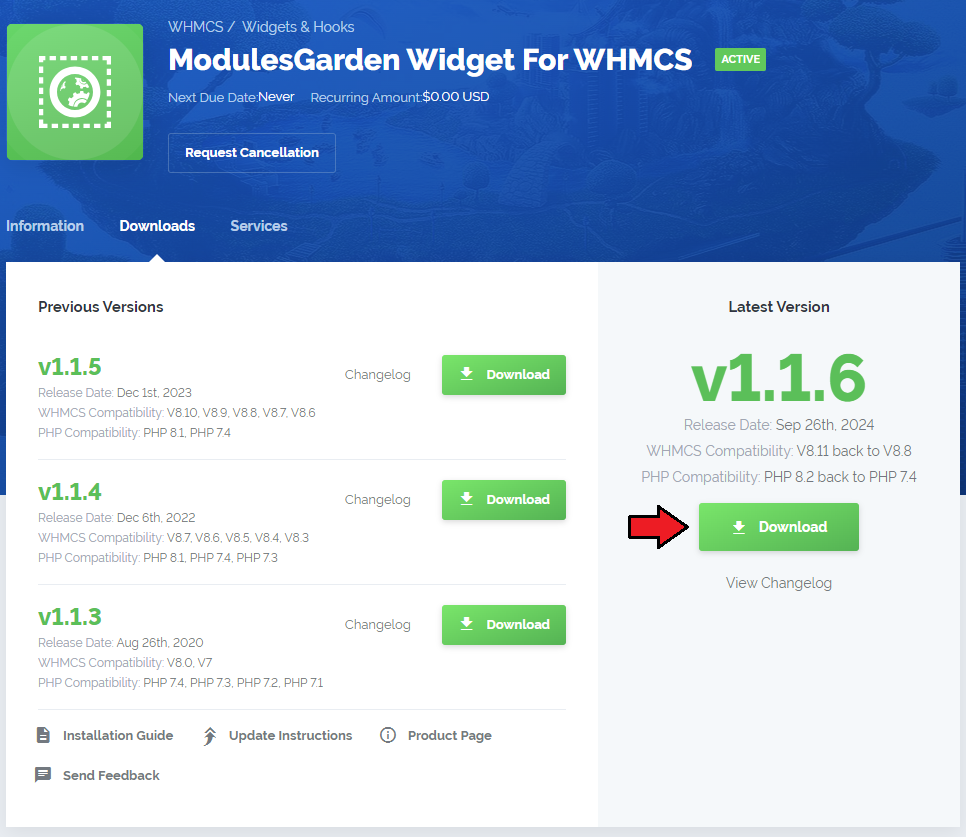
  1. Extract the package and upload its content into the main WHMCS directory.
    The content of the package to upload should look like this.

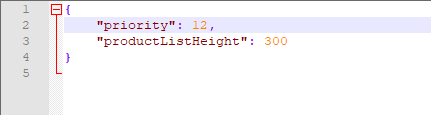
  1. If you want to slightly adjust the final look of the widget, open the 'widgetConfig.json' file located at /modules/widgets/ModulesGardenProducts directory.
  • priority - define the widget priority among other widgets - the lower the number, the higher the widget will be located on the dashboard.
    Note 1: Refer to Tips section point 3 to learn how to define priorities in WHMCS.
    Note 2: WHMCS 7.7. supports the "Drag&Drop" feature so if you are using this version or any later, you do not need to set the position in the file, but simply move the widget on the dashborad.
  • productListHeight - define the widget list of products length - you may decide how many products will be visible, the rest of them will appear when you scroll down. The value is provided in pixels.
Congratulations! Your widget is now ready and active on your WHMCS Dashboard page!

# Management

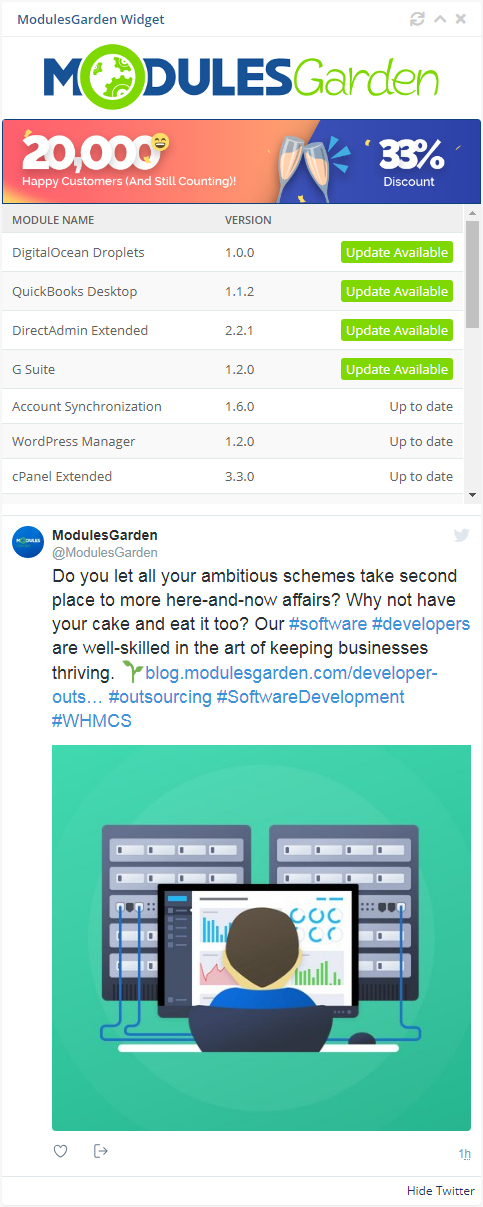
ModulesGarden Widget For WHMCS allows you to hunt for attractive promo codes and check if your modules are up to date.
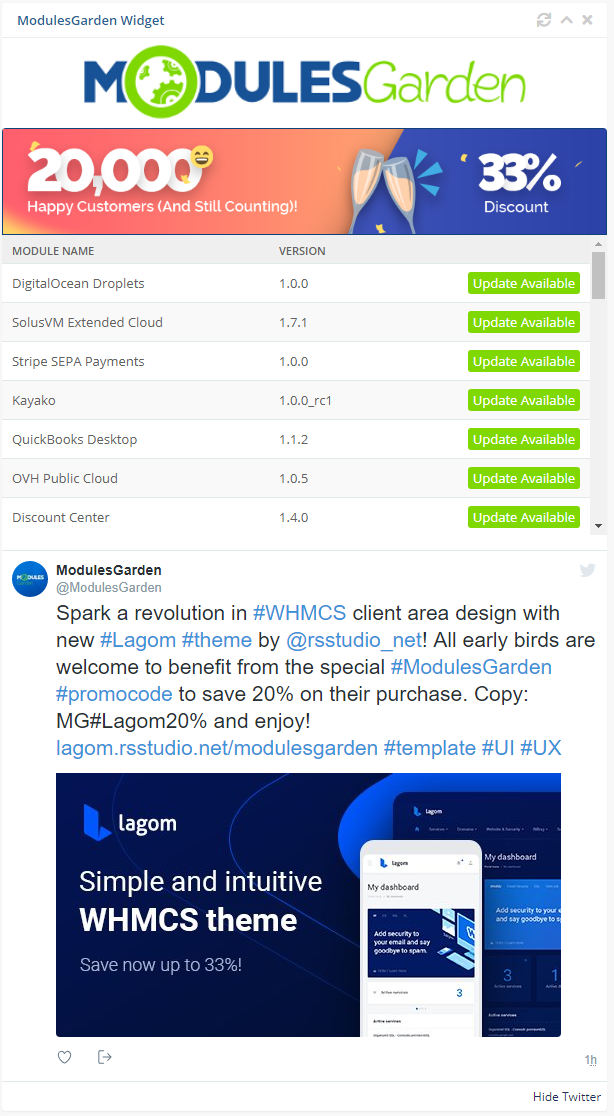
The widget offers a quick view on news we want to make you familiar with and gives you a quick preview on your installed modules from our offer.
If there are any new versions available, you will find out first!
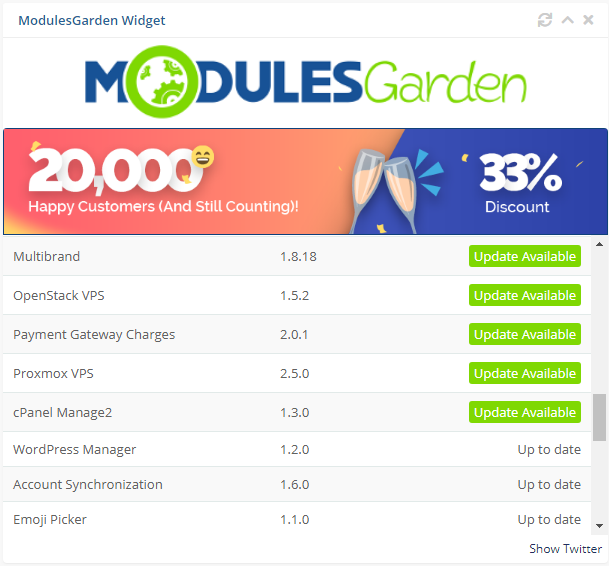
Show 'Twitter' to see the latest post from our most popular social media site!
It will let you track every news without the need to follow external social media sites.
Important: Please be aware that support for the Twitter/X posts integration has been temporarily removed from the module due to API changes.
Follow our changelog (opens new window) to see when the support is reverted.
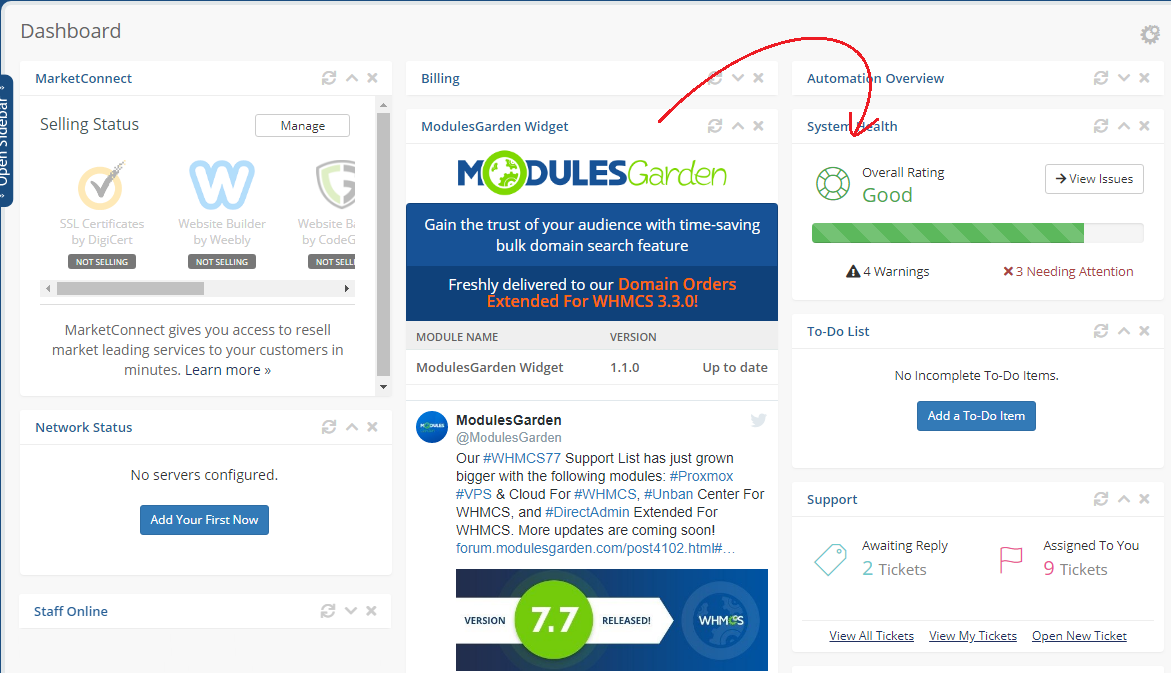
Finally, use the inbuilt WHMCS Drag&Drop feature to easily change the widget position and make it most easily accessible as possible.
Simply press and hold the widget, move wherever you need and drop. Changes will be saved immediately.
Important: Keep in mind that this feature is available in WHMCS 7.7. and later. If you are using any previous version of WHMCS, change the widget priority to manage the position on dashboard as described in step 4.
# Tips

  1. Plenty of promo codes and promotions that we offer to our clients are shared via the widget only.
    It is really worth having it in your WHMCS if you do not want to skip any.

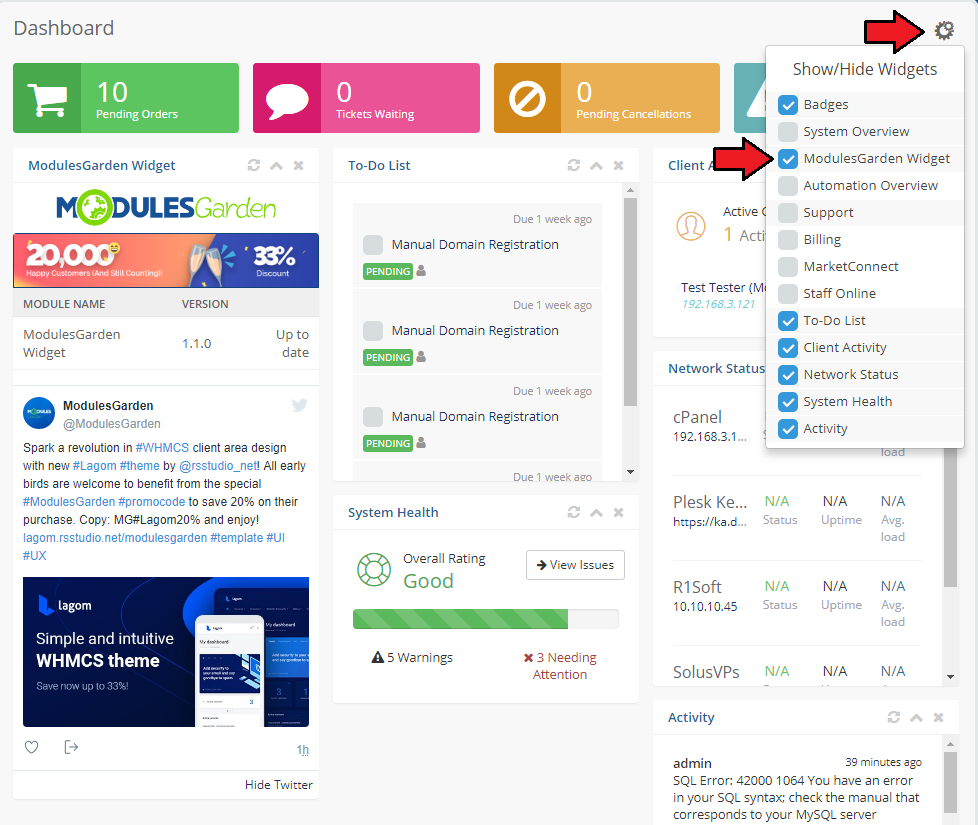
  2. If you want to temporairly hide the widget, simply press the configuration icon at the WHMCS Dashboard, find ModuleGarden Widget and unselect it.
  1. By default, WHMCS widgets priorities are graded every 10. This means that the first WHMCS widget in line has a priority 10 assigned, the second 20, etc.
    If you want to place the ModulesGarden widget on the first position, its priority must be lower than 10. The second position requires proiority number set between 11 and 19, and so on.
    Please remember that priorites to set the widget position must be used only if you are using any version of WHMCS previous to WHMCS 7.7. which now supports an easy "Drag&Drop" option.

# Update Instructions

Essential guidance through the process of updating the module is offered here (opens new window).

# Common Problems

  1. When you have problems with connection, check whether your SELinux or firewall does not block ports.