

# 7-Day Free Access
# About 7-Day Free Access
7-Day Free Access will allow you to use any WHMCS product for a week at zero cost so as to check whether its functionality and interface suit all your requirements.
Since all features are available under 7-Day Free Access, you are offered the opportunity to use a module in the exact way it would be used once bought, before you actually reach a purchase decision.
# Ordering Process
Below we will guide you step by step how to order 7-Day Free Access on the example of cPanel Extended For WHMCS module.
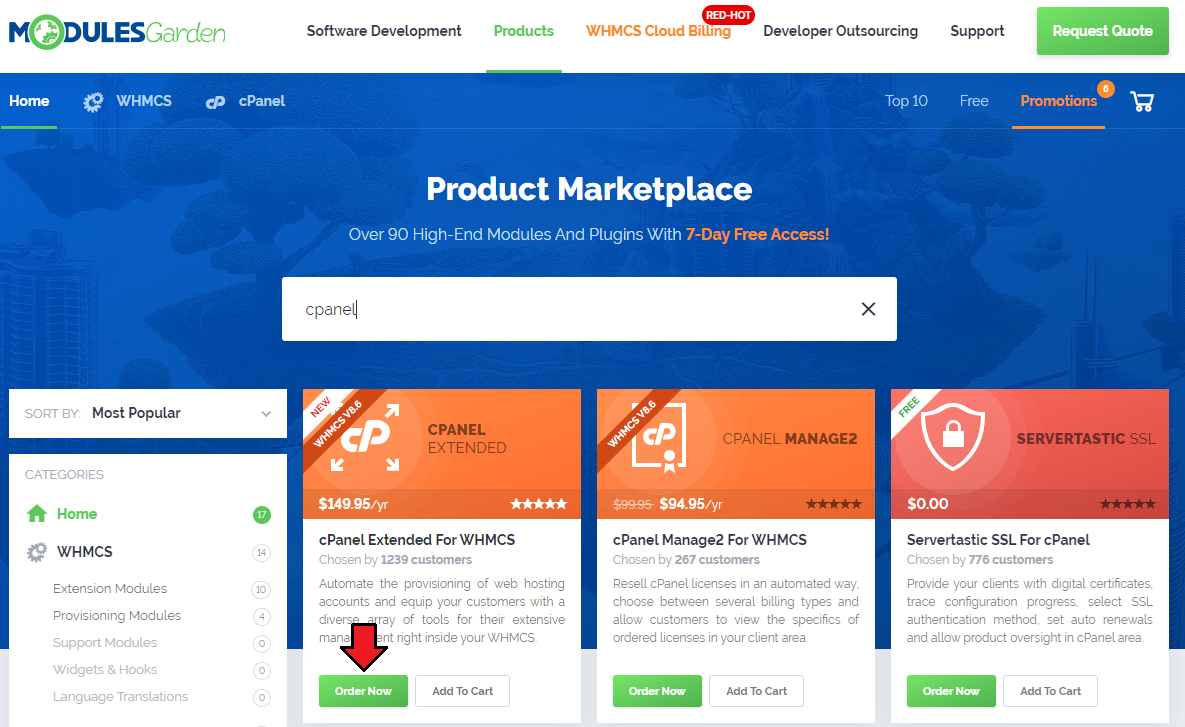
Enter our Product Marketplace (opens new window), find the product that you would like to access without any cost and click „Order Now”.
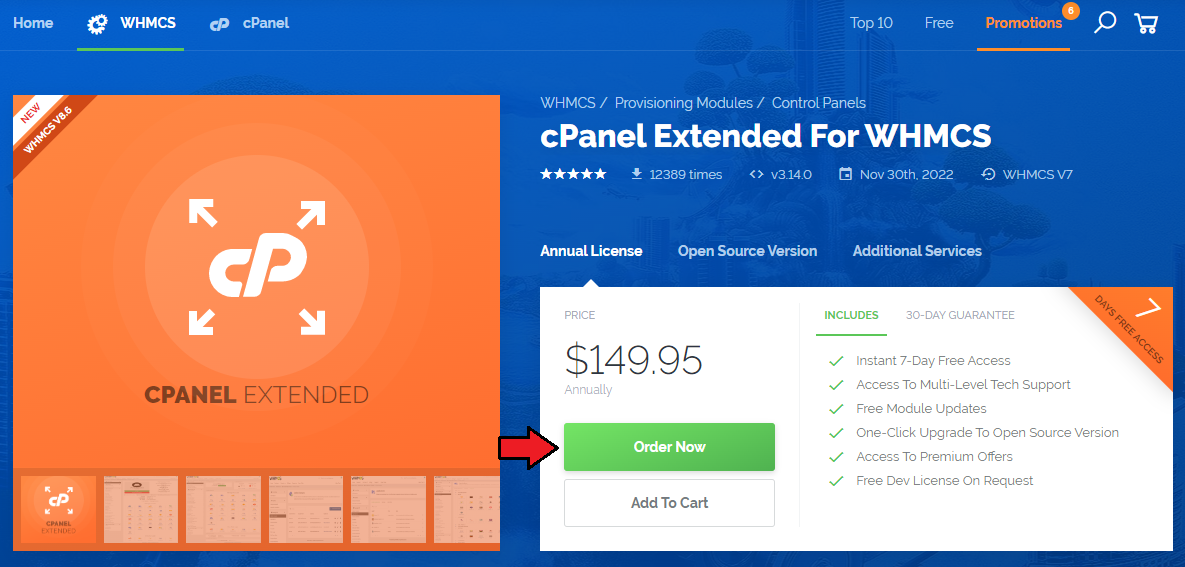
Alternatively, you can place the order directly from the product’s page. Simply use the relevant button and you will be moved to the shopping cart automatically.
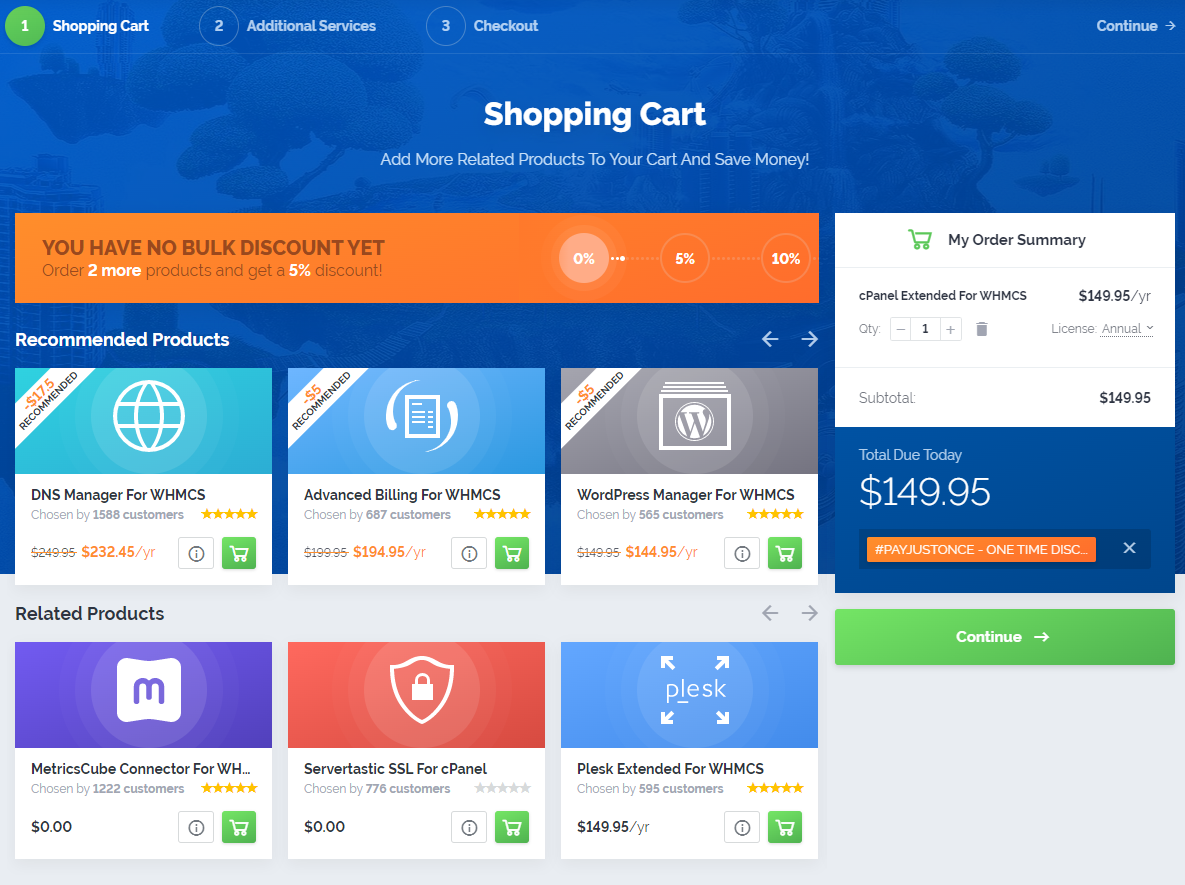
In the first step of the order placing, you can browse products we recommend, those are available at a special discount, along with several related offerings that might appeal to you as well.
A small box „My Order Summary” containing the details of an ordered product is placed on the right through the entire process.
The second stage provides the choice of our additional services, i.e. the Installation Service and Template Integration. Skip this step to proceed with the order of 7-Day Free Access.
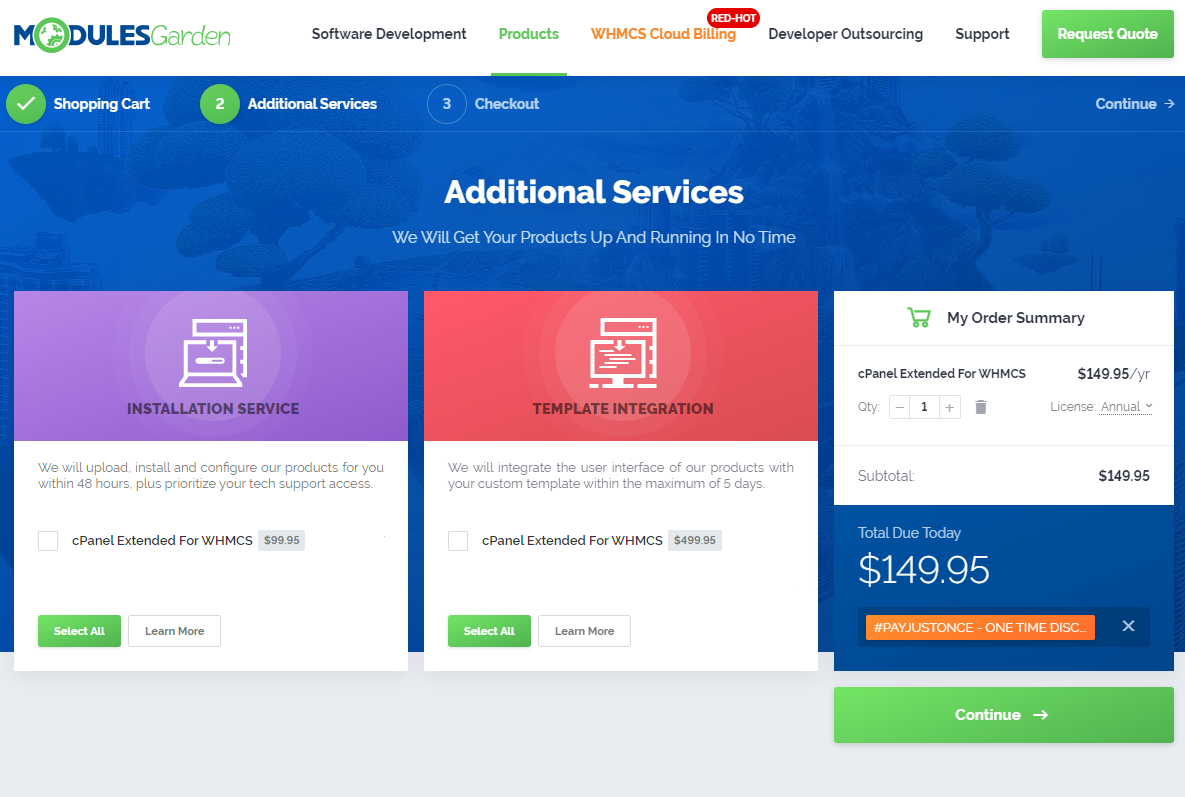
Note: If it turns out you would rather that we install the module for you, or integrate its interface with your custom template, you will be able to order either one of the above services after you complete
the ordering process for 7-Day Free Access – this will be explained in the further part of this documentation.
The final step is crucial, as this is when you select the 7-Day Free Access option as your payment method.
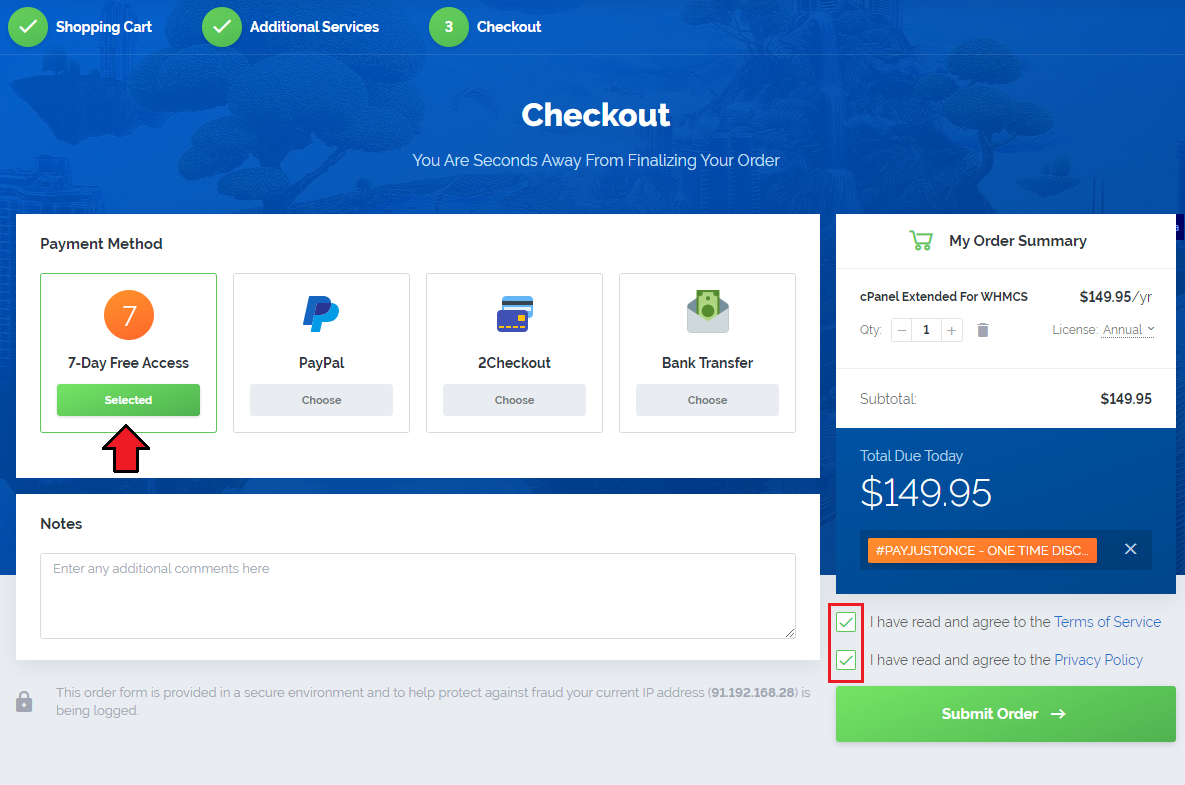
Note: If the 7-Day Free Access box is disabled, it most probably means that you have added an open source product or an additional service to the shopping cart.
Review your order and make sure none of these is included. If the field remains inactive even though the order is correct, please contact our Support Team. (opens new window)
Remember to read and confirm the acceptance of the Terms Of Service (opens new window) and Privacy Policy (opens new window) before you proceed. Click „Submit Order” to finalize the ordering process.
# Download
After you complete the ordering process, the product might not be available in our client area straight away, as the order will first go through a brief verification for security purposes.
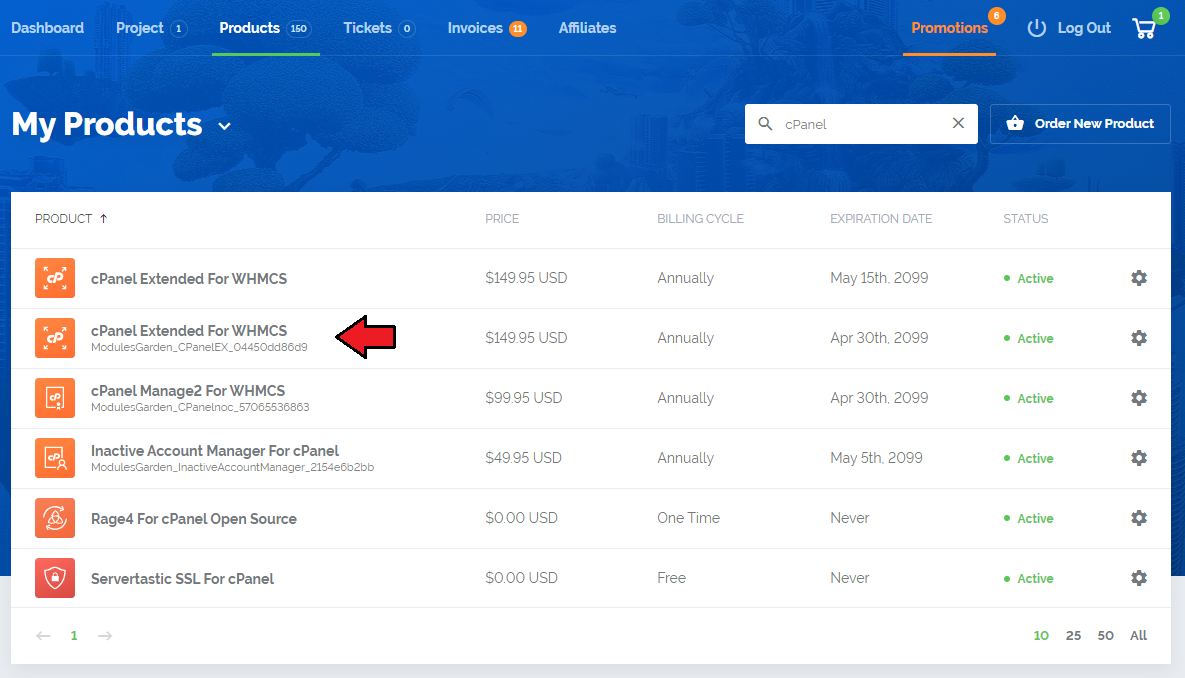
As soon as the module is activated, you will see it listed in the „Products” section.
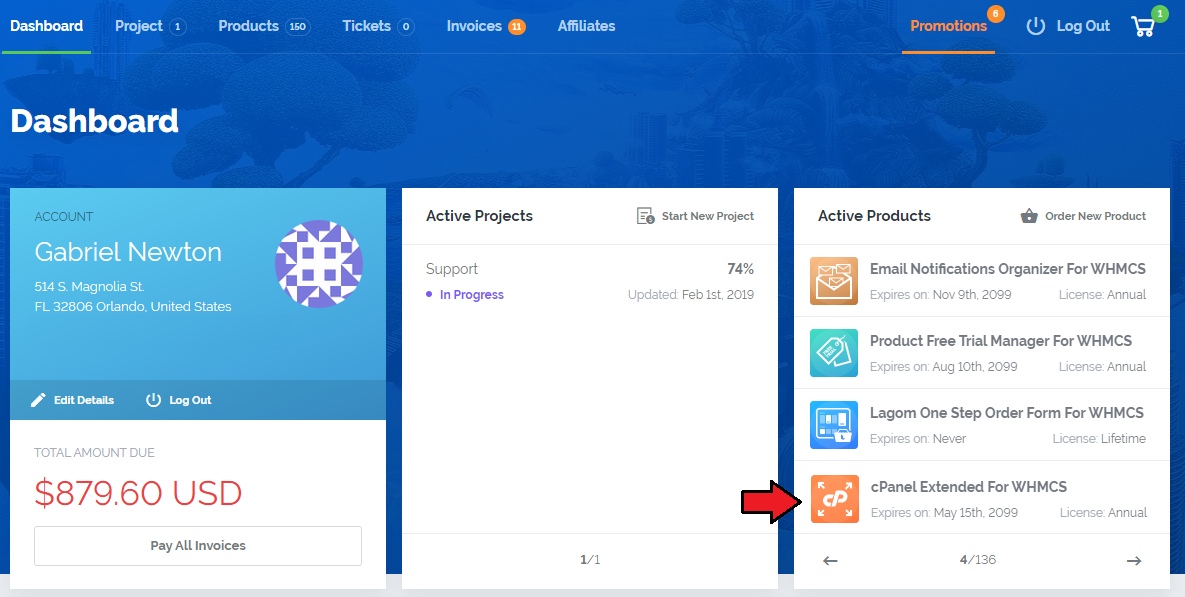
For your convenience, the module will also appear in the „Active Products” box on the dashboard.
Note: In case the ordered product does not show up in our client area even though some time has already passed, please contact our Support Team. (opens new window)
Now, when the order has been verified, simply move to the product’s page to view the basic information about it and download the files.
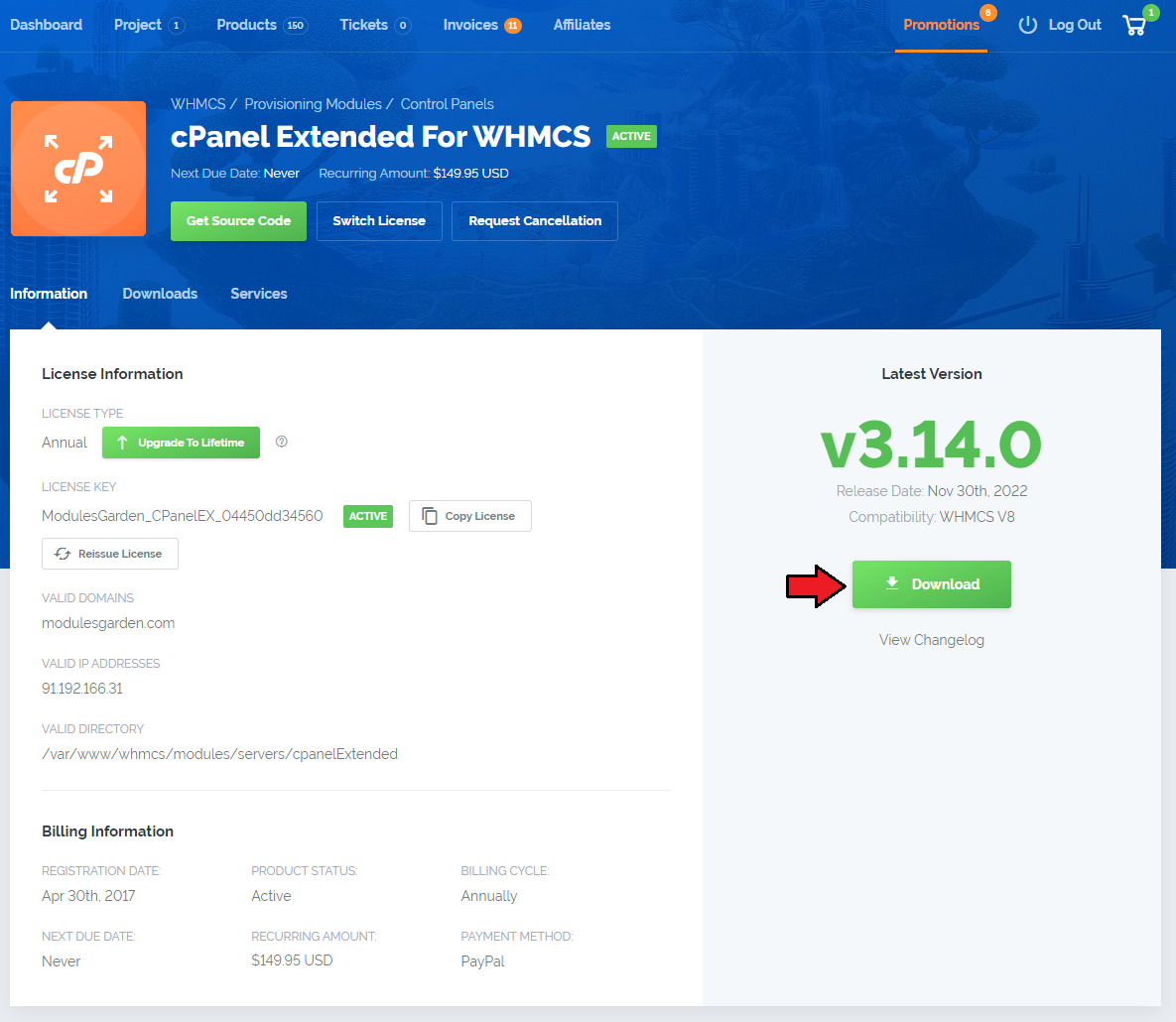
Note: The data on your domain, IP address and a directory will be added automatically as soon as you install the module.
# Installation
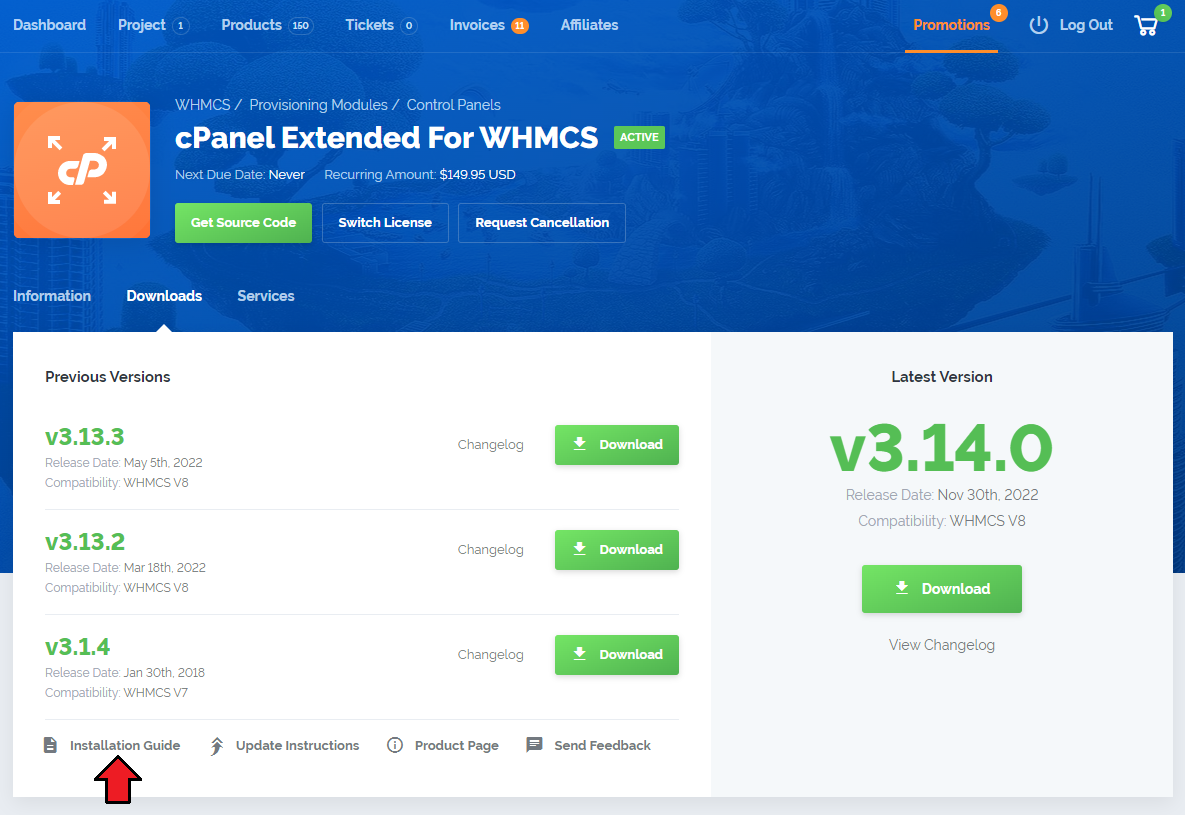
To install and configure the module, follow the steps described in our publicly available Documentation. You can access the Installation Guide quickly by clicking the appropriate button
in the „Downloads” tab on your product’s page.
If you would like us to install the module for you, enter the „Services” section, and scroll down a bit to find the Installation Service box right under the heading „Available Services”.
Moreover, in case it turns out that the product does not combine well with your custom template, you can also take advantage of the Template Integration service and we will carefully harmonize all interface elements.
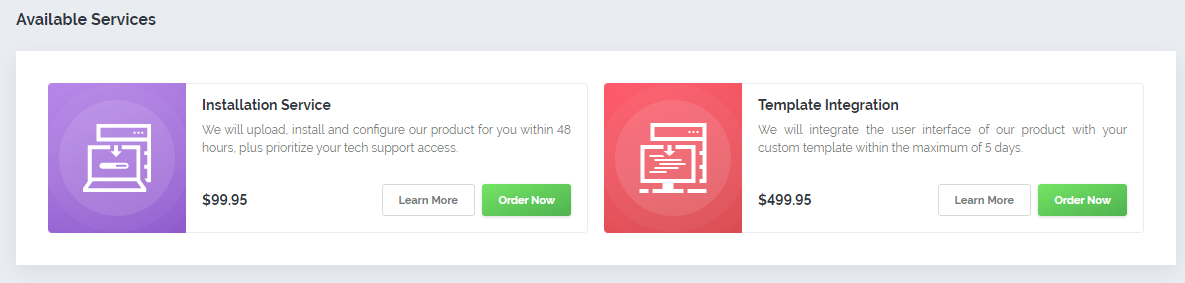
Click „Order Now” next to a chosen service and follow the ordering steps exactly as you did previously.
# Deferred Payment
Ready to purchase the module after having explored its complete functionality? Great! Simply enter the „Invoices” section of our client area and pay the invoice that can already be found there
- it has been generated automatically to let you quickly obtain a full annual license of an explored product whenever you decide so. No need to complete the ordering process all over again!
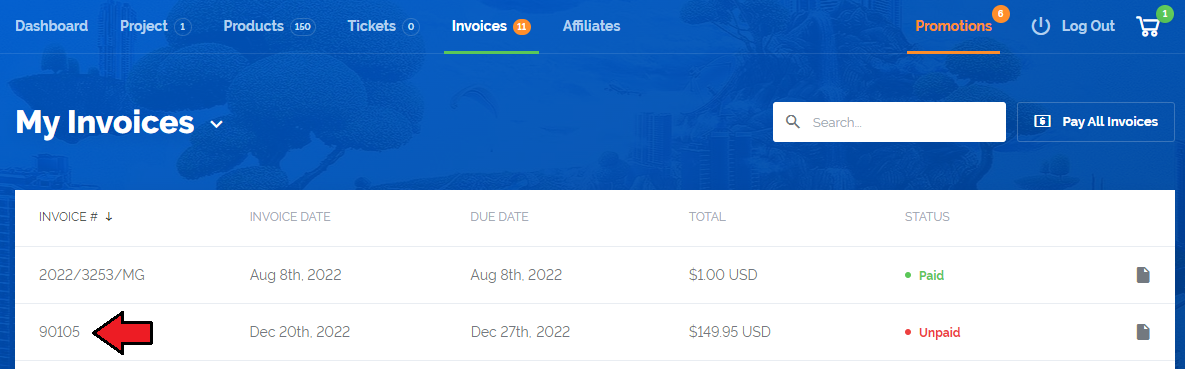
You can safely continue using the product as soon as we receive your payment. You do not have to take any additional steps or adjust the current configuration in any way – your module is ready for action!
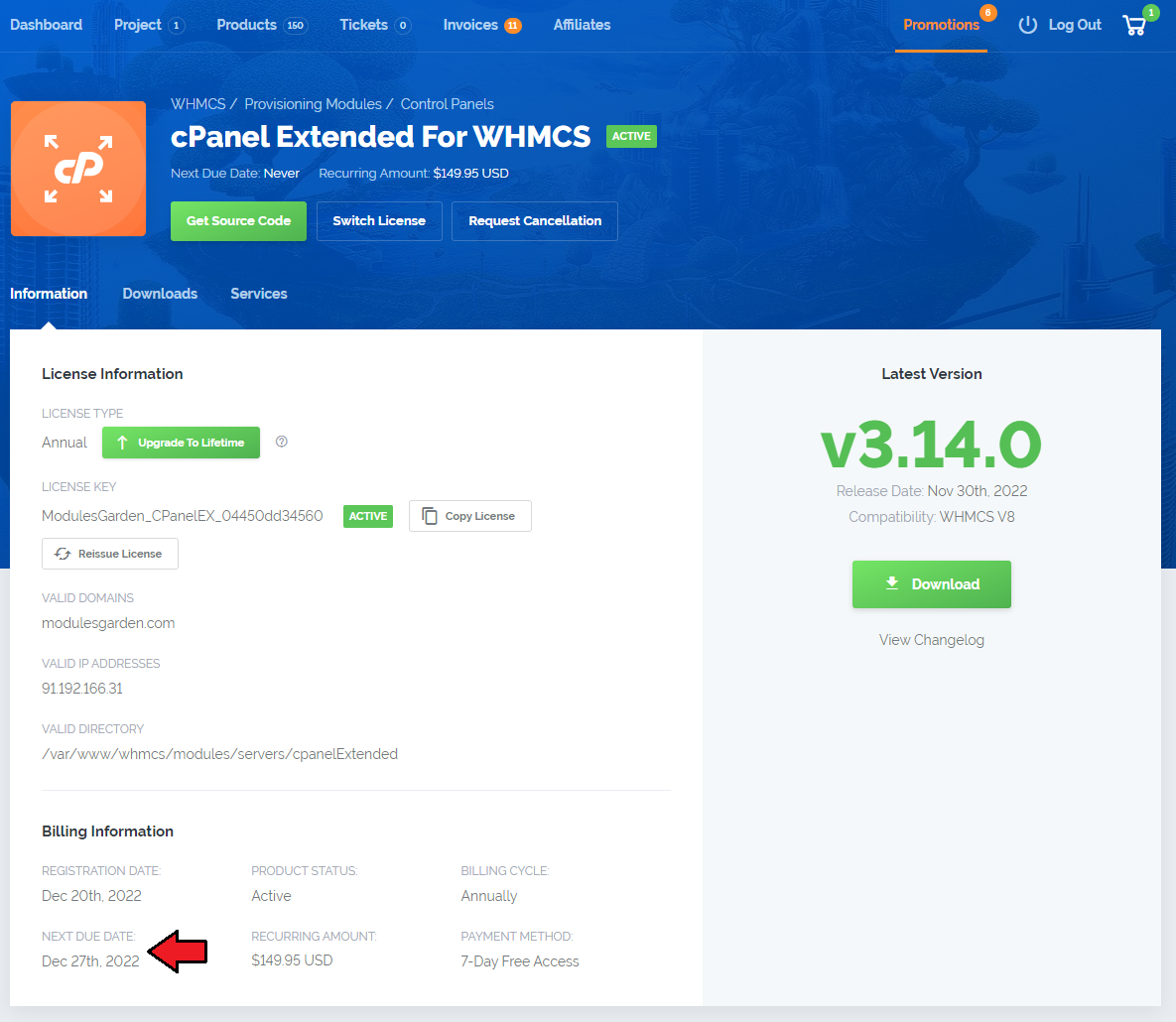
You are free to complete the transaction within two weeks from the moment of order placing, after this time it is assumed that you are not ready to proceed with the purchase and the invoice is cancelled.
No need to worry, there are neither late charges nor other consequences of such a decision, and you can change your mind at any time – simply contact our Support Team (opens new window) once you decide to buy the
product and we will reactivate the invoice for you.