ModulesGarden Documentation
Back Home Home

Translations

  • Navigation
    • Main Page
    • ModulesGarden Website
    • Help
  • WHMCS Modules
    • Abandoned Cart
    • Account Synchronization
    • AdminBolt Licenses
    • Advanced Billing
    • Alibaba Cloud Virtual Machines
    • Amazon EC2
    • Amazon Lightsail
    • Anti-Fraud And Email Verification
    • Client Area Designer
    • Client Area Popup
    • Client Profile Viewer
    • Cloud Billing
    • cPanel Extended
    • cPanel Manage2
    • CRM
    • DigitalOcean Droplets
    • DirectAdmin Extended
    • DirectAdmin Licenses
    • Discount Center
    • DNS Manager
    • Domain Allocator
    • Domain & Email Forwarding
    • Domain Orders Extended
    • Domains Reseller
    • EasyDCIM Colocation
    • EasyDCIM Dedicated Servers
    • Email Notifications Organizer
    • Emoji Picker
    • EURid Registrar
    • Expense Tracker
    • Freshdesk
    • Freshservice
    • Geolocation Hook
    • GoDaddy Domain Registrar
    • GoGetSSL
    • Google Analytics
    • Google Cloud Virtual Machines
    • Google Workspace
    • Hetzner Cloud Servers
    • Hosting Quota Notifications
    • Hosting Renewals
    • IBM Cloud Virtual Servers
    • IP Manager
    • Lagom Smart Order Form
    • Login-Free Payments
    • Marketing Triggers Automation
    • MetricsCube Business Analytics
    • MikroTik WireGuard VPN
    • Multibrand
    • NIC IT Registrar
    • Office 365
    • OpenStack Projects
    • OpenStack VPS & Cloud
    • OVHcloud VPS & Dedicated Servers
    • Password Manager
    • Payment Gateway Allocator
    • Payment Gateway Charges
    • Plesk Extended
    • Plesk Key Administrator
    • Portainer Docker Containers
    • Premium Support Tickets
    • Product Cross-Selling
    • Product Feedback Center
    • Product Free Trial Manager
    • Product Linker
    • Products Reseller
    • Proxmox Mail Gateway
    • Proxmox VE Cloud VPS (Legacy)
    • Proxmox VE VPS & Cloud
    • QuickBooks Desktop
    • QuickBooks Online
    • QuickBooks Online Survey
    • Quotes Automation
    • R1Soft Backups
    • Rackspace Email Extended
    • Recurring Contract Billing
    • Report Generator
    • Resellers Center
    • Server Allocator
    • Secure Support Messages
    • Server Monitoring
    • SMS Center
    • Social Media Login
    • SolusVM 2 VPS & Cloud
    • SolusVM Extended VPS
    • SolusVM Extended Cloud
    • SolusVM Extended Reseller
    • Stripe SEPA Payments
    • Support PIN
    • Support Tickets Allocator
    • Time & Task Manager
    • Unban Center
    • Virtuozzo Hybrid Infrastructure S3
    • Virtuozzo Hybrid Server
    • Vultr VPS
    • WithoutDNS
    • WordPress Manager
    • Zendesk
    • Zimbra & Carbonio Email
  • Legacy Versions
    • Advanced Billing 3.X
    • Domain Orders Extended 2.X
    • Domains Reseller 1.X
    • EasyDCIM Colocation V1.X
    • EasyDCIM Dedicated Servers V1.X
    • EasyDCIM Dedicated Servers V2.X
    • Hosting Quota Notifications 1.X
    • Hosting Renewals 2.X
    • IP Manager 2.5.X
    • Lagom One Step Order Form 1.2.X
    • Multibrand 1.X
    • Office 365 1.0.0
    • Payment Gateway Charges 1.X
    • Proxmox Cloud 2.X
    • Proxmox VPS 2.X
    • Quotes Automation 1.X
    • Recurring Contract Billing 1.5.X
    • Report Generator 3.X
    • Resellers Center 2.X
    • SMS Center 2.X
    • Unban Center 1.X
    • Zimbra Email For WHMCS
    • Zimbra Email 1.X
  • WHMCS Module Bundles
    • Accounting
    • Commerce
    • CRM
    • Customer Experience
    • Domain Reseller
    • Hosting Accounts Provisioning
    • IaaS VPS And Cloud Provisioning
    • On-Premises VPS And Cloud Provisioning
  • WHMCS Widgets
    • Freshdesk Customer Widget
    • ModulesGarden Widget
    • WHMCS Widget For Zendesk
  • Tools And Applications
    • Access Control Tool
    • App Templates Tool
    • Automations Tool
    • Logs
    • Proxmox Proxy Application
    • Task Queue Tool
    • Theme Management Tool
  • Translations
    • Translations Tool
    • Translations
    • Polish Language Translation
    • Polska Wersja JÄ™zykowa (PL)
  • General
    • 7-Day Free Access
    • How To Change WHMCS Module Language
    • How To Debug Module
    • How To Solve Problems With Module License
    • How To Change WHMCS Module Design
    • How To Update WHMCS Module
    • How To Upgrade WHMCS Module
    • How To Use Configurable Options
  • FAQ
    • Common Questions
    • WHMCS Module Bundles
  • Community
    • Forums
    • Blog
    • Facebook
    • X
    • LinkedIn
    • Instagram
    • Reddit
    About Translations

# Translations

  • About Translations
    • Management
      • New Translation
        • Module Updates
      • Additional Actions

# (opens new window) About Translations (opens new window)

Translations tool is an integrated feature designed for seamless, efficient, and user-friendly customization of language files in various capacities.
Its user-friendly design ensures a smooth and efficient process, making it a versatile solution for managing a variety of language file customizations.
Use this inbuilt into a ModulesGarden addon module tool to easily prepare translations of the original English files.

# Management

The Translations tool allows quick, easy and intuitive management of language file customizations of any kind.
It comprises two basic sections: one displaying all created translations and the other one listing all the elements of the customized language.
Read through the below descriptions to learn how to take the most from this inevitably flexible and helpful tool.

# New Translation

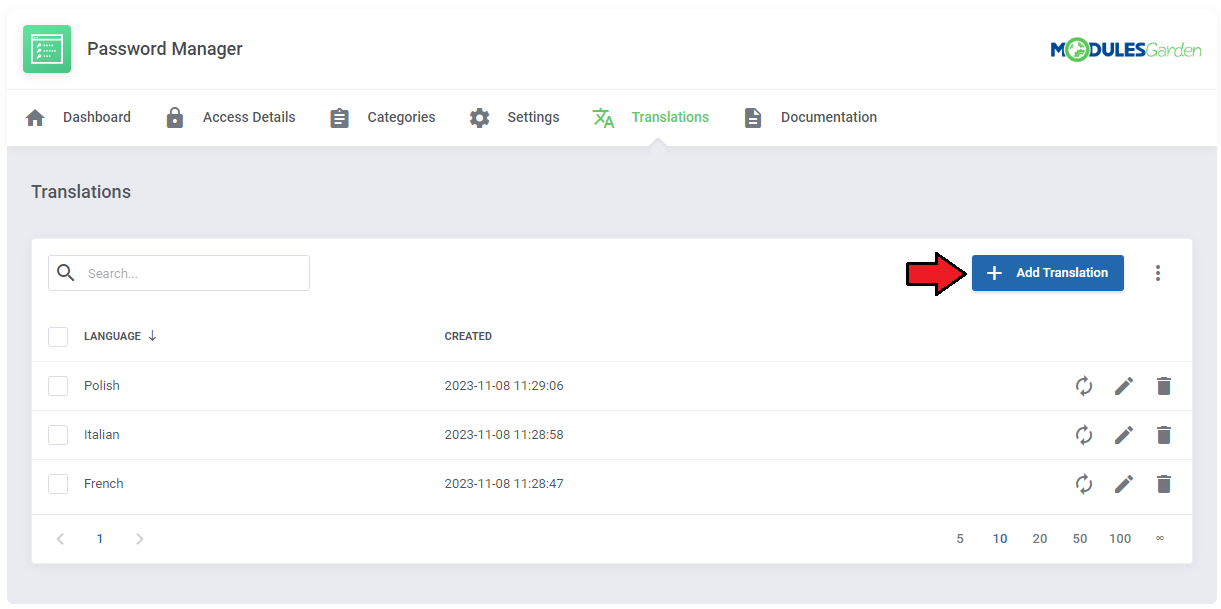
Steps to follow to add a new translation of the module files are very simple. On this page you will find all already created translations, if there are any.
Press 'Add Translation' to begin.
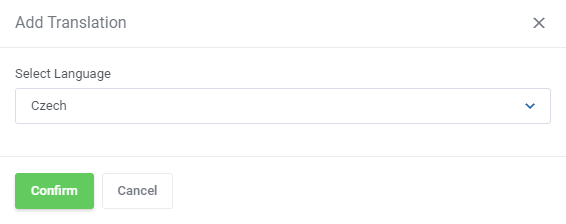
A new modal will appear, choose the language for which you aim to prepare the translation.
Once confirmed, the language will appear on the list.
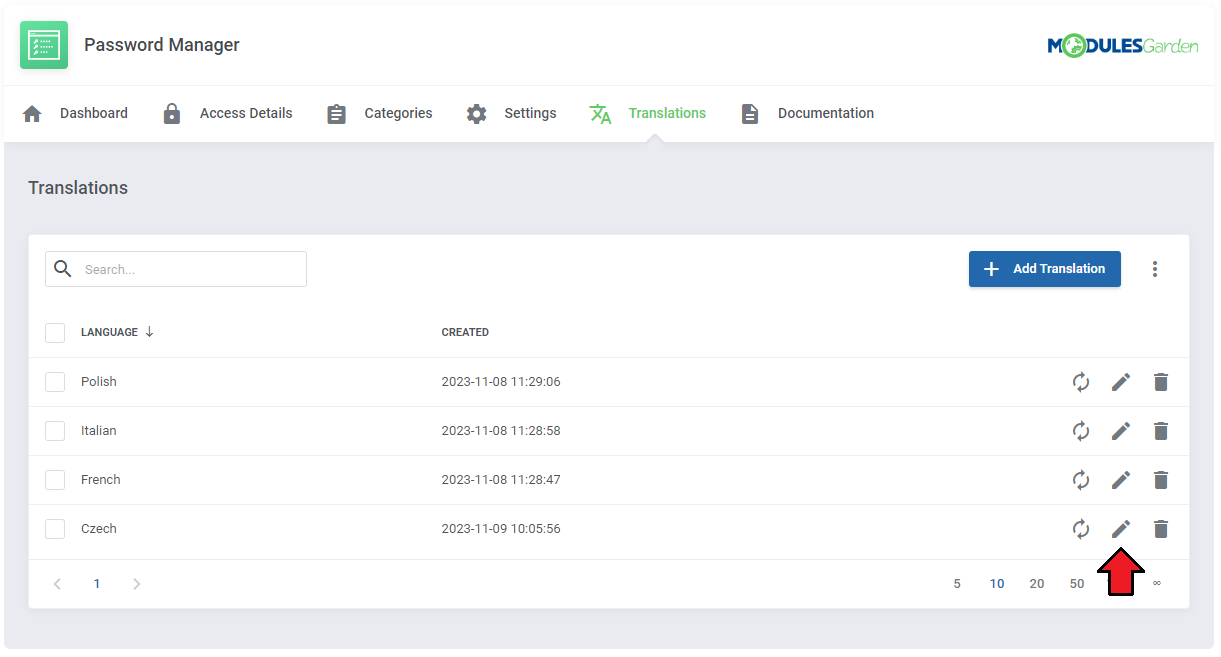
Now you will have to customize the language elements of this translation. Press 'Edit' icon, next to the language.
You will be moved to the next section.
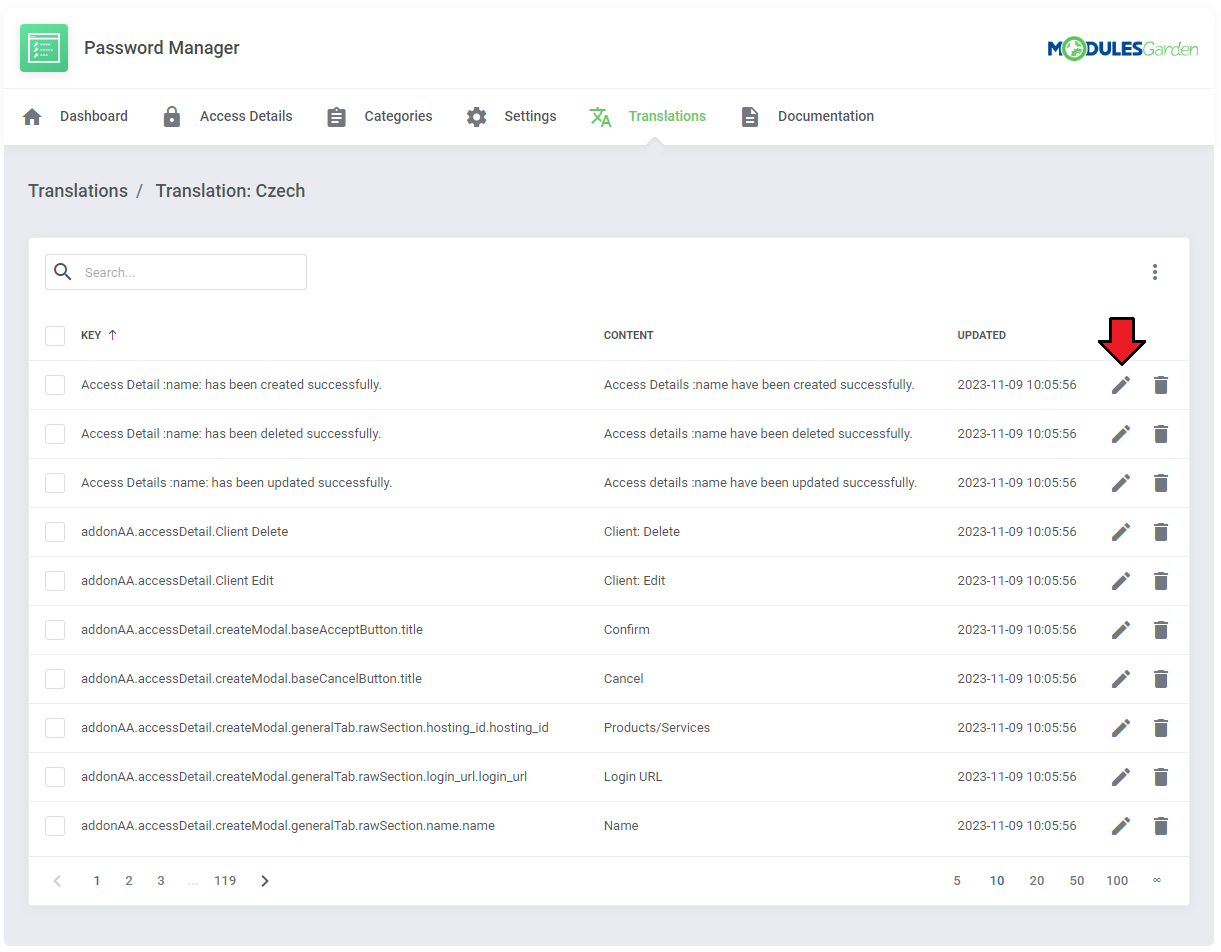
There are automatically loaded all of the elements from the original module language file. You may now change, modify, delete or basically translate every line or just some of them.
To manage the single language element, press 'Edit' next to this line.
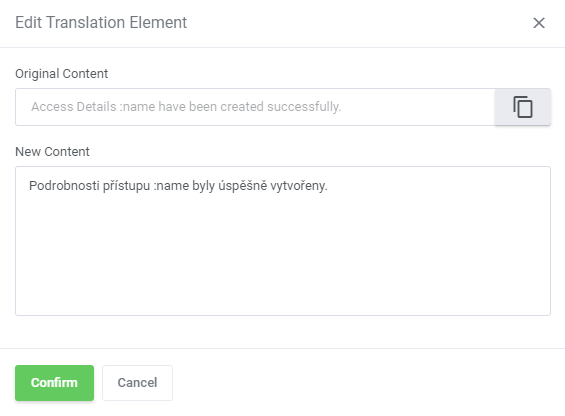
In dedicated modal form, customize the content according to your needs. Press confirm to finalize.
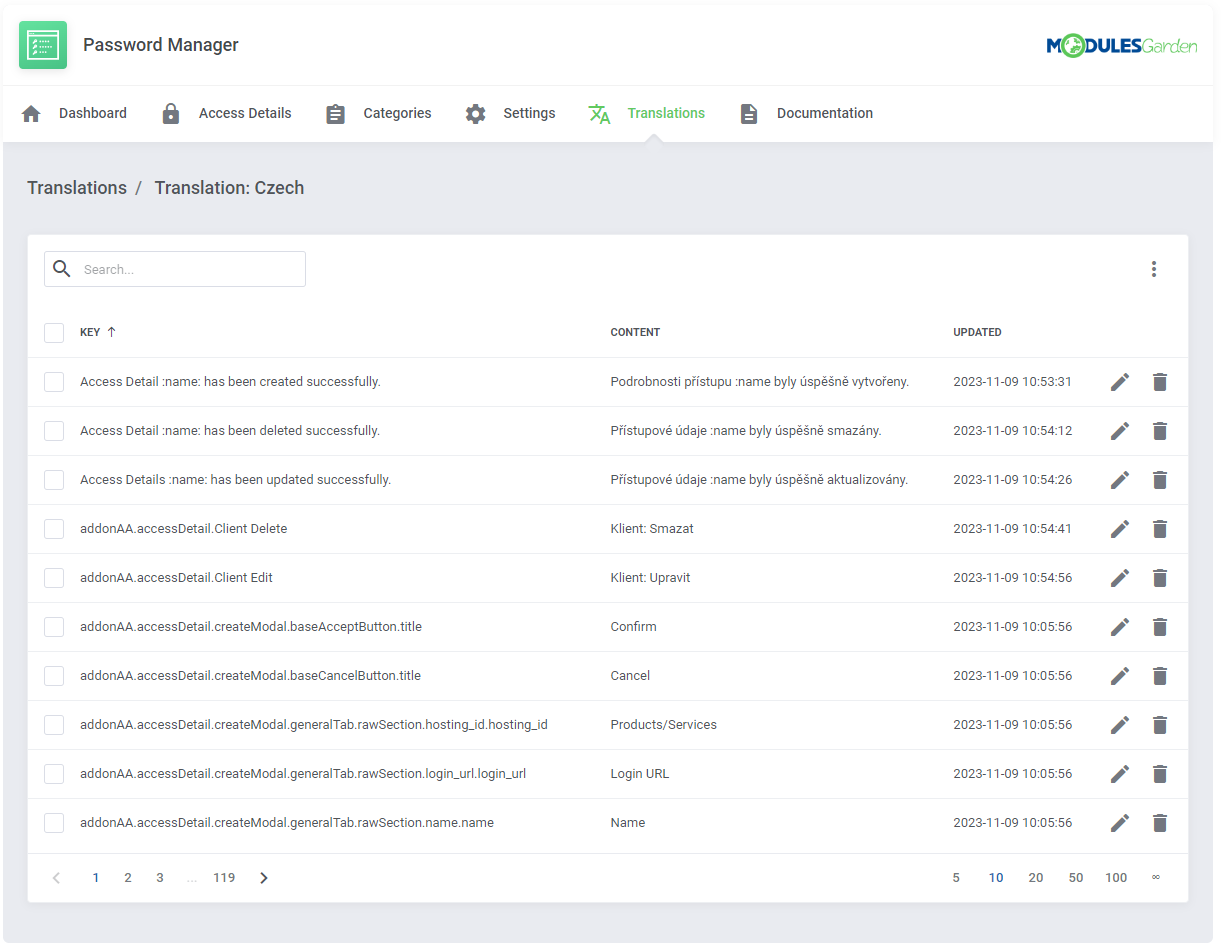
Now the new translated element is ready, repeat the steps for every element you wish to translate, modify or customize in any way you need.
Clients and/or admin users using the selected language in their WHMCS will now see the module with the customized langs.
# Module Updates

When your module is updated to a newer version, none of your language changes will be overwritten.
Thanks to this tool, you will no longer have to remember to verify changes and manually update the language file.
If any translation requires action, you will be notified about that so as to ensure immediate changes in individual translations.
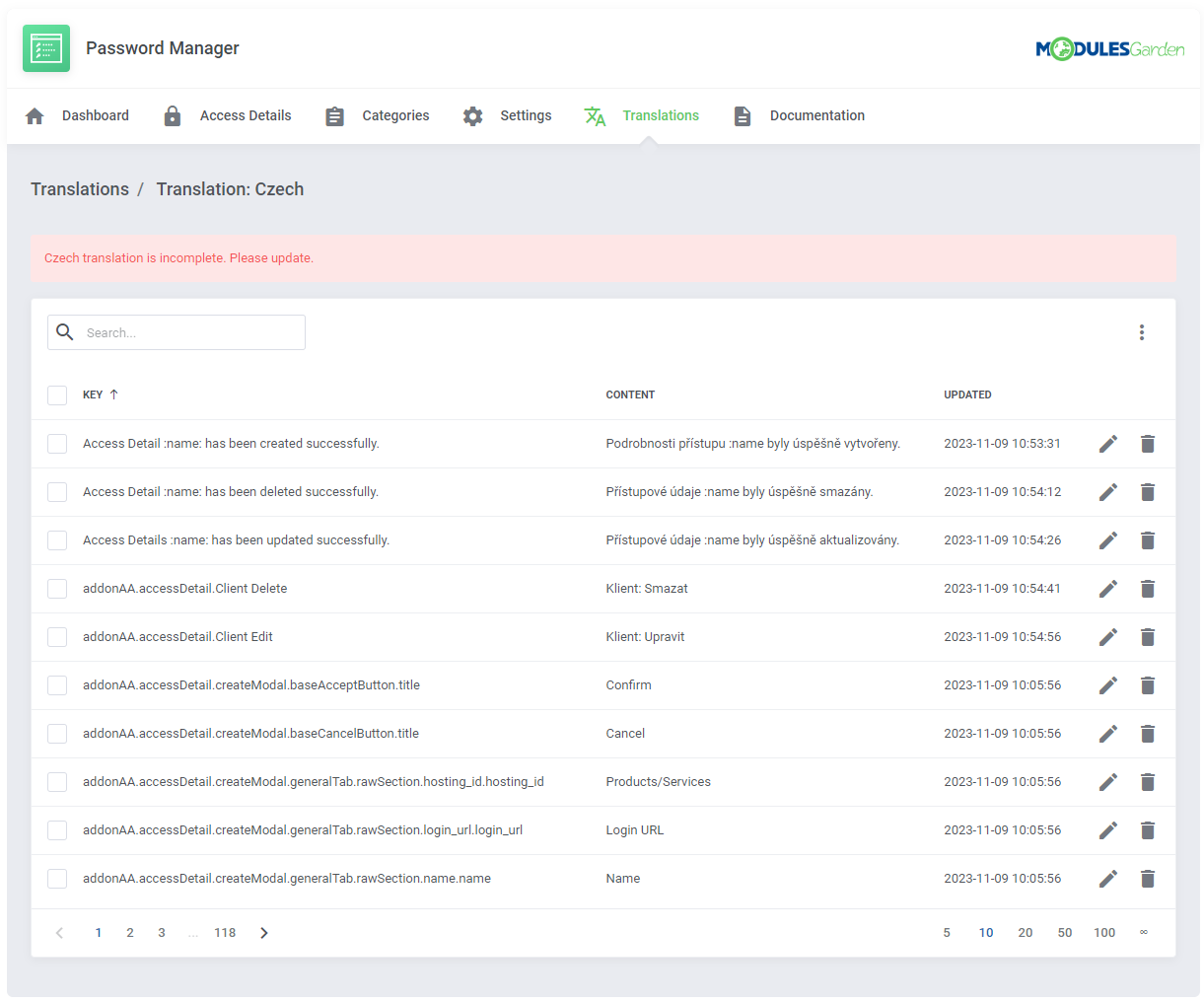
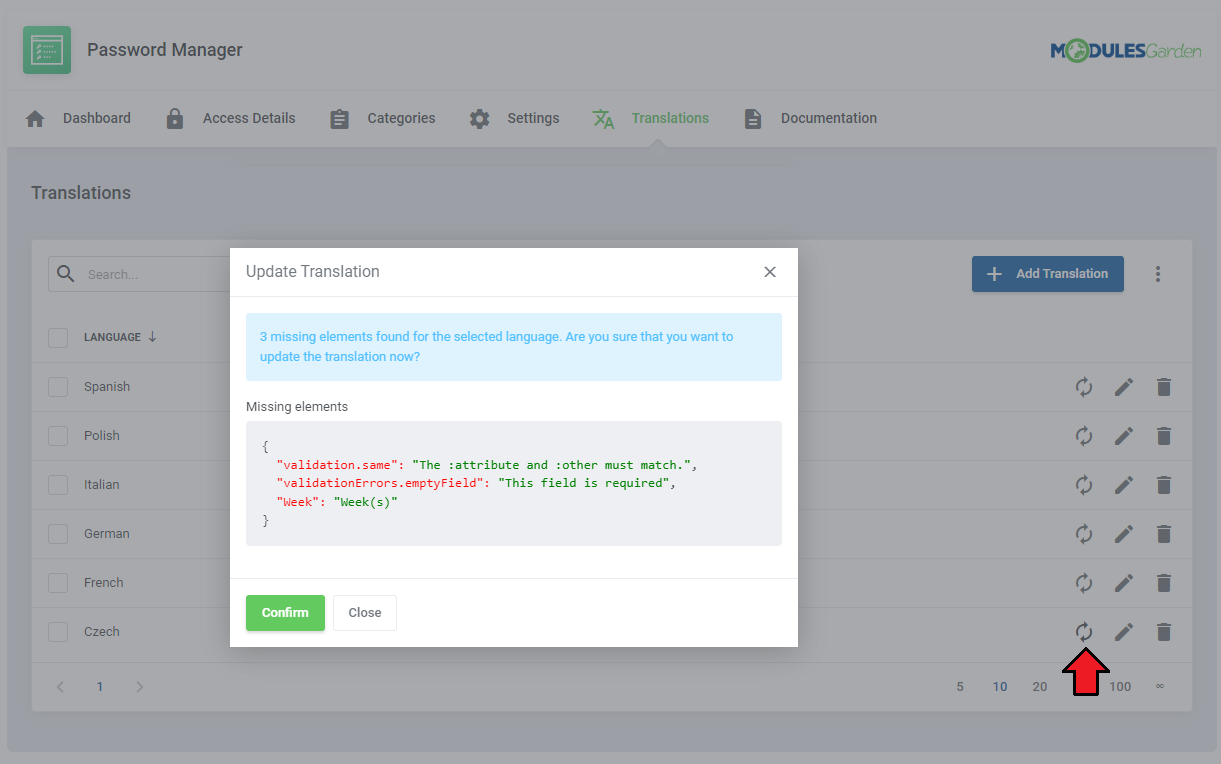
Press 'Update' icon and the tool will detect if there are any new elements added to the main language file (english.php).
If there are any differences, every new line will be displayed in the modal for your knowledge.
Press confirm and all new elements will be added to the selected translation. Then you will be able to modify them or translate them to keep the translation updated.
# Additional Actions

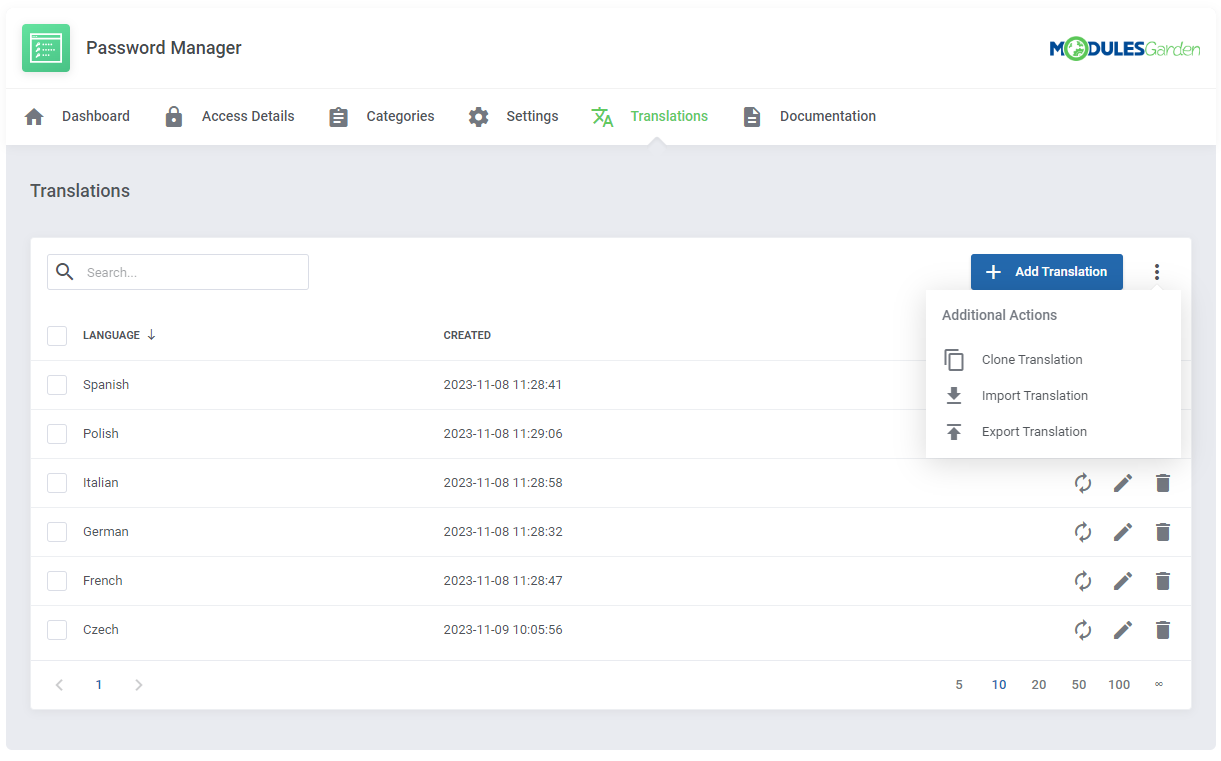
Translations tool offers a few extra features that will help you speed up and facilitate the customization of language files. These are:

  • Cloning Translation
  • Importing Translation
  • Exportint Translation

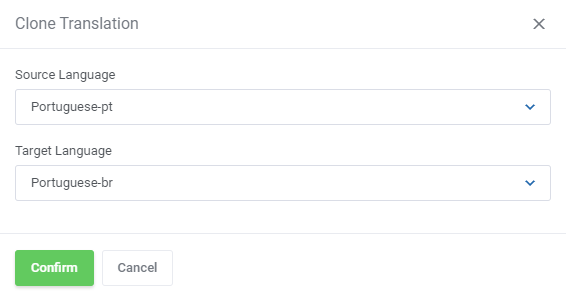
You may clone a translation, that is the customized file content form one language directly to a new one.
This feature is helpful when you have no differences, or very few differences between two translations.
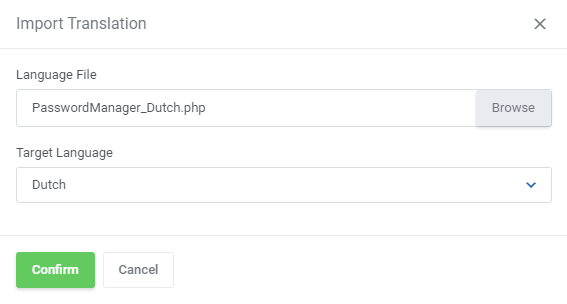
Upload a ready language file from your disk directly to the module. The selected in the 'Target Language' field language will create the content of the uploaded file.
This feature is especially helpful if you already use other than default 'english.php' files and wish to use our tool for future updates and management.
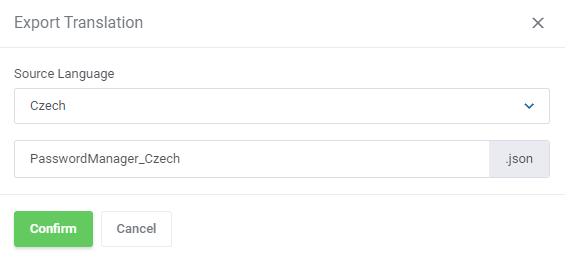
To export a translation simply select the language you are interested in and save its content as a .json file on your disk.